sherryr54450391
Participant
September 30, 2021
Answered

Text box stuck on 2 columns

  • September 30, 2021
  • 2 replies
  • 4662 views

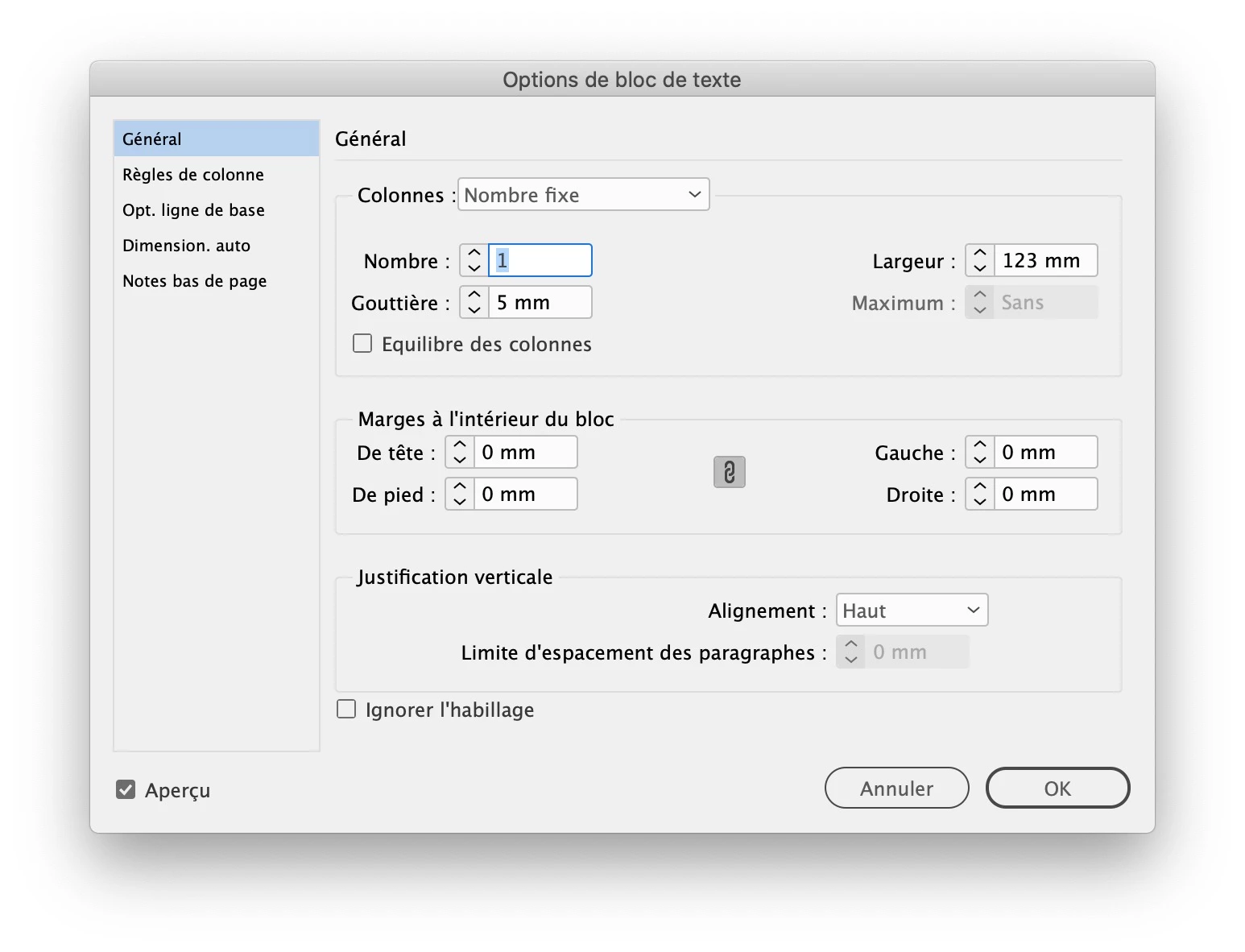
Working on a newsletter and out of the blue all my text boxes are in 3 columns, even new ones. I have set the OPTIONS, Text frame options to 1, and fixed, but it continues to override.

How I get them back to one permanently?
 

Correct answer jmlevy

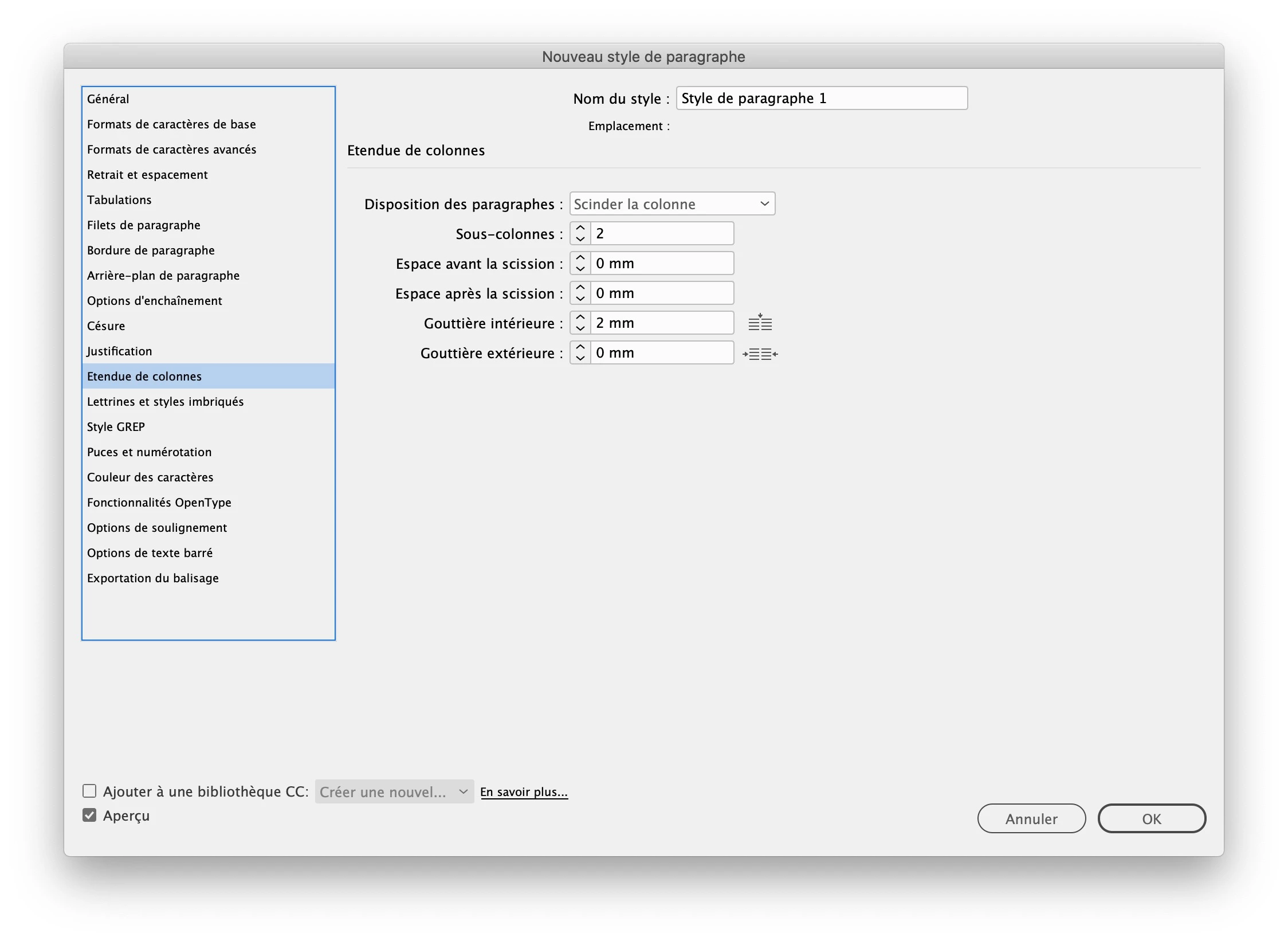
It seems that your pargraph style options are set to “split columns”. So each time you have a one column frame, it looks like if you had 2 columns and if the text frame is set to 2 columns, it looks liker you have 4…

2 replies

Community Expert
September 30, 2021

You may need to do this globally to get the result you want:


  1. Close all documents within your InDesign application, but leave the InDesign application itself open.
  2. Go to the Object>Text Frame Options... menu command. This opens the Text Frame Options dialog box.
  3. If needed, change the Columns: options box to Fixed Number.
  4. In the Number: edit box, change the number to 1.


Now open a new document, and see if you still get three-columned text frames. Hopefully you won't and the problem will be fixed forevermore ... or at least until something gets bumped in the settings and you have to do this process again. It happens.


Hope this helps,


Randy

sherryr54450391
Participant
September 30, 2021

I've done this many times, even though the form shows it is 1, the text boxes stay at 2.   One box in particularly (attached) defaulted to 4.

jmlevy
Community Expert
jmlevyCommunity ExpertCorrect answer
Community Expert
September 30, 2021

It seems that your pargraph style options are set to “split columns”. So each time you have a one column frame, it looks like if you had 2 columns and if the text frame is set to 2 columns, it looks liker you have 4…

Legend
September 30, 2021

When you set the options to 1, did you make sure that no text frames were selected? 

sherryr54450391
Participant
September 30, 2021

Yes.  I've also tried setting up a completely new file and each of them are defaulting to 2 columns.  If I have to type in an original text box BEFORE the foulup, they too will jump to 2 columns.