Participant
February 17, 2023
Answered

Text Box Won't Change Font

  • February 17, 2023
  • 3 replies
  • 1621 views

whattuuupppp


So I'm trying to change the font in a textbox. Either with the box itself selected or the text within it directly highlighted/selected. It doesn't, no matter what I try to change the font to, it remains the same.


I have to set the font in the document without anything selected, then create a text box, (resize it, etc) and it will be the font. But if I wanted a style like Bold or Italic, it will not change either.


What I've done to troubleshoot to zero effect:

1. Reboot Mac (2020, Monterey, M1)

2. Restart ID

3. Clear ID prefs and start over

4. Disabled/re-enabled the fonts (they're the Adobe ones)

5. Ran a cursory search online/documentation

6. Grabbed a coffee and scrolled through my insta feed


Anybody else have this issue? Is this a known issue?
This topic has been closed for replies.
Correct answer Steve Werner

@Herb5CC5,


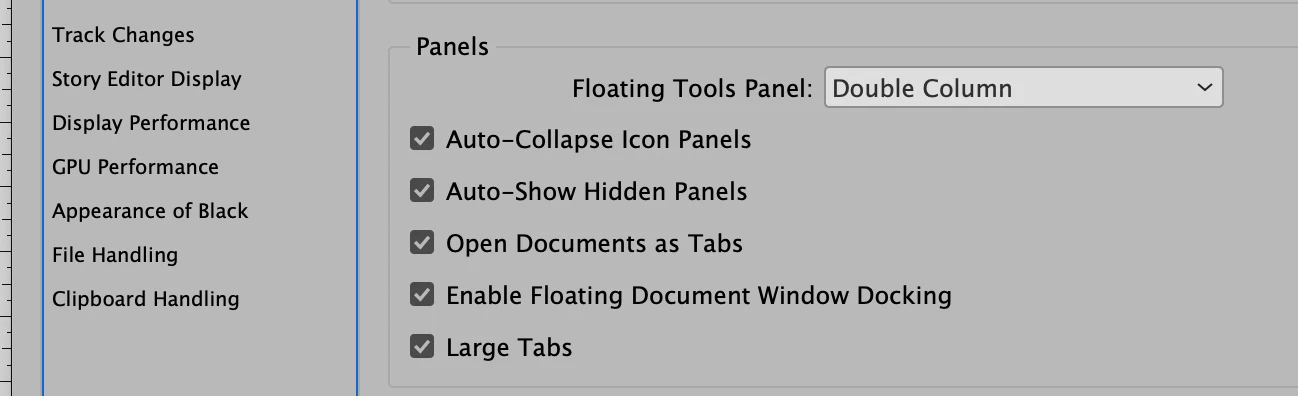
The Interface preference "Auto-Collapse Icon Panels" does only one thing: If you display panels as icons, and you open a panel to use it, then click away, it collapses.


I have it turned on my MacBook Pro 2021, InDesign 18.1, Ventura 13.2.1:


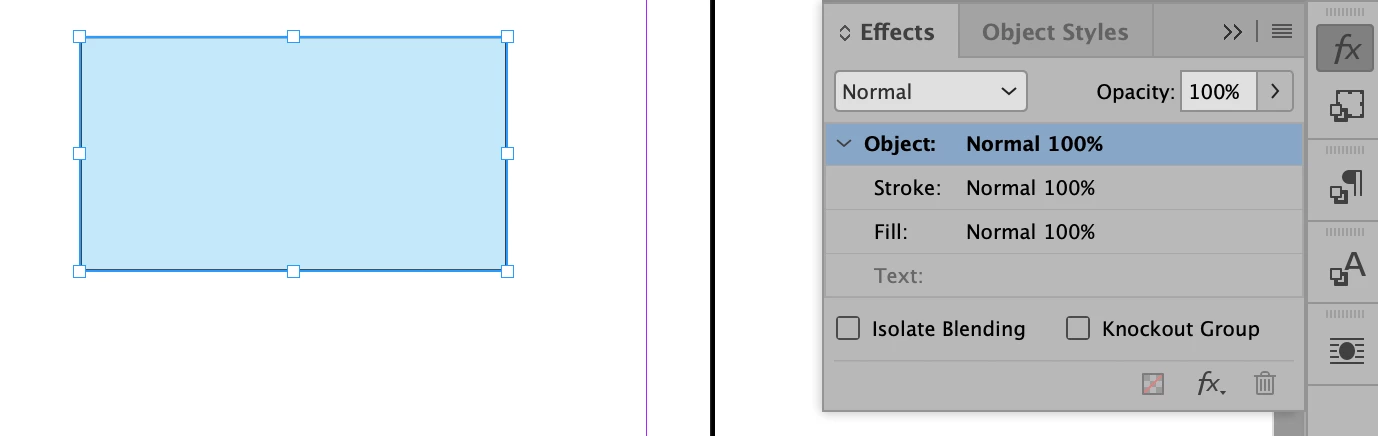
I create a small rectangle filled with blue and the rectangle is selected. I click the icon of the Effects panel, and the Opacity of the rectangle is 100%.


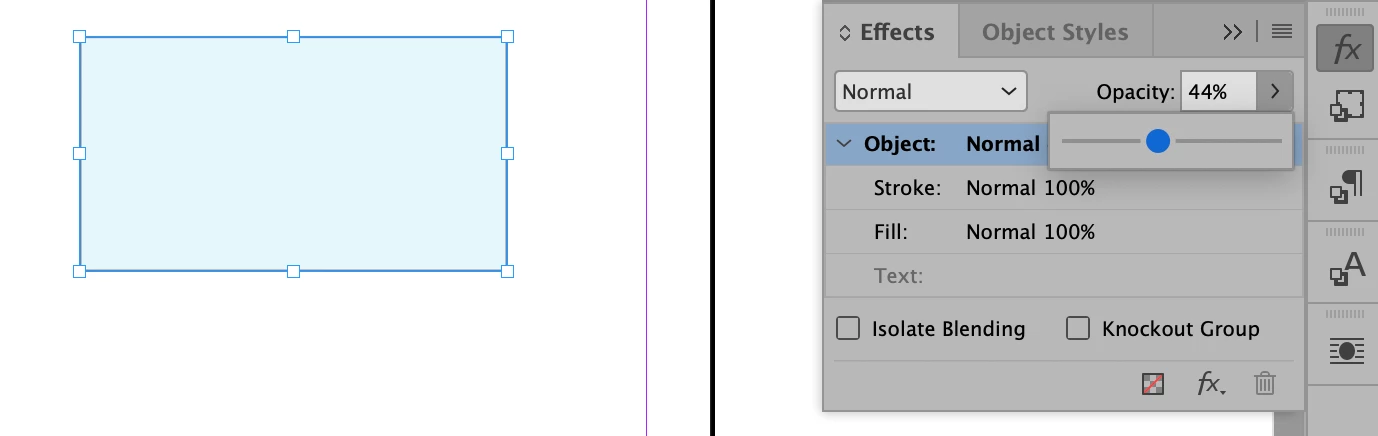
I can drag the Opacity slider to a different amount. The Interface preferences doesn't interfere:


3 replies

Barb Binder
Community Expert
Community Expert
February 18, 2023

Hi @Herb5CC5:


If you would like to share the file, we can take a look.


~Barb

~Barb at Rocky Mountain Training
Herb5CC5Author
Participant
February 21, 2023

Nah, no need. I appreciate you, Barb, for your attention and reply.  I am moving on, no time to be concerned with it any longer.

Herb5CC5Author
Participant
February 17, 2023

May have discovered a bug. Apparently the "Auto-Collapse Icon Panel" feature makes the dropdowns not work. The Effects panel slider for Opacity (and some of the other sliders in other palettes) doesn't work when that option is selected.

Steve Werner
Community Expert
Steve WernerCommunity ExpertCorrect answer
Community Expert
February 18, 2023

@Herb5CC5,


The Interface preference "Auto-Collapse Icon Panels" does only one thing: If you display panels as icons, and you open a panel to use it, then click away, it collapses.


I have it turned on my MacBook Pro 2021, InDesign 18.1, Ventura 13.2.1:


I create a small rectangle filled with blue and the rectangle is selected. I click the icon of the Effects panel, and the Opacity of the rectangle is 100%.


I can drag the Opacity slider to a different amount. The Interface preferences doesn't interfere:


Herb5CC5Author
Participant
February 21, 2023

Glad to hear it's not a bug for you; yet the issue persists on my end. I'm not concerned anymore about it; I was trying the auto collapse feature and won't be using anyway.

jmlevy
Community Expert
Community Expert
February 17, 2023

Did you check if there is any nested style or GREP style?

Herb5CC5Author
Participant
February 17, 2023

No, they're just basic text boxes with no styles applied, either Paragraph or Character.