
New Beginnings UK
Participant
June 29, 2022
Answered

Text box won't fit in, possibly due to long footnote. Can you help?

  • June 29, 2022
  • 1 reply
  • 308 views

Hi guys, I'm currently typesetting a book in A5 size and it has foonotes on every page. However, on one particular section, with long footnotes. it refuses to fit in the margins without getting swallowed up.


Here is the problem:
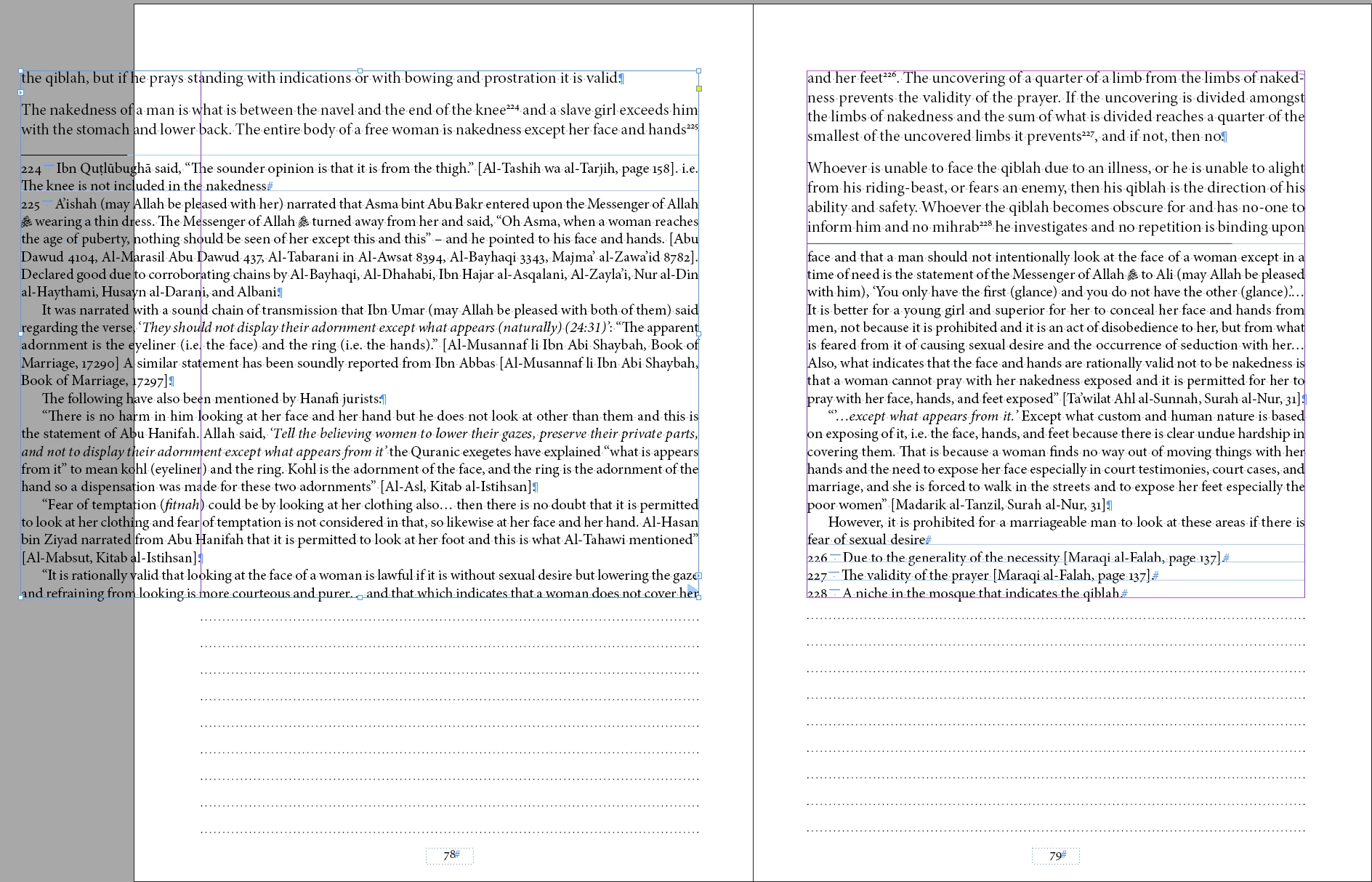
 

The problem is that when I resize the text box on the left to fit the margins, the text goes overset and gets swallowed up. I can't see any unusual characters causing this.


Here's a screengrab to show you what's happening.


Does this make sense?


This topic has been closed for replies.
Correct answer Laubender

Hi @New Beginnings UK ,

you already allow split footnotes between text columns or text frames.

This seems to be not sufficient to get this one footnote text on two consecutive pages.


I can see two ways out:

[1] Use two or three different footnotes where now is only just one so the text for this one footnote can be distributed to several footnotes.

[2] Use a different point size of your footnote text so that it can fit on two pages plus the reference in the main text.


Regards,
Uwe Laubender
( Adobe Community Professional )

1 reply

LaubenderCommunity ExpertCorrect answer
Community Expert
June 29, 2022

Hi @New Beginnings UK ,

you already allow split footnotes between text columns or text frames.

This seems to be not sufficient to get this one footnote text on two consecutive pages.


I can see two ways out:

[1] Use two or three different footnotes where now is only just one so the text for this one footnote can be distributed to several footnotes.

[2] Use a different point size of your footnote text so that it can fit on two pages plus the reference in the main text.


Regards,
Uwe Laubender
( Adobe Community Professional )