
Participant
May 22, 2025
Question

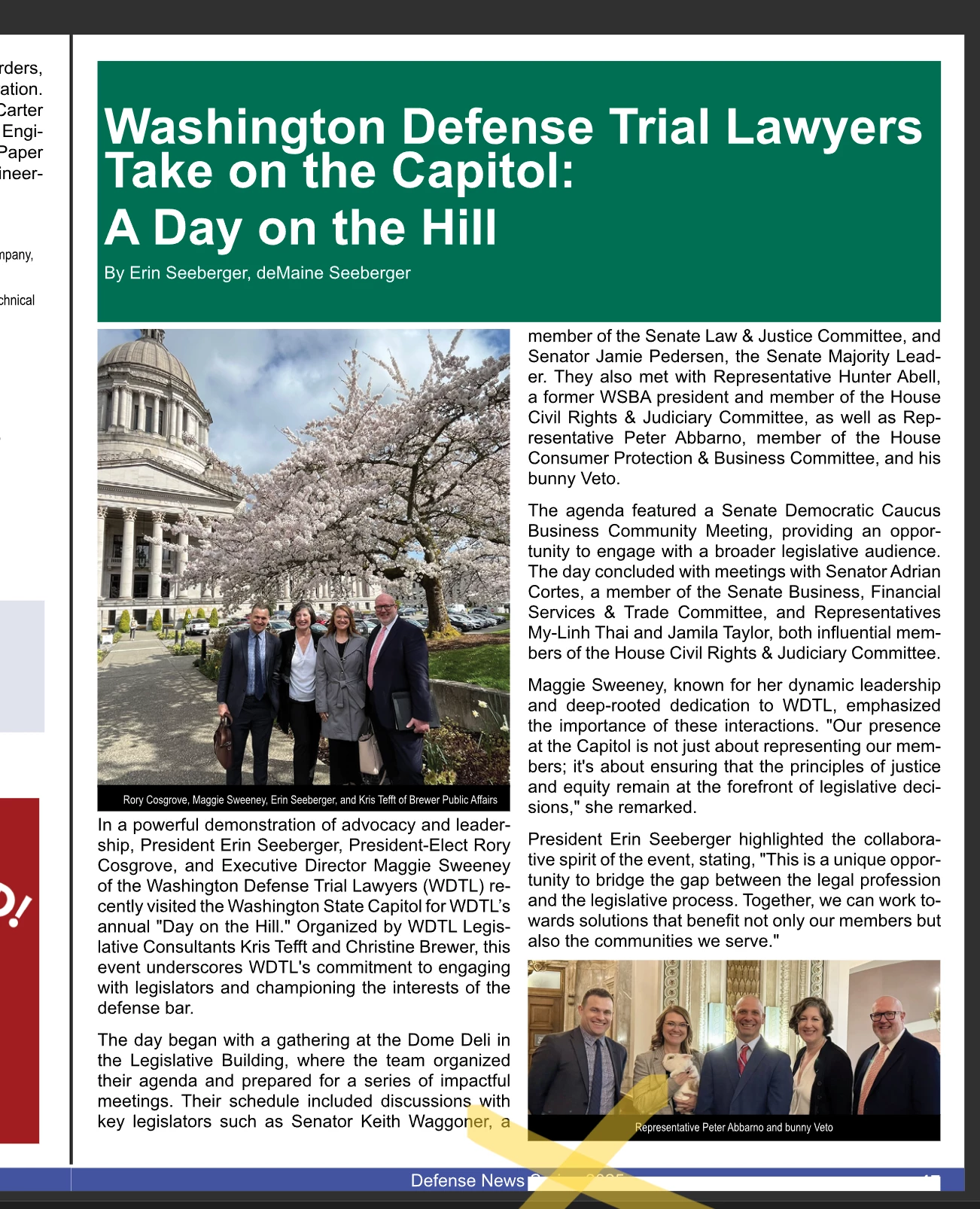
Text boxes creating white bars in my document

  • May 22, 2025
  • 3 replies
  • 339 views

When I insert an InDesign text box on an image or area with a color background, it inserts white bars. You can see an example at the bottom of this screenshot. This was a version of the "publish online" document.


I know I am missing a step somewhere. Help! And thank you!
 

3 replies

Barb Binder
Community Expert
Community Expert
May 23, 2025

Hi @kj8!:


So are you saying that when you add the paragraph style to the title "Washington Defense Trial Lawyers...", the white bar appears at the bottom, under the yellow X?


If that is correct, could you please open the Paragraph Style Options > General and share a screen shot of the definition? It would look something like this ⬇️. The answer should be visible to us in the area I drew a the rectangle around. 


~Barb


~Barb at Rocky Mountain Training
Robert at ID-Tasker
Legend
May 23, 2025

@kj8!


There was a thread recently - please check Borders, Underline, Rules and Shadow tabs in the ParaStyles definition.


Scott Falkner
Community Expert
Community Expert
May 22, 2025

Can you post a screen shot with frame edges showing and the text frame in question selected?


My guess is there is a paragraph rule applied to the default paragraph style.

kj8!Author
Participant
May 23, 2025

The text frame that caused the white bar is the article title at the top of the screenshot.