the checkered layer is a shape, not an image
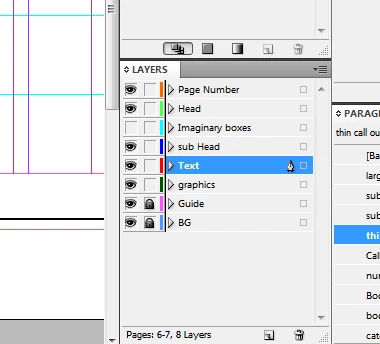
BG is the checkered back ground, and text layer is where i have the text
** and the white parts are the page itself just "paper"
thank you
I tried this, too, and found that the white areas of background must be solid, not tranparent holes letting the ID page show through. Adding a [Paper]-filled frame solved that.
However, There are other problems with this technique, in my opinion, especially if you need to print. First is I only was able to achieve a gray text over the black background which ID and Acrobat report as having the CMYK formula 100|100|100|0, and over the white background the text becomes registration color, essentially, as it now is 100|100|100|100.
I played some more, and if (and this is a big if) you can build the background as native ID shapes filed with Black and Paper, you can put the text BEHIND the background, set its fill to Paper, and set the blend mode for the Balck objects to Screen and the white obejcts to Exclusion or Difference (doesn't seem to matter) and the text will knock out the black completely, but it unfortunately remains at 100|100|100|100 in the white areas. This would not be a problem for on-screen viewing, but it's a disaster for printing.

 AdChoices