annegard
Participant
September 8, 2017
Answered

Text coming in with wrong style

  • September 8, 2017
  • 2 replies
  • 3073 views

Even though I have a specific paragraph style selected as my default (which works fine when I create a text box and start typing), recently whenever I use File, Place to bring in text, it comes in as "Normal" style instead, and often it is also formatted as hyperlinked. Any ideas? I can see that the style I want is selected in the Paragraph Styles tab, before I choose File, Place, but it still comes in formatted as Normal. I have searched the Help and not found anything helpful.
This topic has been closed for replies.
Correct answer Barb Binder

Two options:

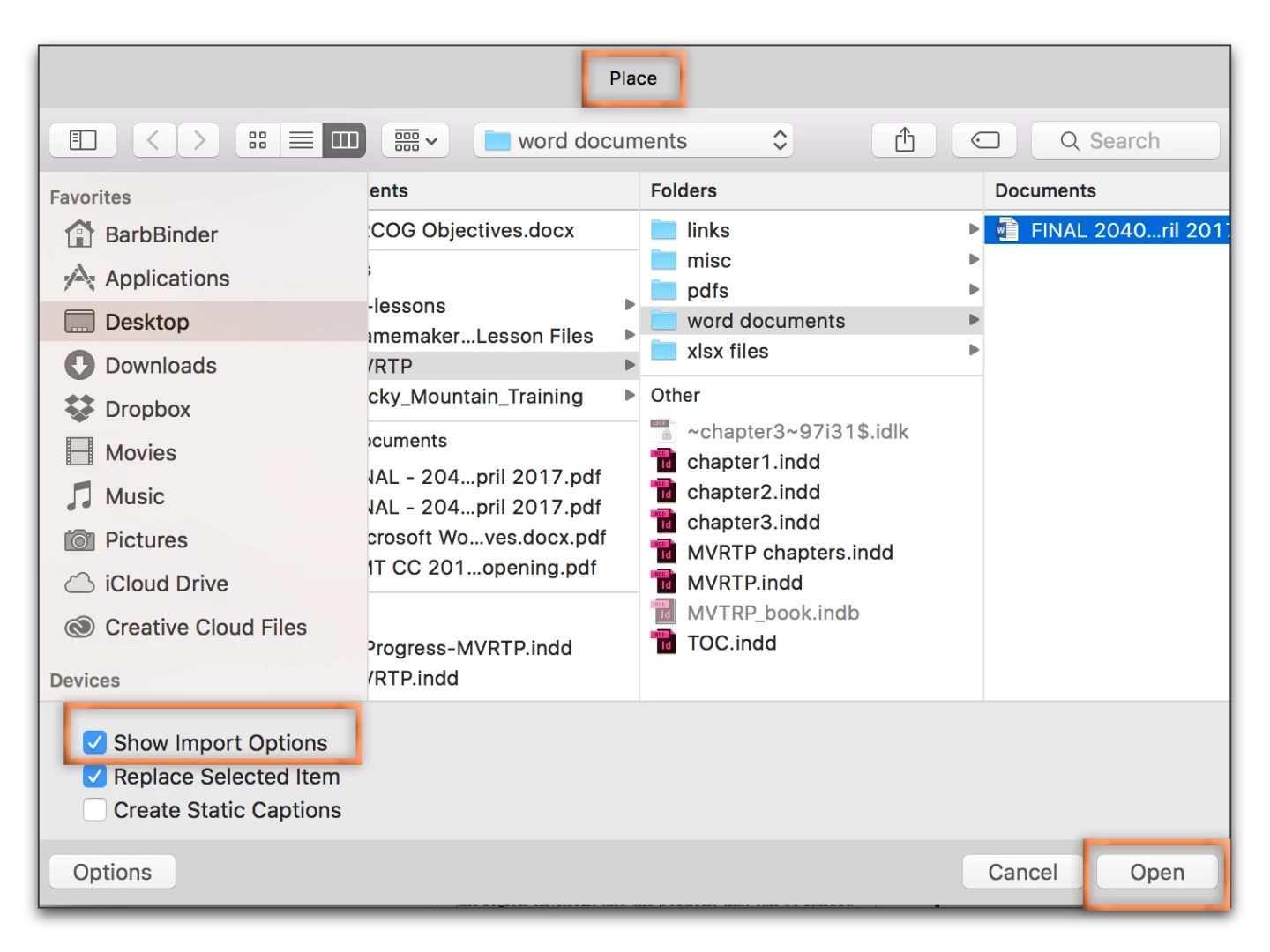
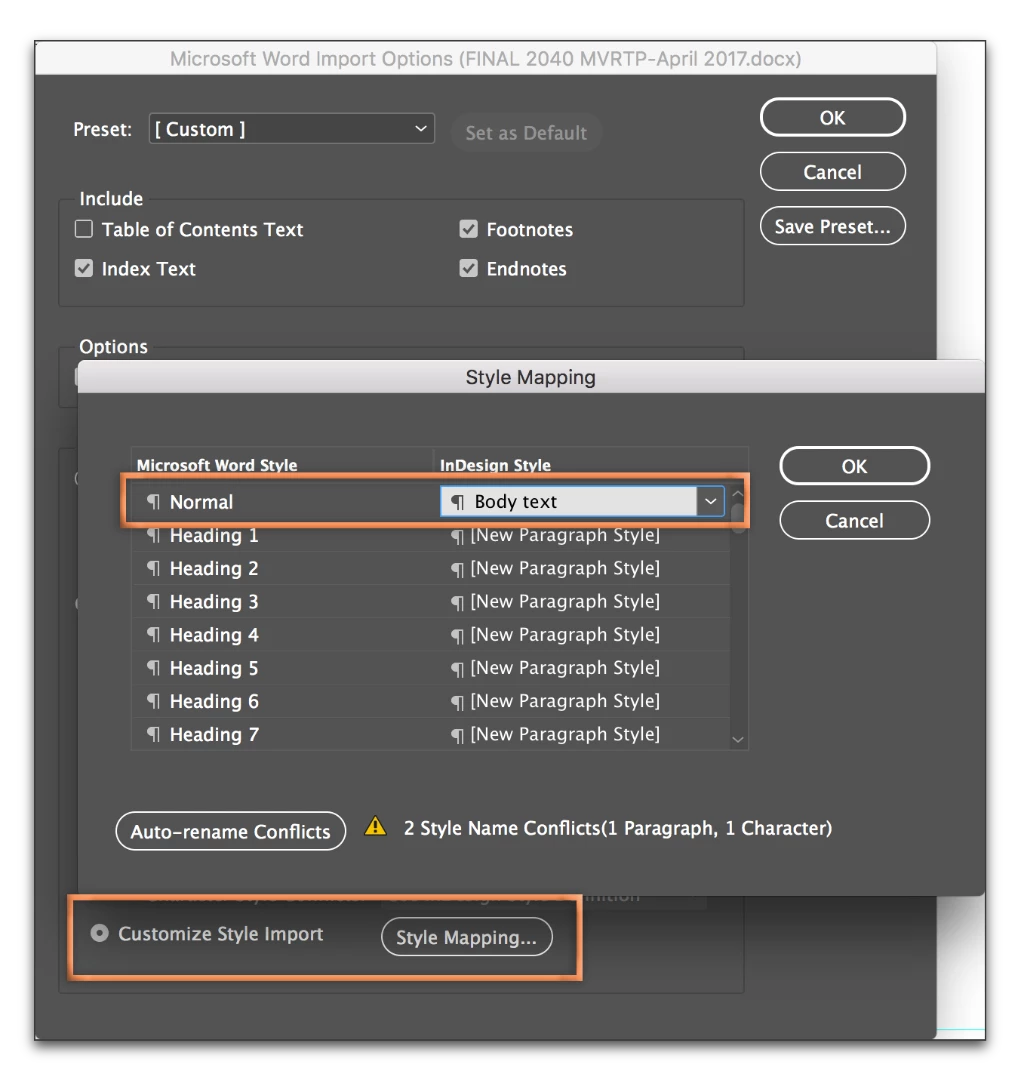
  1. You can use style mapping, to map Word's default Normal style to the one you want. When you go to File > Place, click on Show Import Options, and use Customize Style Import > Style Mapping to map the Word style(s) to the InDesign style(s).

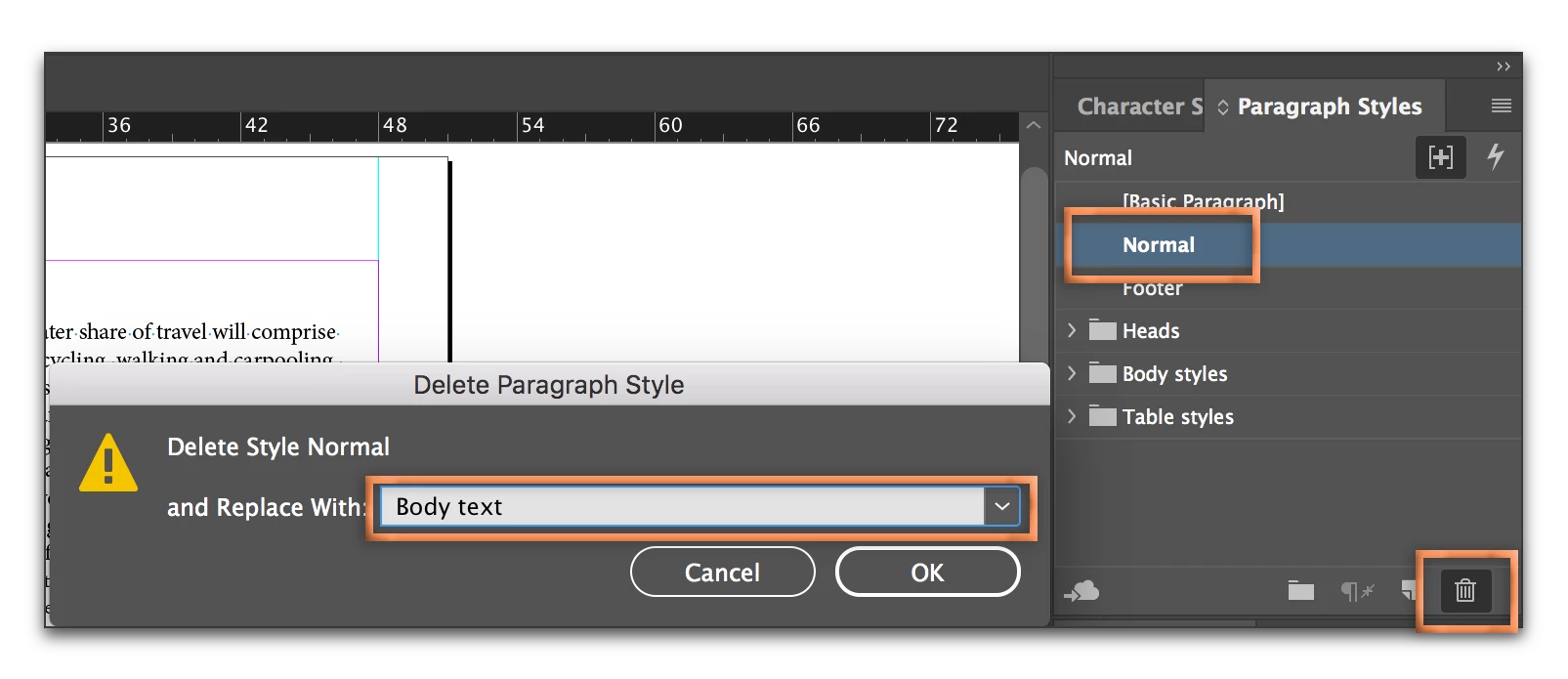
  2. Alternatively, just delete Normal in an existing document, and map the text that came in tagged as Normal to the appropriate tag.

Not sure why it is hyperlinked, but try this first and let us know if this takes care of it. The hyperlink may be a character style that needs to be removed.

2 replies

vinny38
Legend
September 11, 2017

Hi

As Barb point it out, it looks like you have a unwanted imported Word character style called "Hyperlink" that is applied to some of your text.

Please note that Microsoft Word automatically applies this character style whenever it detects an url or an e-mail. (note that you can disable this in Word Options)

So, while mapping your styles, look for this "Hyperlink" character style and apply [none] to it.

Basically, I would recommend not leaving any Word style un-mapped. If you didn't anticipate the use of a style (i.e. "exponent"), you still can create a new corresponding Indd style while using the mapping feature.

Let us know if it solves your problem.

If not, can you provide screenshots of both paragraph and character styles panels after the placing, without doing any mapping, so we could check the Word Styles?

2. I deleted the Normal style, and replaced it with the one I want to use, but as soon as I placed more text, it recreated the Normal style.

Do you mean you place several Word documents in your Indd? In this case, it's normal behavior I guess. You have to do the mapping every time you place a .Doc

Additional question: what text format do you save your Word files to? .doc, .docx, .rtf?

annegard
annegardAuthor
Participant
September 11, 2017

Yes, my documents contain many Word (.doc) files. I do newspaper layout, and have to place many articles, which all come from Word.

Character Style was set to None.

I have now mapped every Word style to my preferred default style, and saved that preset as my default. It has kind of worked. Files now come in with my preferred style, but modified so that the justification is not correct. I click on the button to remove the modification and then it is fine (no more hyperlinks, so that problem mysteriously disappeared on its own.)

So my problems are mostly fixed - thanks. I still have to remove the style modification each time I bring in a Word doc, but at least that is not as time-consuming as selecting each new piece of text and changing the style.

Barb Binder
Community Expert
Barb BinderCommunity ExpertCorrect answer
Community Expert
September 8, 2017

Two options:

  1. You can use style mapping, to map Word's default Normal style to the one you want. When you go to File > Place, click on Show Import Options, and use Customize Style Import > Style Mapping to map the Word style(s) to the InDesign style(s).

  2. Alternatively, just delete Normal in an existing document, and map the text that came in tagged as Normal to the appropriate tag.

Not sure why it is hyperlinked, but try this first and let us know if this takes care of it. The hyperlink may be a character style that needs to be removed.

~Barb at Rocky Mountain Training
annegard
annegardAuthor
Participant
September 8, 2017

Unfortunately neither of these solutions worked for me.

1. The text came in with the style I wanted, but modified (it had the + next to the style name, and was not justified correctly). When I clicked the button to remove the modifications, it converted it to hyperlinked text.

2. I deleted the Normal style, and replaced it with the one I want to use, but as soon as I placed more text, it recreated the Normal style.

Barb Binder
Community Expert
Community Expert
September 9, 2017

Yes, unless you map Normal to the desired style, that will happen every time. First place all the text, then delete Normal. Or plan on deleting it multiple times.

Or under import options, place it as unformatted text.

~Barb at Rocky Mountain Training