Here you go. The five text boxes in the upper left corner.
Thank you.
Those five text frames have left-to-right paragraph direction applied. There are many ways you could resolve that. Does the text in all five of those frames have a paragraph style applied? If so, make sure that it's set up to be right-to-left, and that there are no overrides applied:
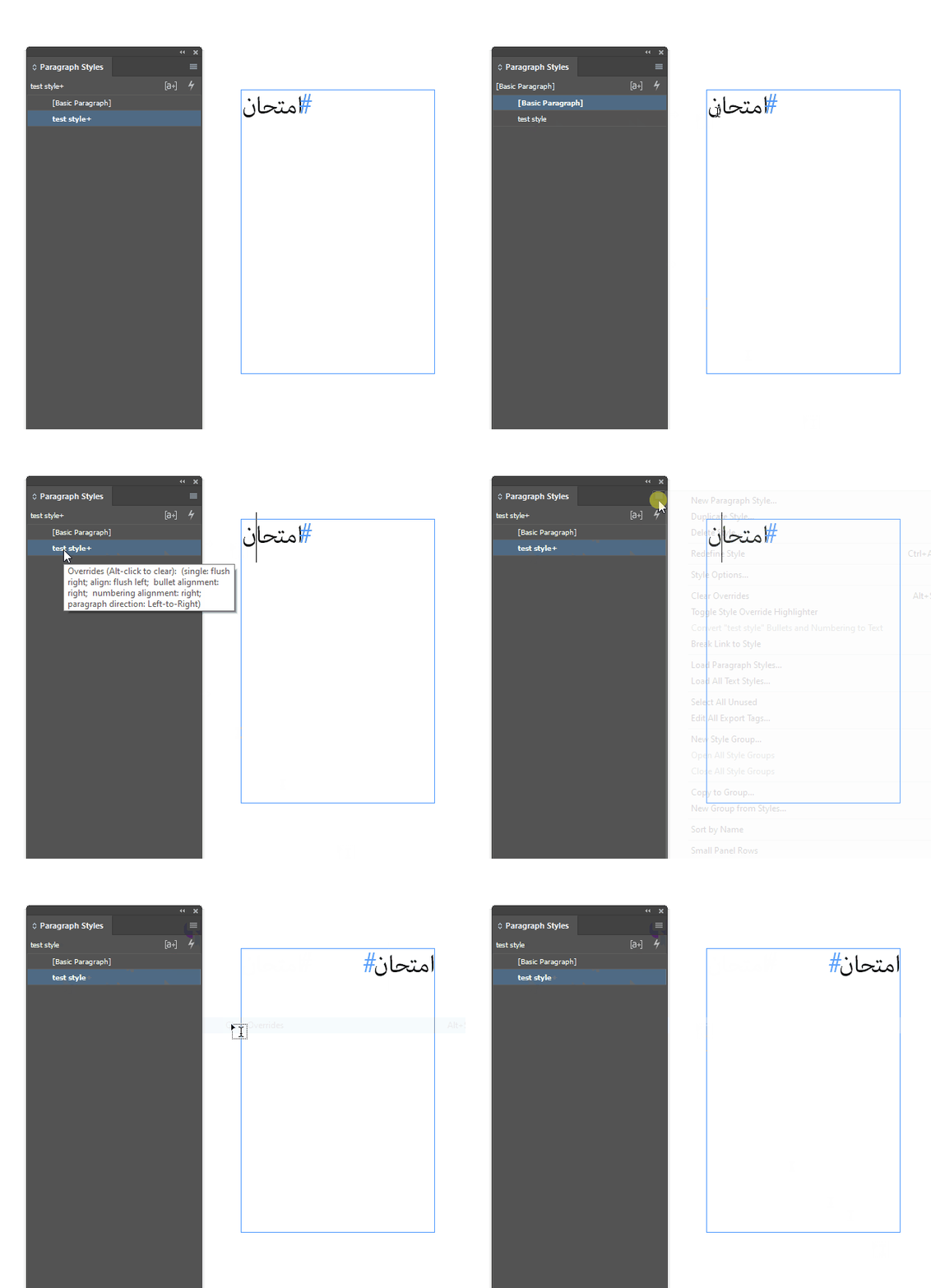
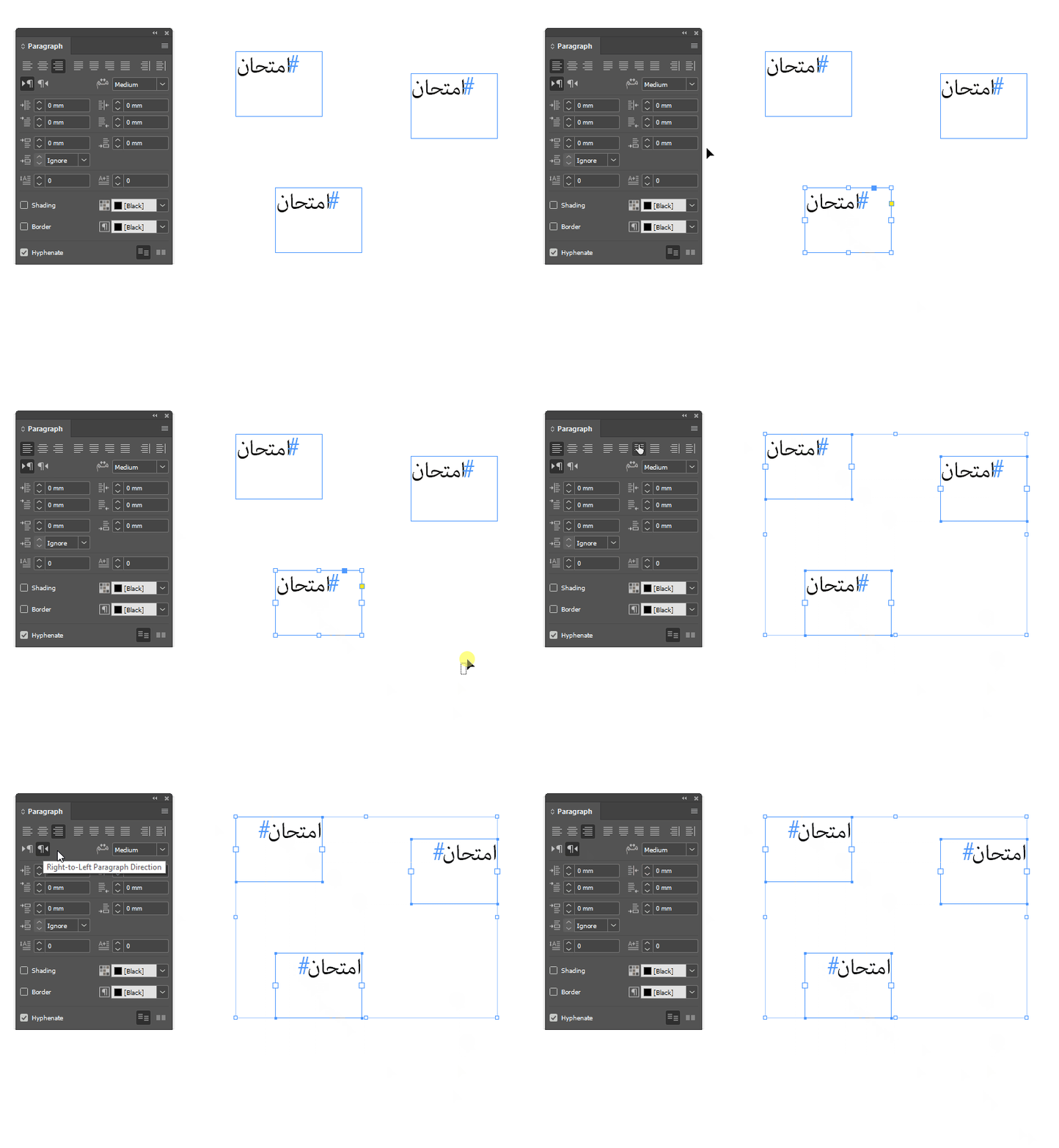
That's the best way to handle text in InDesign - everything has a paragraph style, no overrides are applied to the style. But there are quick and dirty methods as well:
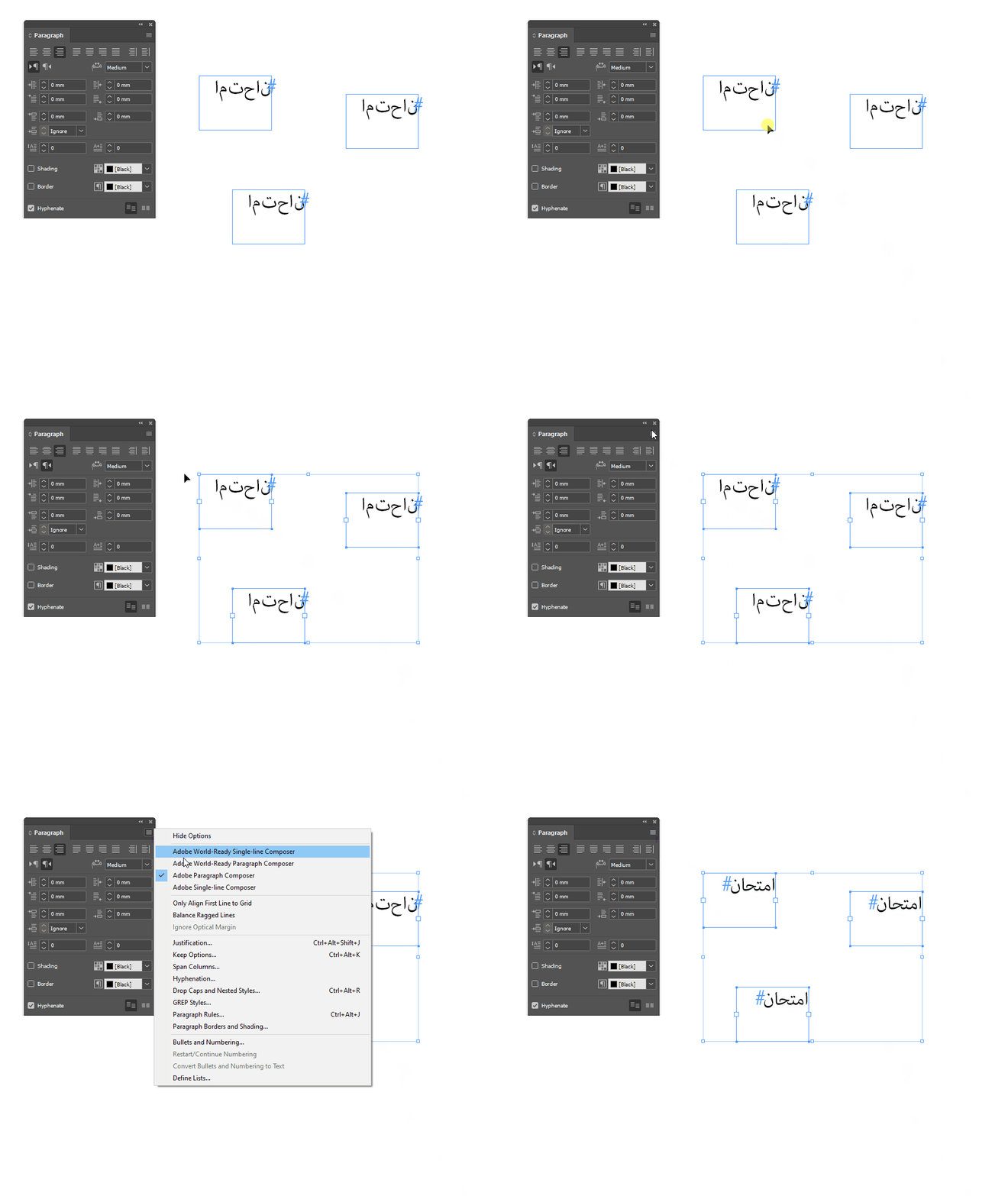
Edit: wait a minute here, I should have put on my glasses before responding. Those five text boxes have the World-Ready Composer turned off, I think. That can be turned on in the paragraph style:
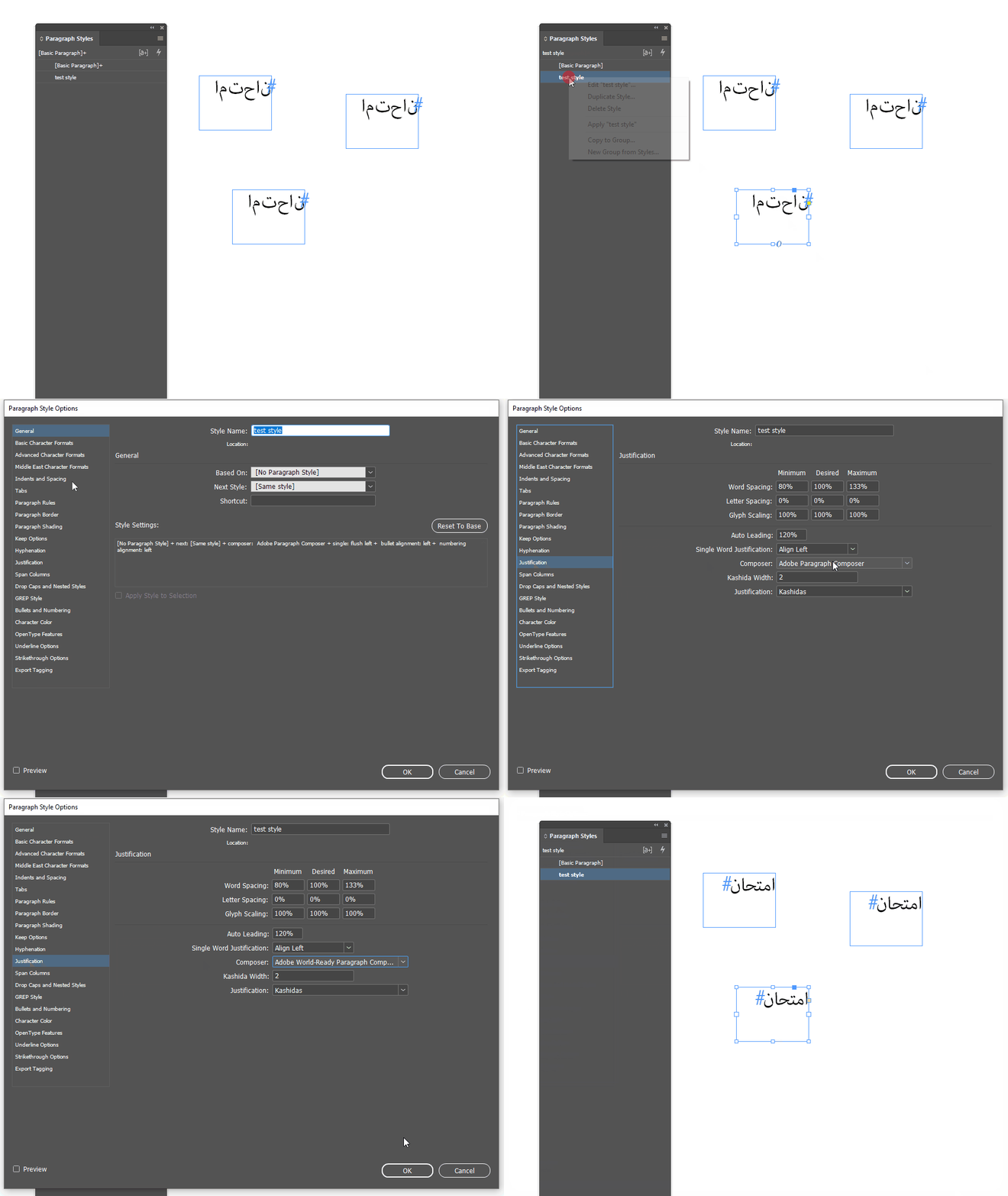
or in the flyout menu of the Paragraph panel:



 AdChoices