
Participant
April 28, 2021
Answered

Text frame box showing in pdf

  • April 28, 2021
  • 3 replies
  • 11237 views

Hello, 

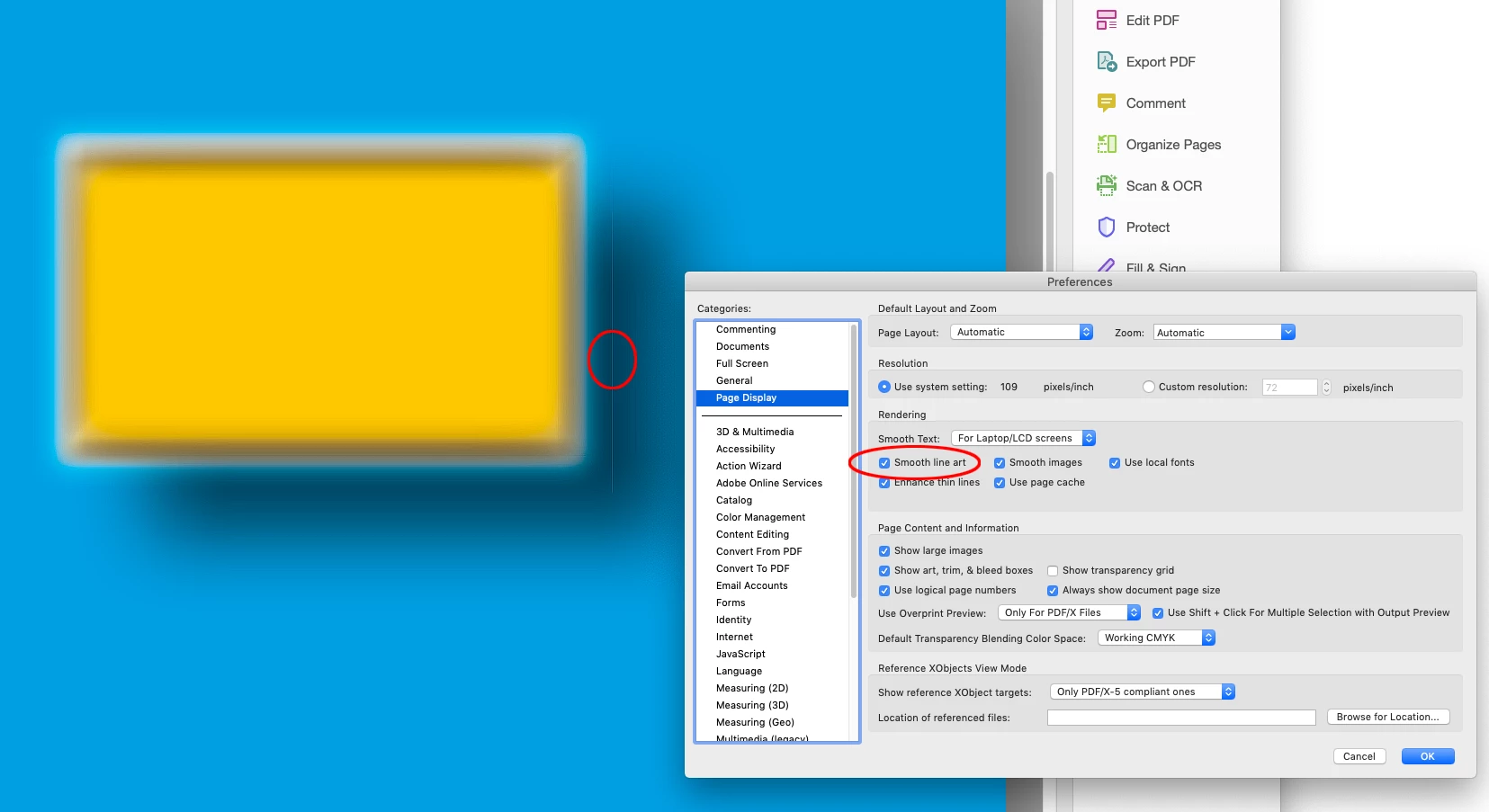
I am having this problem when I export my document to pdf; it shows all the "non-printable text frames" as white. I have 0 on stroke and no color registered for stroke. I also hid all text box lines, and it still is coming up. Any help?
    This topic has been closed for replies.
    Correct answer rob day

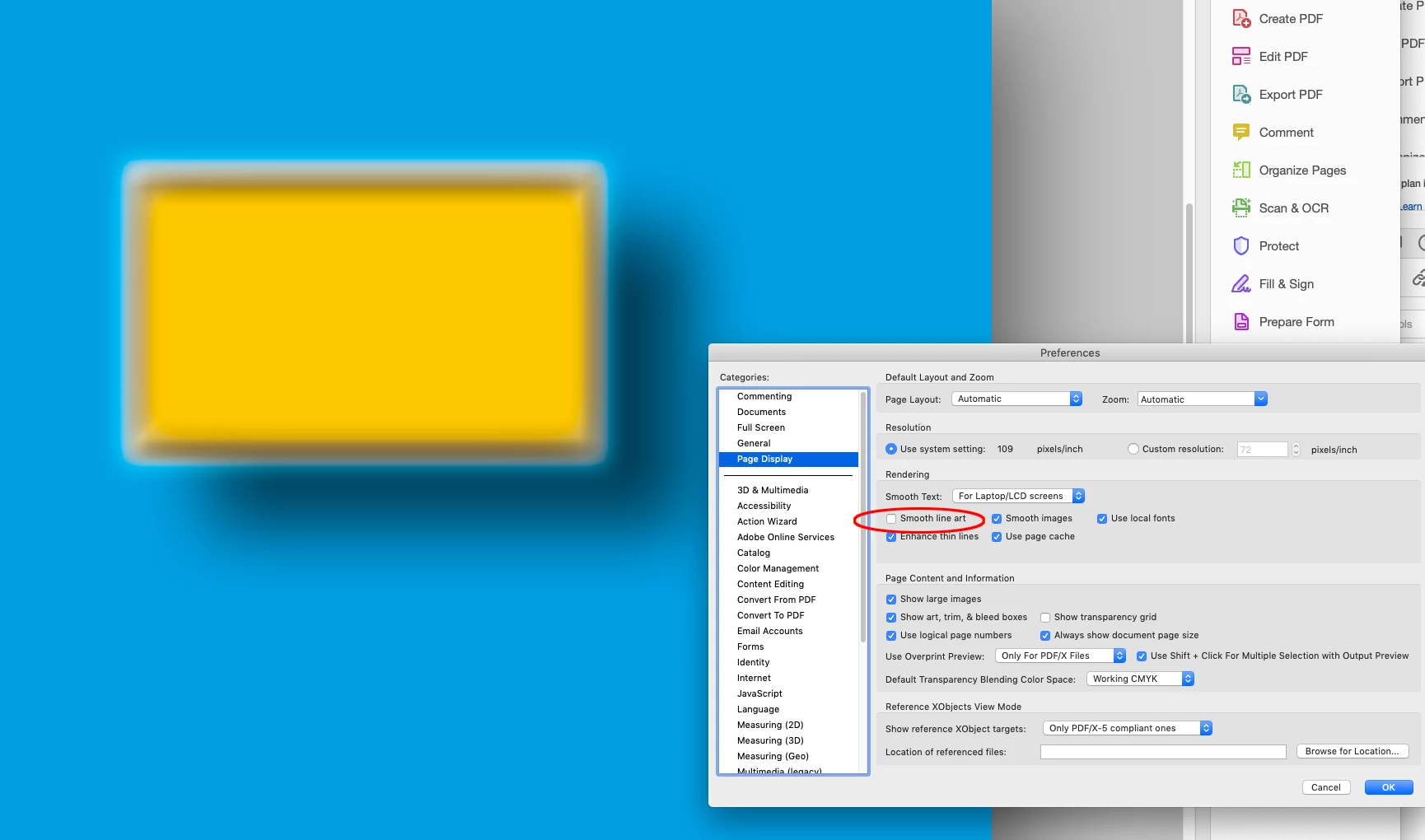
    If you are using an online printer who requests PDF/X-1a, view the PDF in AcrobatPro’s Output Preview, with the Page Display Smooth Line Art Preference unchecked. The lines are caused by anti-aliasing flattened areas on low res screens:


    3 replies

    rob day
    Community Expert
    rob dayCommunity ExpertCorrect answer
    Community Expert
    April 28, 2021

    If you are using an online printer who requests PDF/X-1a, view the PDF in AcrobatPro’s Output Preview, with the Page Display Smooth Line Art Preference unchecked. The lines are caused by anti-aliasing flattened areas on low res screens:


    Participant
    April 28, 2021

    Thank you! It worked! 

    Dov Isaacs
    Legend
    April 28, 2021

    Actually, those aren't the outlines of the text frames that are showing in the PDF file.


    What is showing are flattening artifacts. Your original InDesign document (and possibly content placed therein) has objects that aren't opaque.


    Regrettably, you have exported PDF using the PDF/X-1a joboptions settings. With those joboptions, all transparency is flattened in the PDF file at some particular resolution, often yielding “transparency flattening artifacts” which may show up in PDF display and often in printing as well.


    PDF/X-1a is an obsolete ISO printing standard (based on PDF 1.3 which doesn't support live transparency) developed a few years before most RIPs and DFEs could handle live transparency and ICC color managed RGB.


    You should be using PDF/X-4 (based on PDF 1.6) which keeps the transparency “live” until the PDF is either displayed on screen or RIPed for printing. You won't get those annoying transparency flattening artifact lines that you see in the PDF file you posted. PDF/X-4 also supports full ICC color management in which non-DeviceCMYK content is converted to the devices actual color space when rendered either to screen or print.


    We don't know of any RIP or DFE marketed in the last dozen years or more that cannot handle PDF/X-4 (including live transparency and ICC color management). Regrettably, there are some Luddite print service providers who don't know that, but if you find that type of printer, you should look elsewhere for printing services.


    Alternatively, the High Quality Print PDF export settings will also avoid premature transparency flattening.


    - Dov Isaacs, former Adobe Principal Scientist (April 30, 1990 - May 30, 2021)
    Participant
    April 28, 2021

    Thank you for your thorough reply, this was a lot of help! It worked. 

    LinSims
    Community Expert
    Community Expert
    April 28, 2021

    What program are you using to create the PDF?

    Participant
    April 28, 2021

    Hi, thank you for asking, In-design.