
Inspiring
August 14, 2020
Answered

Text frame reflowing with and under a picture

  • August 14, 2020
  • 2 replies
  • 465 views

I would like to know if the behaviour shown in the attached picture (text flowing below a picture or a picture making text reflow on its own) is possible while using a single text frame. 


Thanks

This topic has been closed for replies.
Correct answer Luke Jennings3

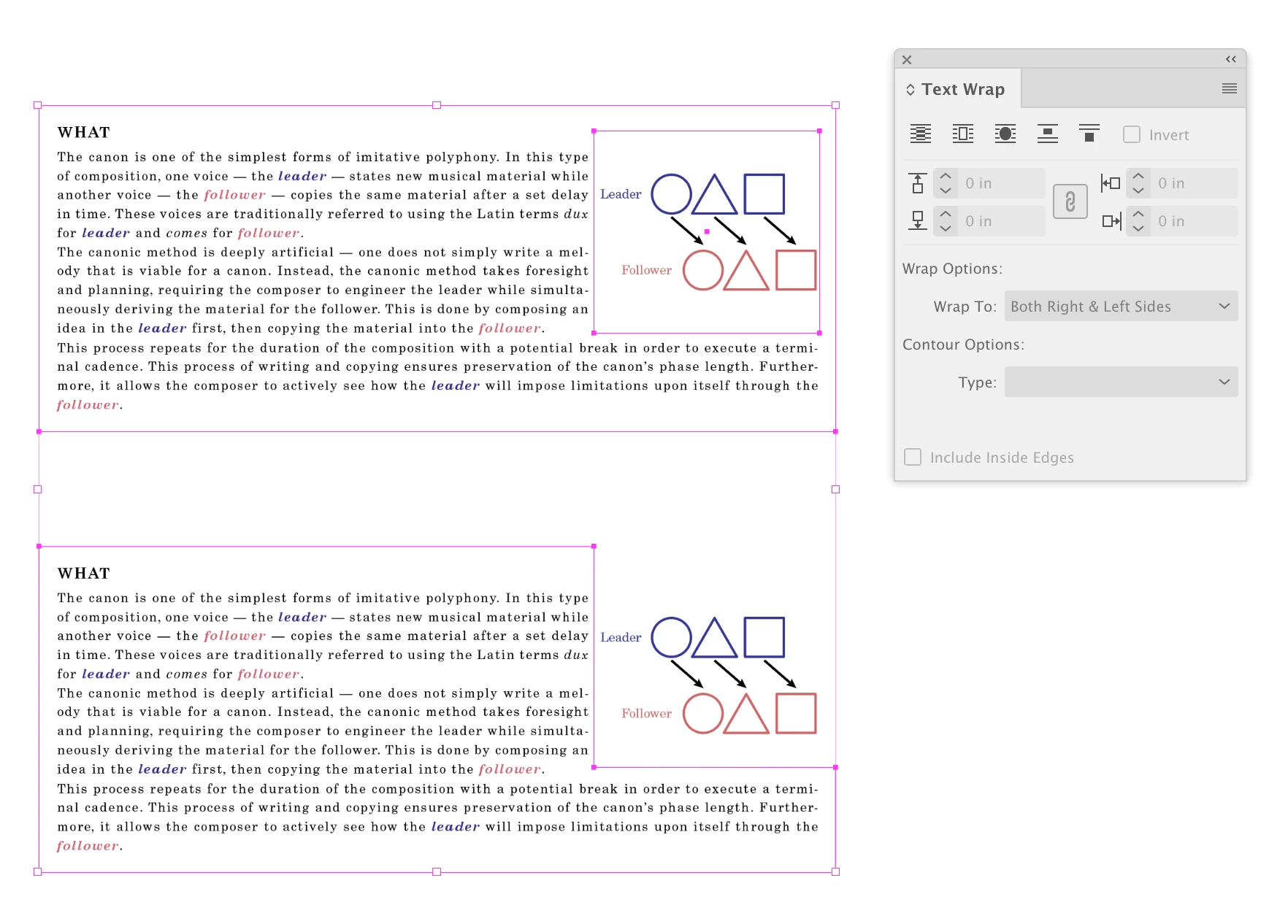
You can add text wrap to the placed object (top screen shot) or if the objects are pasted vector objects, you can create an invisible rectangle and apply text wrap to that. Another less common method is to add anchor points to the text frame to change its shape (bottom screen shot).
2 replies

Luke Jennings3
Community Expert
Luke Jennings3Community ExpertCorrect answer
Community Expert
August 14, 2020

You can add text wrap to the placed object (top screen shot) or if the objects are pasted vector objects, you can create an invisible rectangle and apply text wrap to that. Another less common method is to add anchor points to the text frame to change its shape (bottom screen shot).

Inspiring
August 14, 2020

This is just amazing! 

Oh so much power and possibilities! 🙂

Thank you!

Community Expert
August 14, 2020

Hi Inélsòre,

can be done. You need one single paragraph for the "What" text.

You anchor the frame with the graphic in the first insertion point of that paragraph and give the frame a text wrap.


From my German InDesign 2020:


More info in InDesign's help system:

https://helpx.adobe.com/indesign/using/anchored-objects.html

https://helpx.adobe.com/indesign/using/text-wrap.html


Regards,
Uwe Laubender

( ACP )

Inspiring
August 14, 2020

I tried both the suggested approaches.

The text wrap seems the easier of the two but if I do not group the text and the graphic frames then they will not move together. 


Is there any preference among users as they more or less achieve the same results, again, with the anchoring being less flexible to drags but more to options in the dialog.?