
The+Yala+Studio
Known Participant
September 7, 2020
Answered

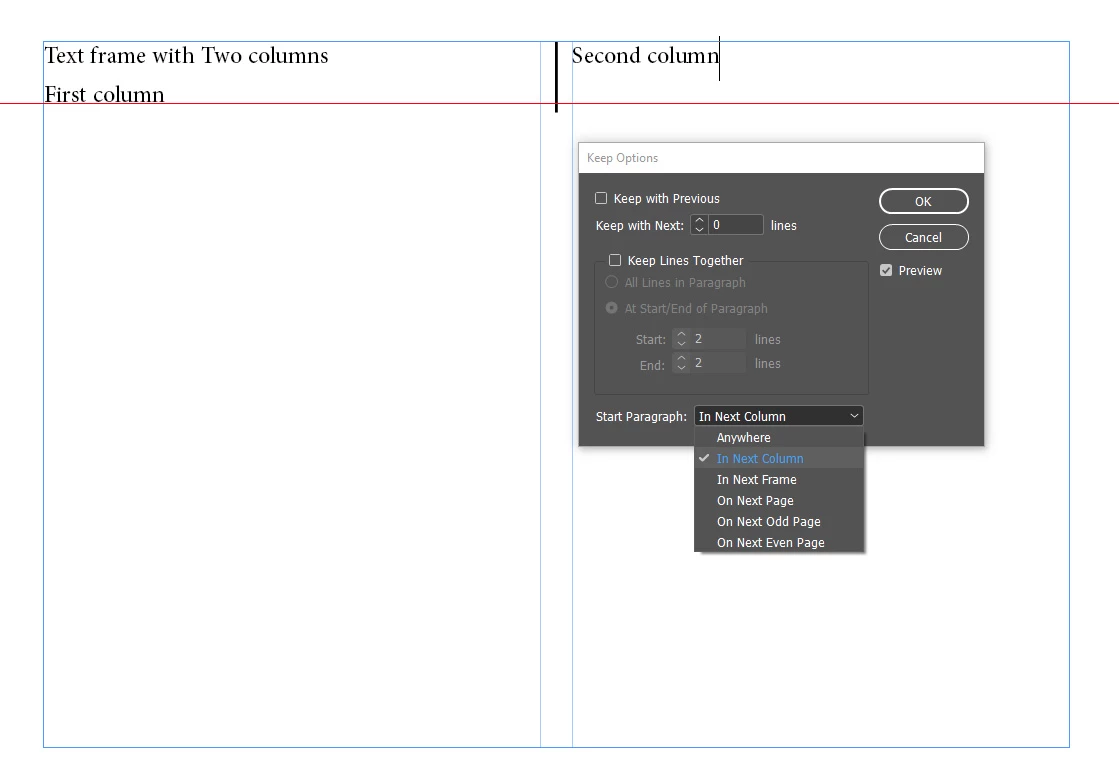
Text frame with Two columns

  • September 7, 2020
  • 3 replies
  • 1547 views

Hi all,

How to make (Second column) at the same level as (First column) on the red line?

Regards
 
This topic has been closed for replies.
Correct answer Barb Binder

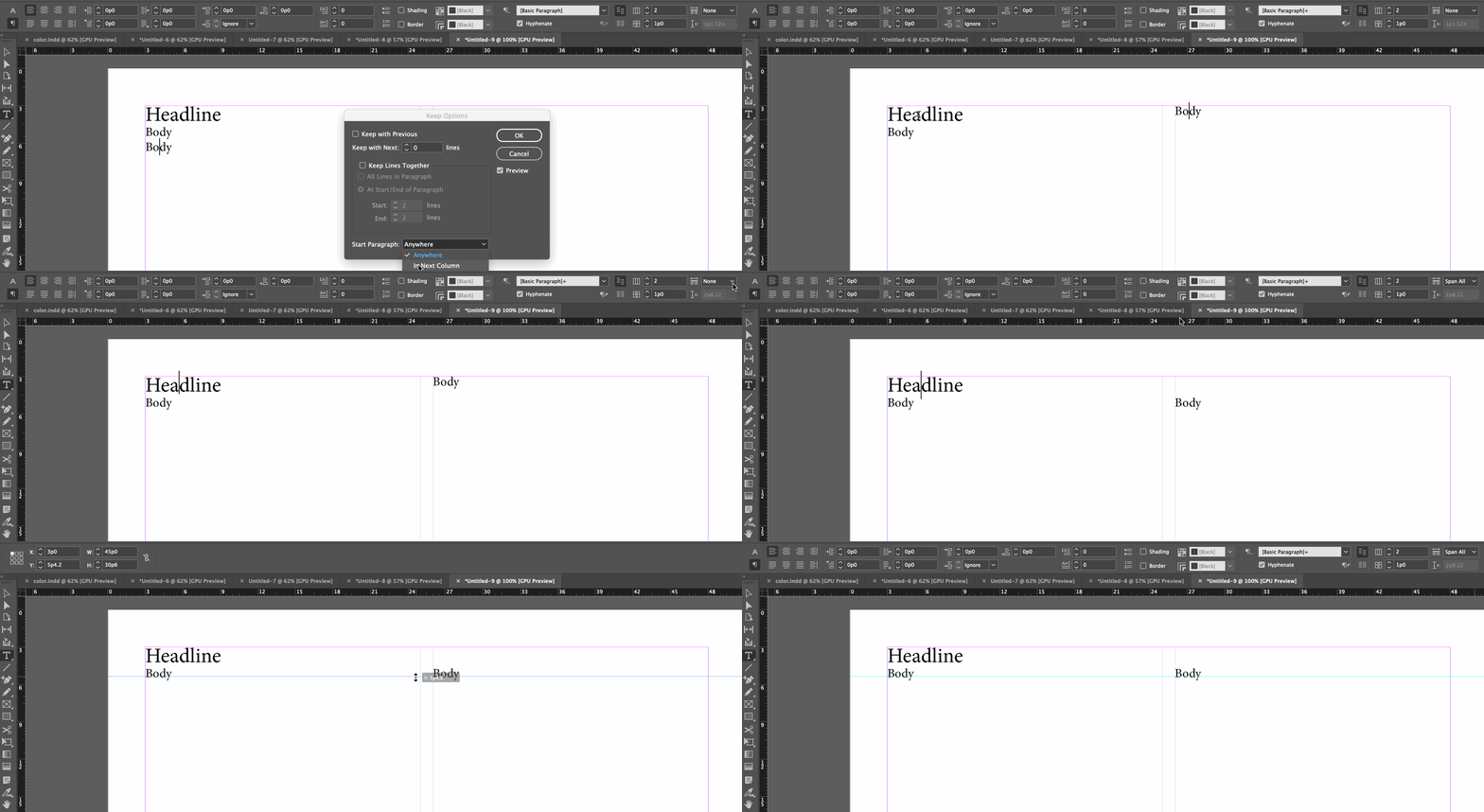
Set the words "Text Frame with 2 Columns" to Span All (or Span 2).


~Barb
 

3 replies

Barb Binder
Community Expert
Community Expert
September 8, 2020

Hi Yala:


We are always happy to help.


~Barb 

~Barb at Rocky Mountain Training
The+Yala+Studio
Known Participant
September 8, 2020

Thanks a lot Barb.

Regards

Barb Binder
Community Expert
Barb BinderCommunity ExpertCorrect answer
Community Expert
September 8, 2020

Set the words "Text Frame with 2 Columns" to Span All (or Span 2).


~Barb


~Barb at Rocky Mountain Training
The+Yala+Studio
Known Participant
September 8, 2020

Thank you very much for you great solution.

Steve Werner
Community Expert
Community Expert
September 7, 2020

Check your settings for Leading and Space After/Space After for the text in the first column. Use the same settings for the text in the second column.

The+Yala+Studio
Known Participant
September 7, 2020

Yes, it is.

But, Leading and Space Before/After do not give a solution.