deanj6
Participant
May 1, 2020
Answered

Text frame with uneven column width

  • May 1, 2020
  • 5 replies
  • 27124 views

I am working on a document and would love to be able to create uneven column widths when I split the columns with in a single text frame. I am sure there are some work arounds to accomplish this with guides etc. but the simple solution here would be to allow the user to define the columns by using the "Text Frame Options" selection. There are options for "Fixed Number" "Fixed Width" and "Flexible Width". Add an option to create uneven columns and have the user define the width for each.
This topic has been closed for replies.
Correct answer Laubender

Hi deanj6,

you could do this with an object that has text wrap applied.

Can you make up a layout you want to do with threaded text frames and show a screenshot of the design.

Best do this with a facing pages spread if you want to do it with a facing pages document.


Below a suggestion where the object for text wrap is on a master page.


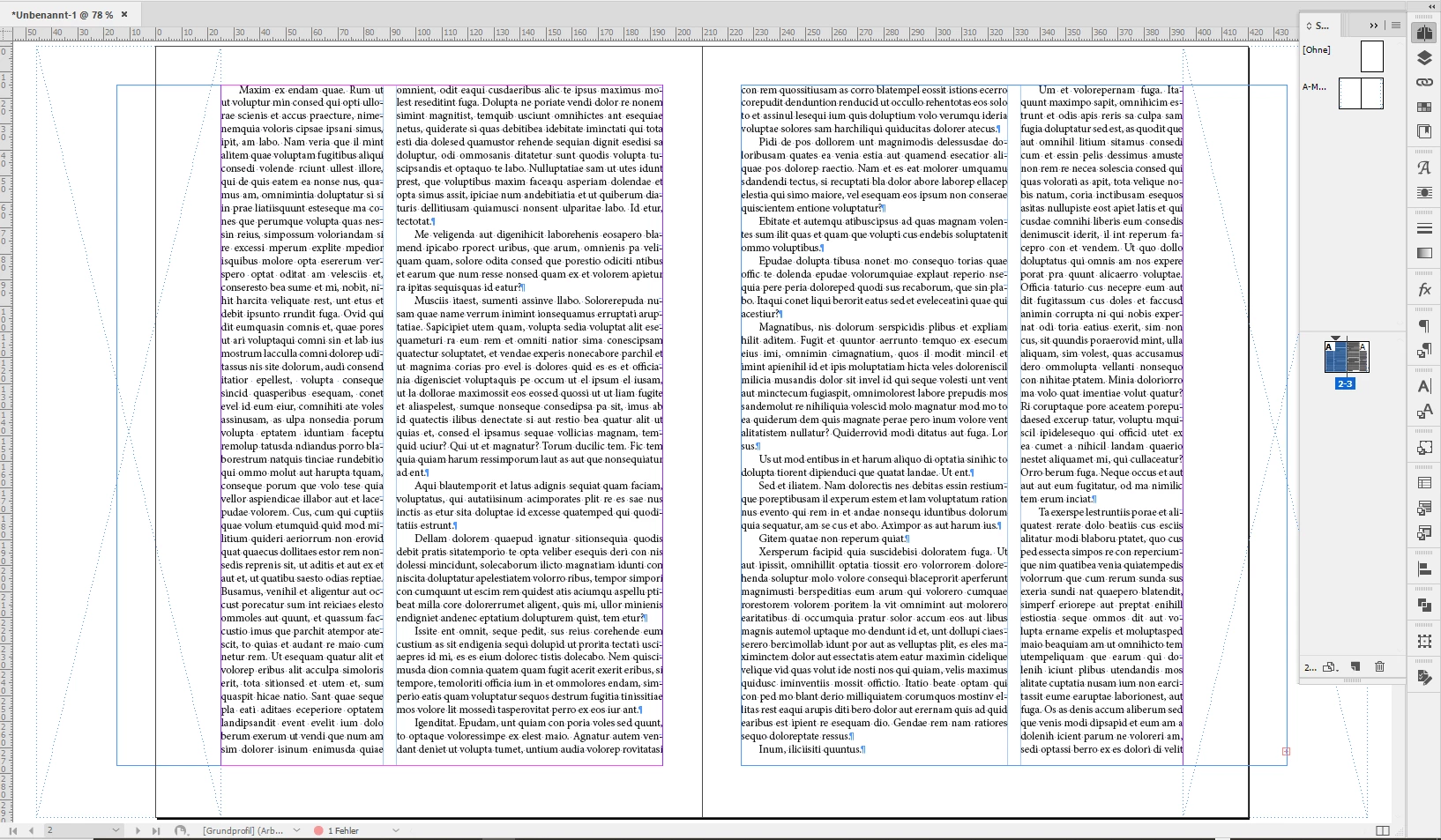
Set up of text frames. Note that the text frames are leaving the outer page edges. Master A is applied. Two rectangles are on master A. Text wrap is not yet applied to the rectangles:


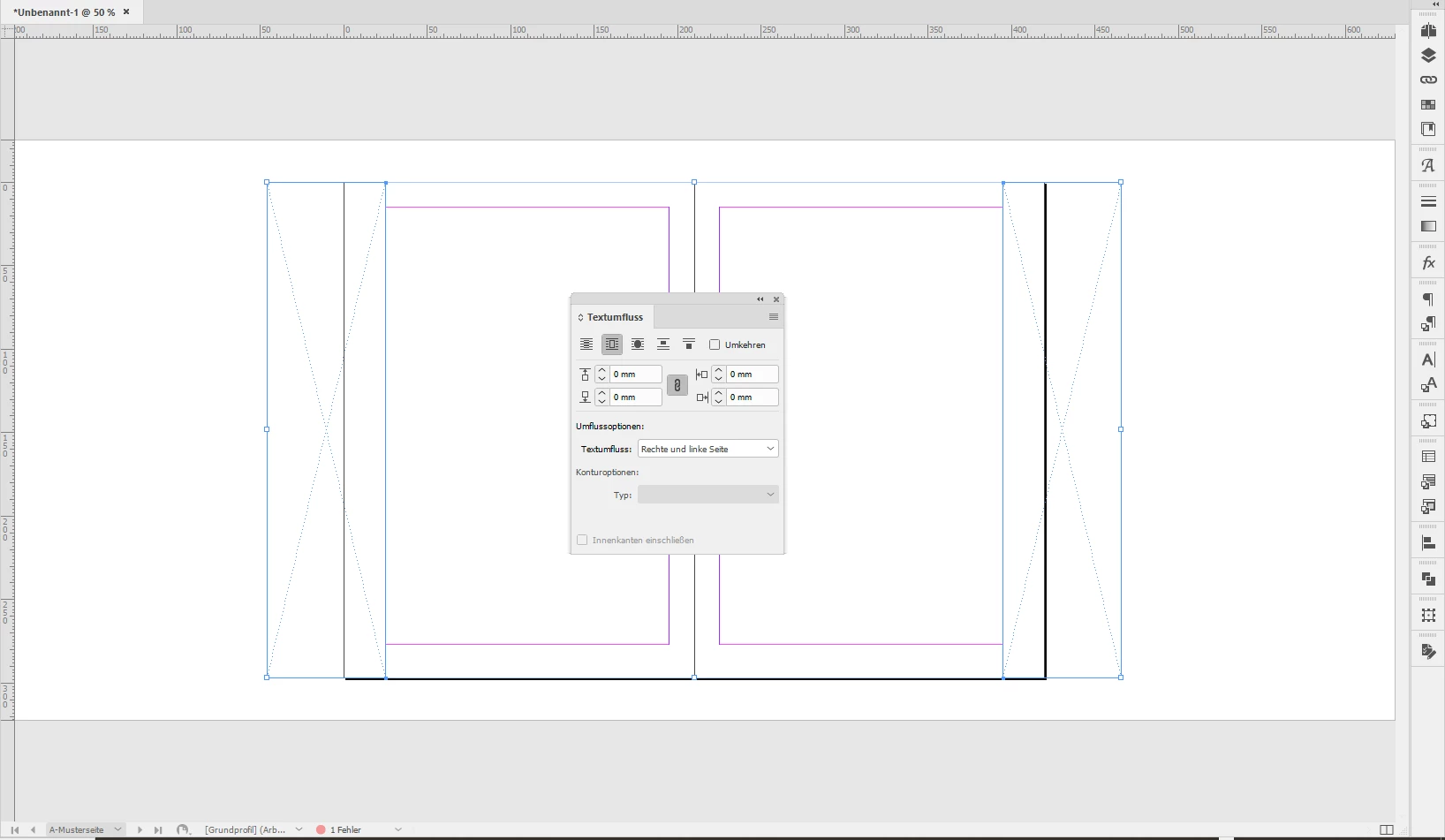
Now text wrap is applied to the rectangles on master A:


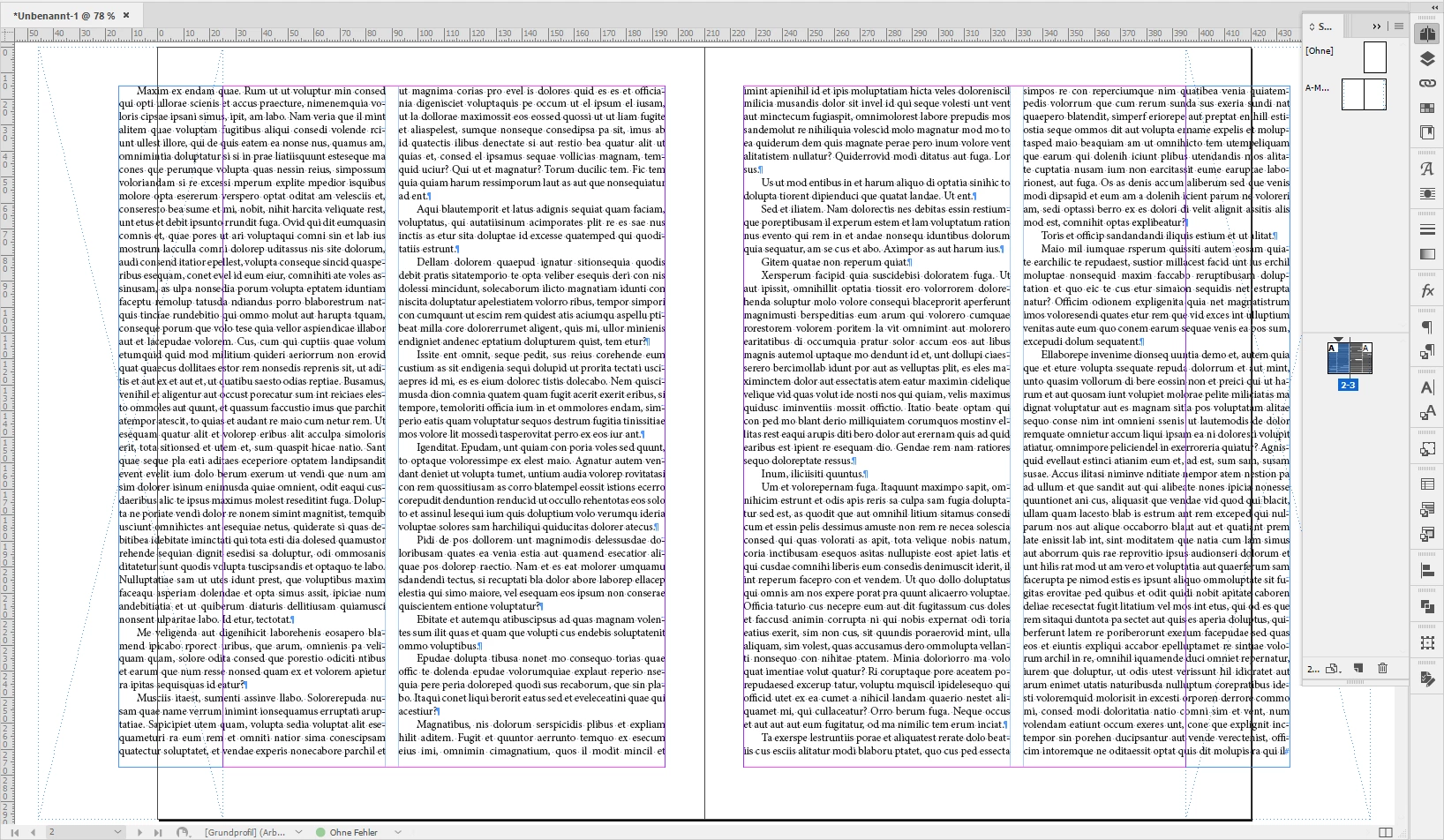
The effect on pages 2 to 3 in the document is this:


Regards,
Uwe Laubender

( ACP )

5 replies

Participating Frequently
January 23, 2022

The text wrap work around in this thread is a great solution. I've just come up with another one that might be useful, depending on what your working on. I wanted two columns, one twice the size as the other, so I created a 3 column text frame and spanned the text in the first colum across two columns. Hope this helps someone! 

Known Participant
October 6, 2022

Good solution Michaela. It can't be hard for Adobe to include this feature can it, surely? Another suggestion is to use a table, then you can adjust the column widths to whatever you want.

Barb Binder
Community Expert
Community Expert
October 6, 2022

It can't be hard for Adobe to include this feature can it, surely?

Be sure to log feature requests here: https://indesign.uservoice.com/


~Barb

~Barb at Rocky Mountain Training
LaubenderCommunity ExpertCorrect answer
Community Expert
May 2, 2020

Hi deanj6,

you could do this with an object that has text wrap applied.

Can you make up a layout you want to do with threaded text frames and show a screenshot of the design.

Best do this with a facing pages spread if you want to do it with a facing pages document.


Below a suggestion where the object for text wrap is on a master page.


Set up of text frames. Note that the text frames are leaving the outer page edges. Master A is applied. Two rectangles are on master A. Text wrap is not yet applied to the rectangles:


Now text wrap is applied to the rectangles on master A:


The effect on pages 2 to 3 in the document is this:


Regards,
Uwe Laubender

( ACP )

Frans v.d. Geest
Community Expert
Community Expert
May 2, 2020

Ah, creative thinking Uwe!

Barb Binder
Community Expert
Community Expert
May 1, 2020

Hi Dean:


Let me clarify my earlier answer: It sounds like you already know that InDesign does not allow you to define unequal column widths within a single text frame without scripting. See the snippet from the InDesign help, below:

Hopefully, Michel will share the script he's showing you, but I don't see that he has posted a link for you, so I don't know. 🤷🏼


~Barb

~Barb at Rocky Mountain Training
FRIdNGE
May 1, 2020

Aha! Too funny! …


"You already know that InDesign does not allow you to define unequal column widths within a single text frame." …


So, how can I do this? in InDesign of course … and Just For Fun!


(^/)  The Jedi

Legend
May 2, 2020


It seems it's possible as you have know or found a way to do it, and have shown us a glimpse.

Well, I am left wondering if that's a script you will talk Adobe about, sell it somewhere, or keep just for yourself.

Barb Binder
Community Expert
Community Expert
May 1, 2020

It sounds like you already know that InDesign does not allow you to define unequal column widths within a single text frame. You can accomplish this with threaded frames.


I also think you are making a suggestion for a future version – which I fully support – but this is a user-to-user form. Please log a feature request here:https://indesign.uservoice.com/


~Barb

~Barb at Rocky Mountain Training