Kees-Jan314677993kqw
Participating Frequently
August 3, 2023
Question

Text gone, but re-appears when textframe is altered

  • August 3, 2023
  • 3 replies
  • 664 views

Hi community,


Trying to figure out what is going on here and how to solve this. Help is greatly appreciated.


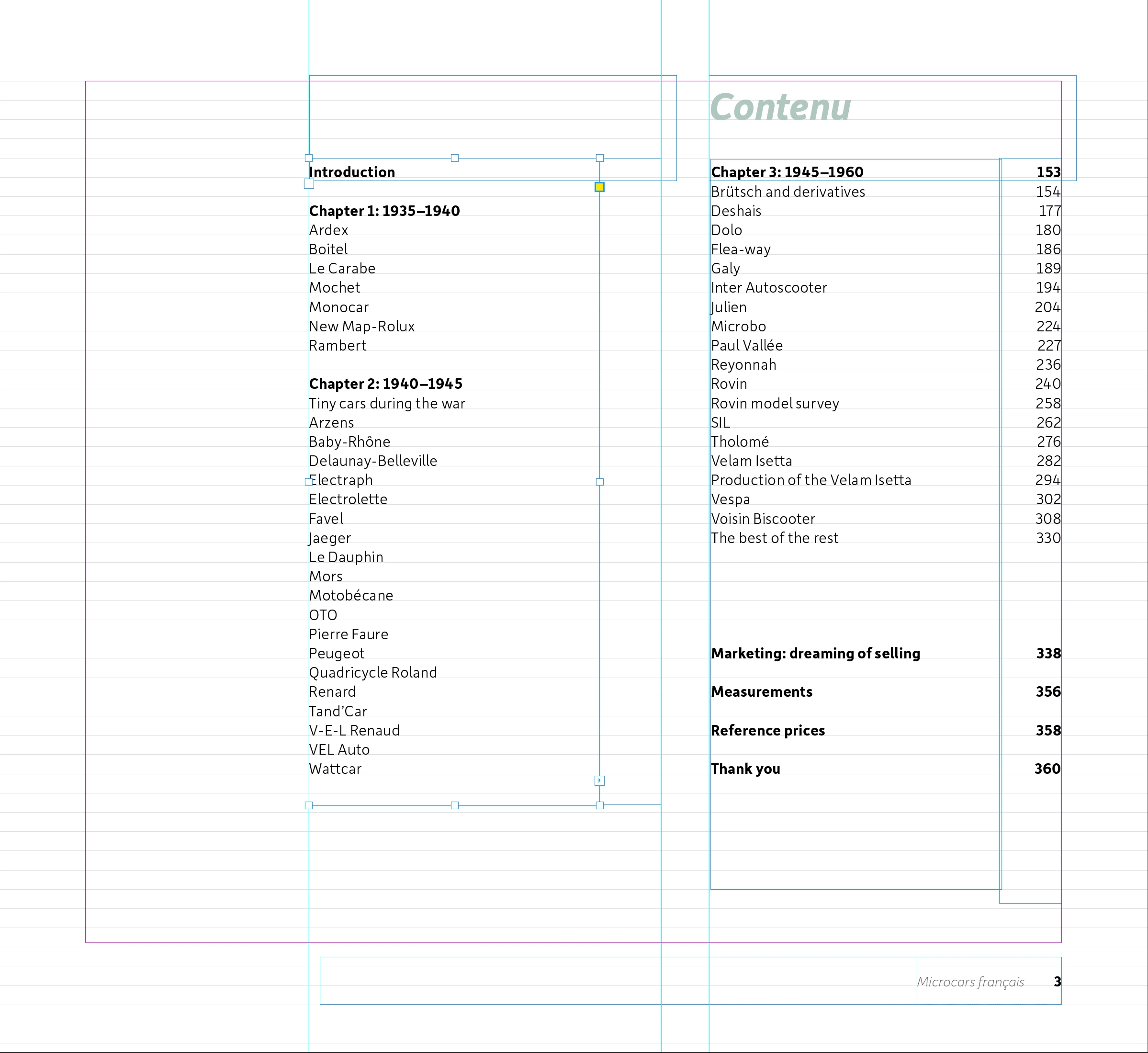
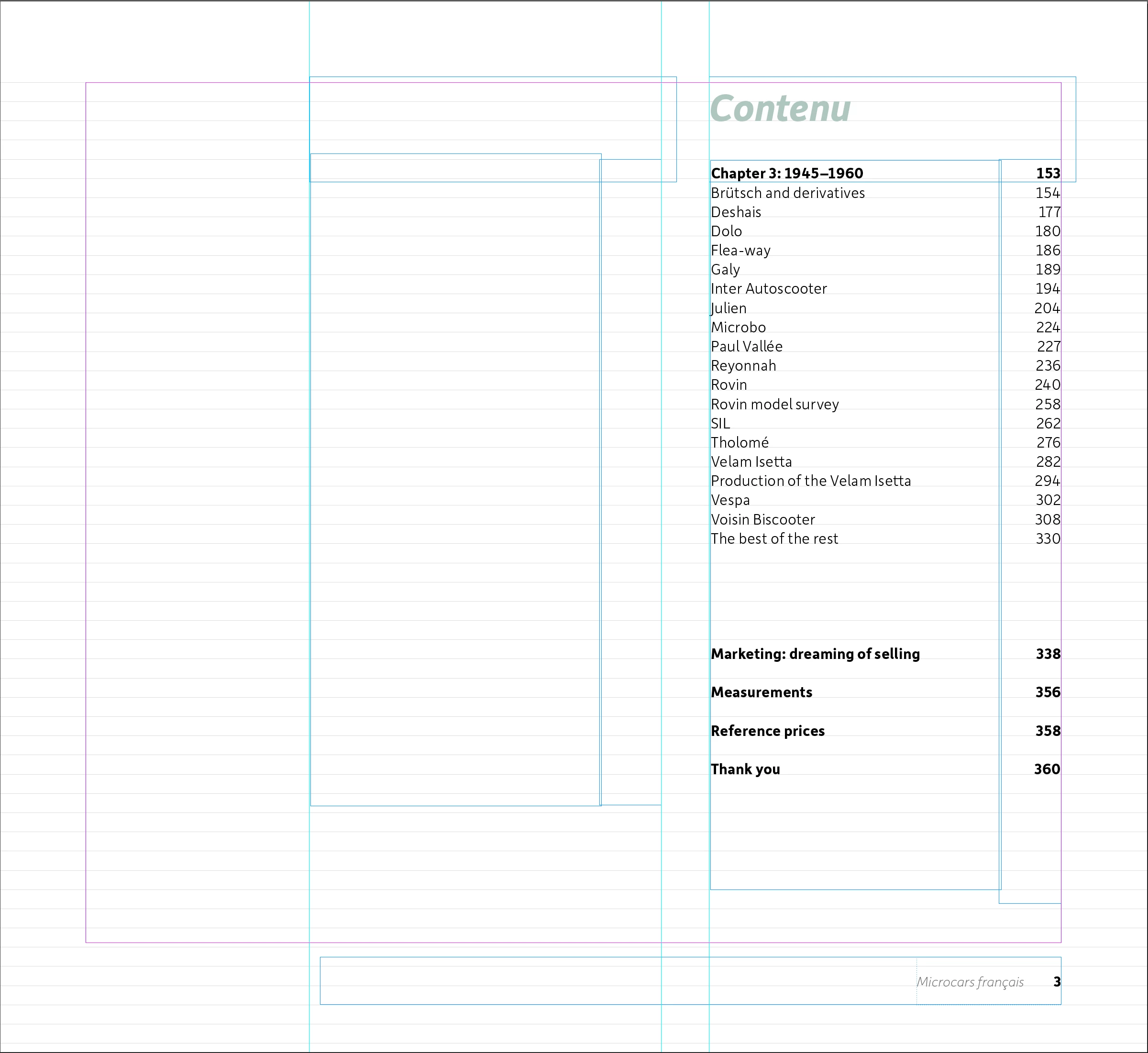
Two linked textframes on one page, where the left frame doesn't show the text. If I alter the textframe (for instance: make it a bit bigger) the text re-appears. This is not just a preview-thing, text is not visible in PDF either. It seems to happen at random textframes in the document.


I'll attach two screenshots. In the second I've altered the heigth of the left text frame so the text re-appears. Note that the header and page numbers are still not shown.


This is a worry, because I can't rely on Indesign anymore. I'm a long-time user and make 26 magazines and 5 books per year.


Many thanks in advance.

Kees-Jan, the Netherlands
This topic has been closed for replies.

3 replies

Barb Binder
Community Expert
Community Expert
August 3, 2023

Well, that's unsettling. I never figured why it happened because it was an annoyance and not a show-stopper.


FWIW, when I complete a document (long or short) I tend to page through with the document set to Fit Spread in Window using Alt+Down Arrow (Opt+Down Arrow on a Mac, and Fn+Opt+Down Arrow on a Mac Laptop) to quickly examine every page looking for missing running heads and yes, missing text from a frame. In my experience, it was random. Never the same page twice. 


~Barb

~Barb at Rocky Mountain Training
Kees-Jan314677993kqw
Participating Frequently
August 3, 2023

Thanks. Hope it will remain a one-time-hickup. I will up my final control checks before sending it to the printers.

Thanks everyone for replying!

Barb Binder
Community Expert
Community Expert
August 3, 2023

What version of InDesign are you using? I used to see this in a long-doc layout, and like you, I figured out that jiggling the reizing handle restored the content. It was on my manual pre-flight checklist. It hasn't happened for a while, though.


~Barb

~Barb at Rocky Mountain Training
Kees-Jan314677993kqw
Participating Frequently
August 3, 2023

Thanks for reacting Barb.

ID version is 18.5 and all is up-to-date according to the apps panel.

Document is a car book: 360 pages and loaded with high resolution photo's.

Thanks, KJ

Robert at ID-Tasker
Legend
August 3, 2023

Is the left TF linked to some other TF? 


Maybe you've some "strange" formatting applied - like Keep*, AlignToGrid, etc? 


Or can you try IDMLing? Maybe file become corrupted? 


How often are you doing Save As with a new name? 


Kees-Jan314677993kqw
Participating Frequently
August 3, 2023

Thanks for replying Robert. No other textframes linked and in none of the previous versions this problem came up. The tekst is aligned to the baseline grid, but I would expect it to move to the linked frame on the right.


Maybe file is corrupt. In the bottom of the ID frame there is a green light, ' 0 problems', and file opens okay without warnings.

Robert at ID-Tasker
Legend
August 3, 2023

Ok, I've checked your 1st screen again - you have it linked somewhere - can you check where? 


If the text doesn't fit in one TF - it will go the the next one - but it looks like it isn't linked with the TF on the right? 


You won't see any messages that file is corrupted - it will just misbehave.