Participant
May 11, 2023
Answered

Text highlight

  • May 11, 2023
  • 2 replies
  • 1155 views

Hi! Is there anyone that knows how create this kind of text highlight in the file attached?
To use it I just copy and paste the text to another text window but I'm not able to create it from scratch. I tryed every way suggested online but without success. The main thing is that the highlight follows the lenght of the text row with a little bleed at the beginning and end of it.


Any suggestion is welcome. Thanks in advance.
This topic has been closed for replies.
Correct answer John Mensinger


2 replies

Peter Spier
Community Expert
Community Expert
May 11, 2023

Thanks for the clarifications, guys.

Participant
May 12, 2023

Thank you so much for this precious tip. It works perfectly.

Peter Spier
Community Expert
Community Expert
May 11, 2023

Each line in your sample is a separate paragraph and it has a paragrph rule applied.

Participant
May 11, 2023

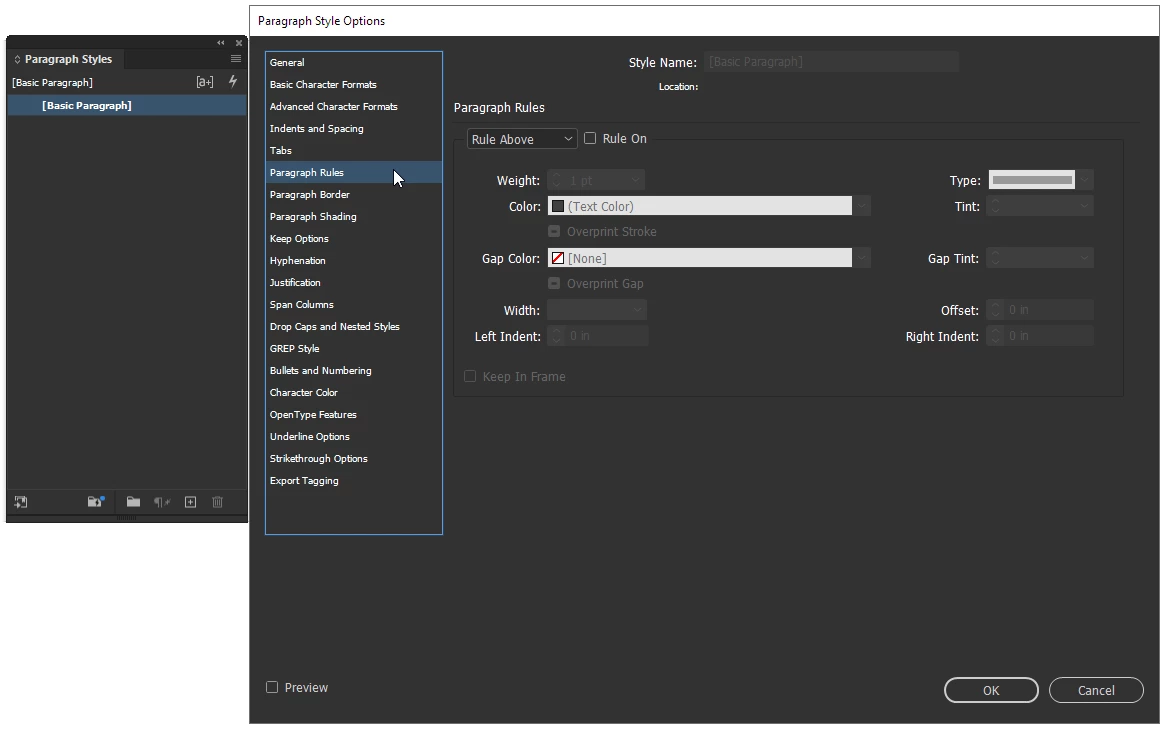
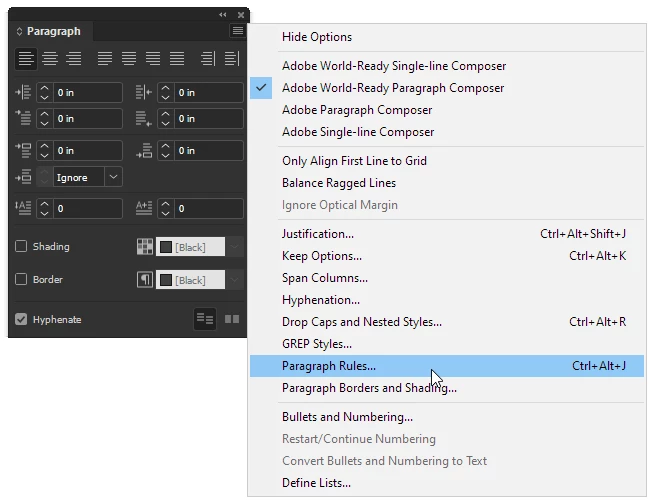
Thank you Peter for your help but I'm not able to find that paragraph rules window. I'm using the last version of Indd but I find only paragraph style window... and it's not the same thing. Maybe the problem is that I use the software in italian...

Frans v.d. Geest
Community Expert
Community Expert
May 11, 2023

In the Paragraph Style, the setting is in the left column; Peter is showing the dialog that you can call from the 'hamburger menu' in the Control panel, but the settings are exactly the same 😉