
Text in table won't align to baseline
Hello!
I have a document with many pages and text frames. The text is usually directly inside the text frame, set up to align on the base line. That works fine. If I now create a table with two cells in the flow text of said text frame and copy baselined text from the text frame into the nested table it won't align to baseline.
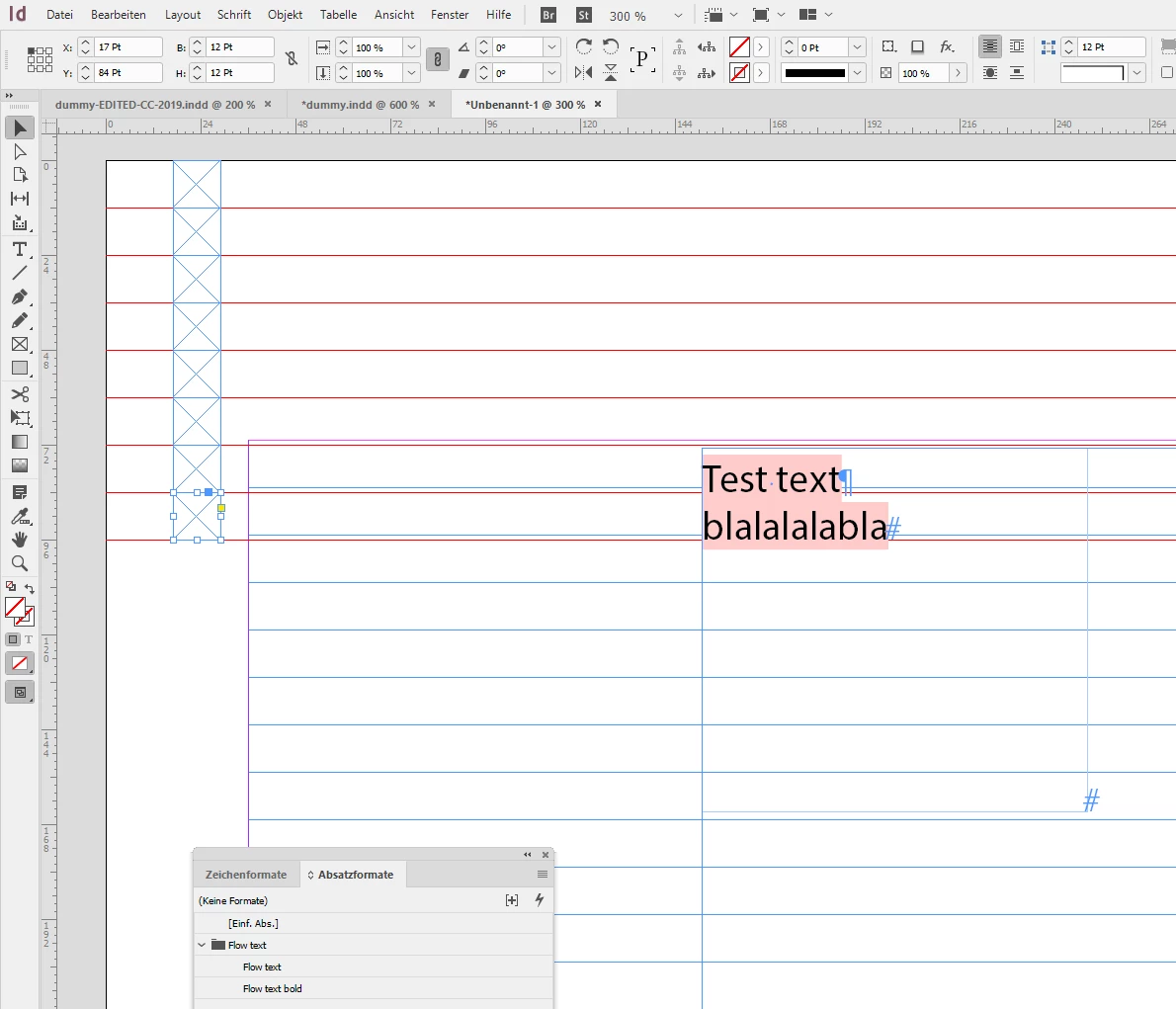
In order to compare I created a blank document, created two text frames and in one I've created a new table, also two cells. I then filled the empty text frame with text - aligns on baseline. Then copied that text to the one of table cells - also aligns on baseline. So it basically works with text in tables the same way.
Back in my document I cannot find out why it's different here.
- The table is in the top of the text frame; no inner margins, no stroke
- The text is set to baseline mode
- The text frame has no different settings regarding baseline use than the ones in the comparison document
Any idea what I might be overlooking?
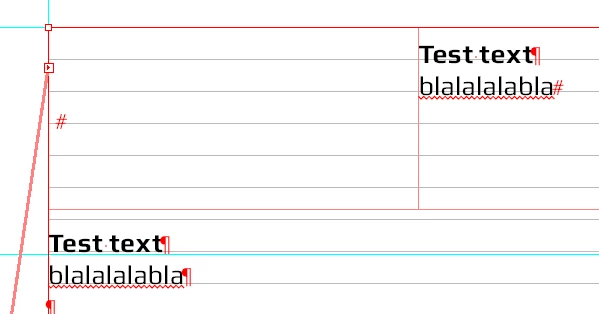
Example: the red text frame is on the page margins, the table as well. Outside of the table, the text is aligned as expected, but inside it's not. There is no cell format, table format, character format applied, no cell margins. Vertical cell alignment is "top", but that shouldn't affect the base line:


 AdChoices