
Text Leading different using Character styles vs eyedropper (sample file included)
- January 30, 2023
- 1 reply
- 531 views
Hi!
I appreciate any help on this matter. I have used Character Styles so much over time but have never come across this issue.
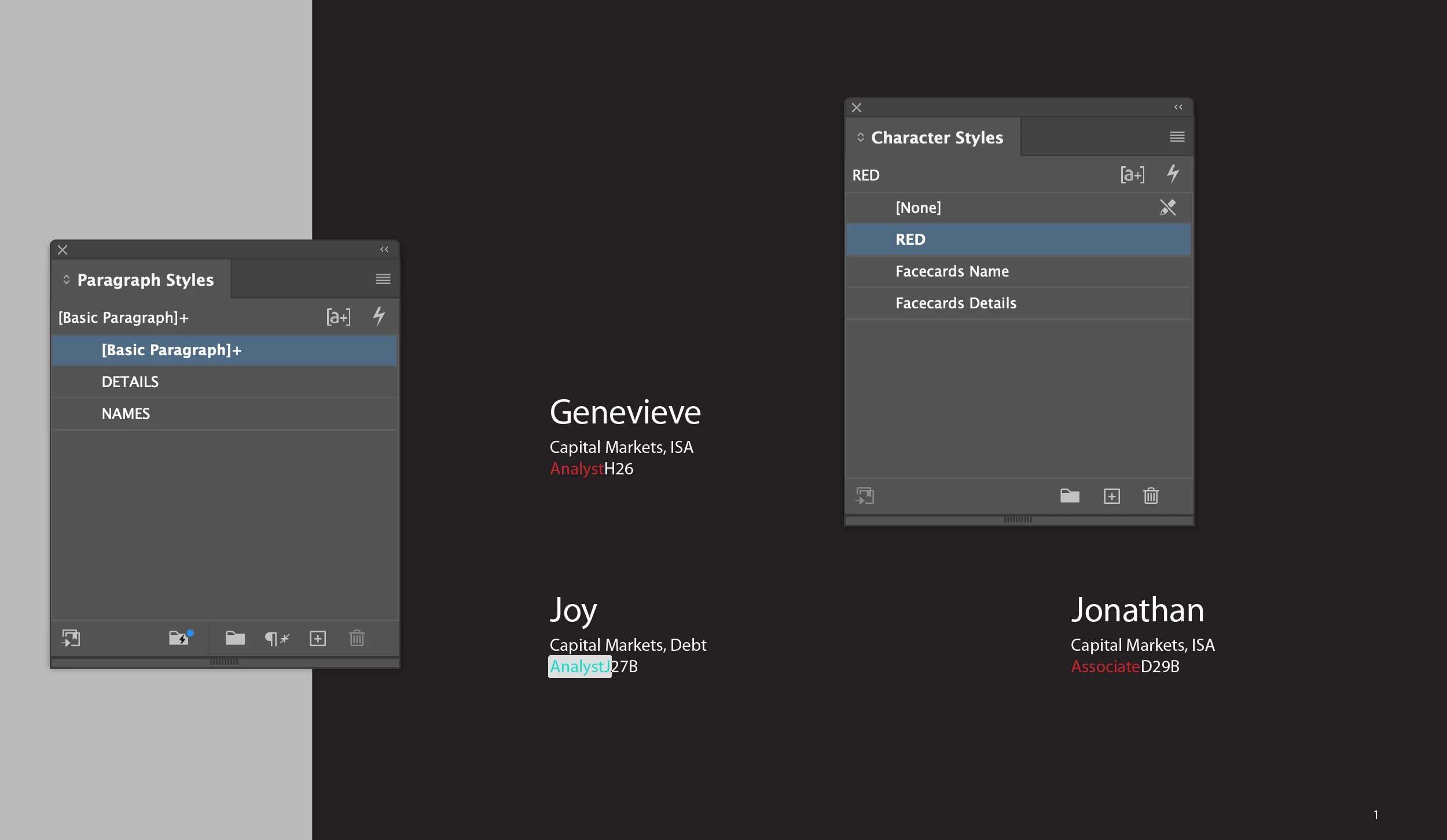
There are 3 names - Genevieve, Joy and Jonathan. Genevieve was the first from another file.
I created character styles for all the sub text (Facecard details) and another character style (Facecard names) for the larger names.
If I paste plain text into the box and assign it Facecard details style it looks normal. But if I select the name only and apply the text style Facecard names, the name is not spaced from the next lines (Joy is right above capital markets). However, if I do the same thing for Jonathan – and instead of applying the Facecard names style I will eyedropper the original “Genevieve” text, there will be a space underneath the name.
I like the space underneath the name, and it *seems* to be applied to all 3 names, but only 2 have the spacing. I would like to edit my character style so that I can apply it without using the eyedropper each time. Thanks very much.
 AdChoices