
text line return random
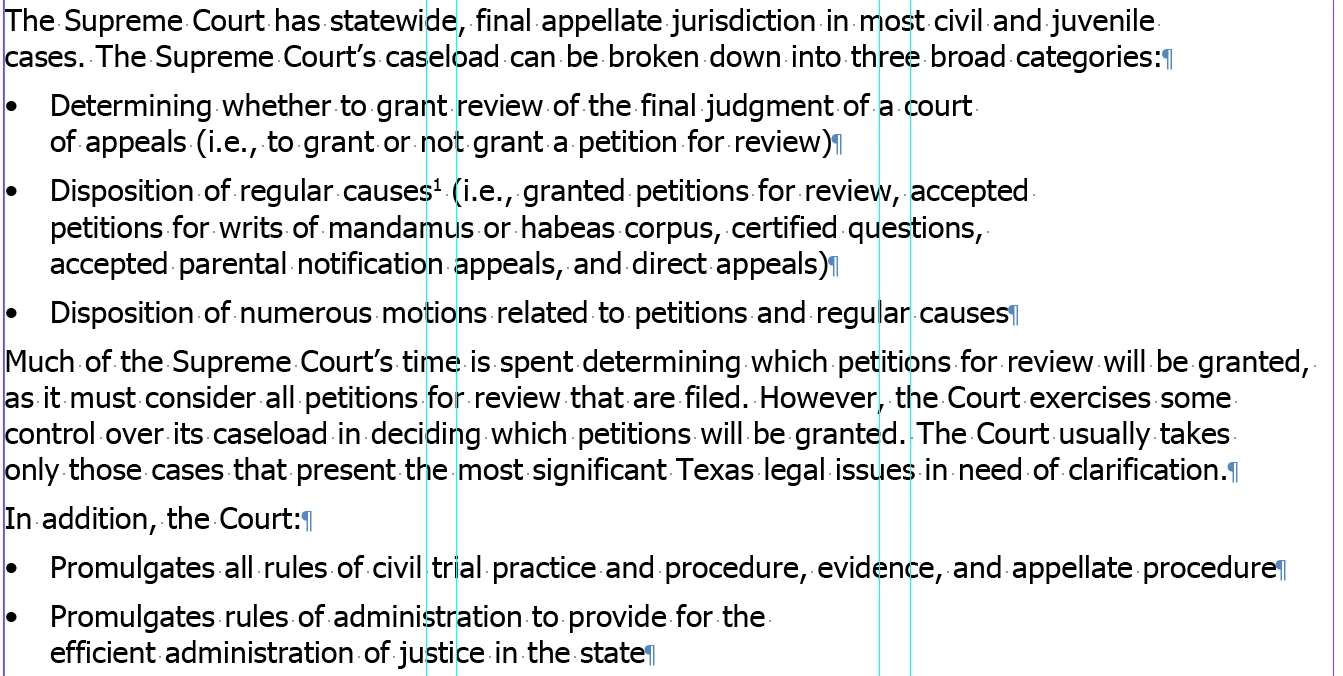
Text has inconsistent line returns (Left Align). As you can see from the image below with hidden characters shown, the text does not run to the right of the frame where it could still fit. I'm not trying to Justify.
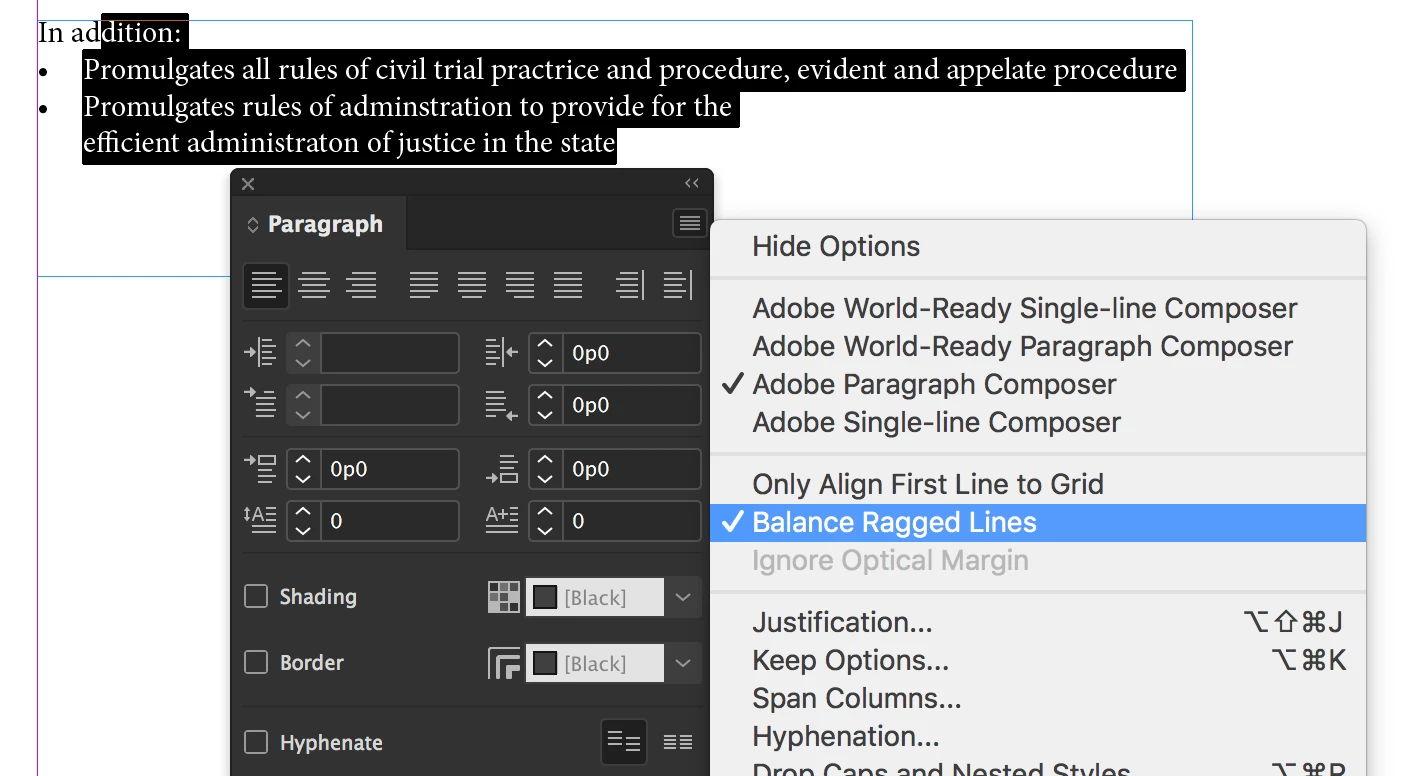
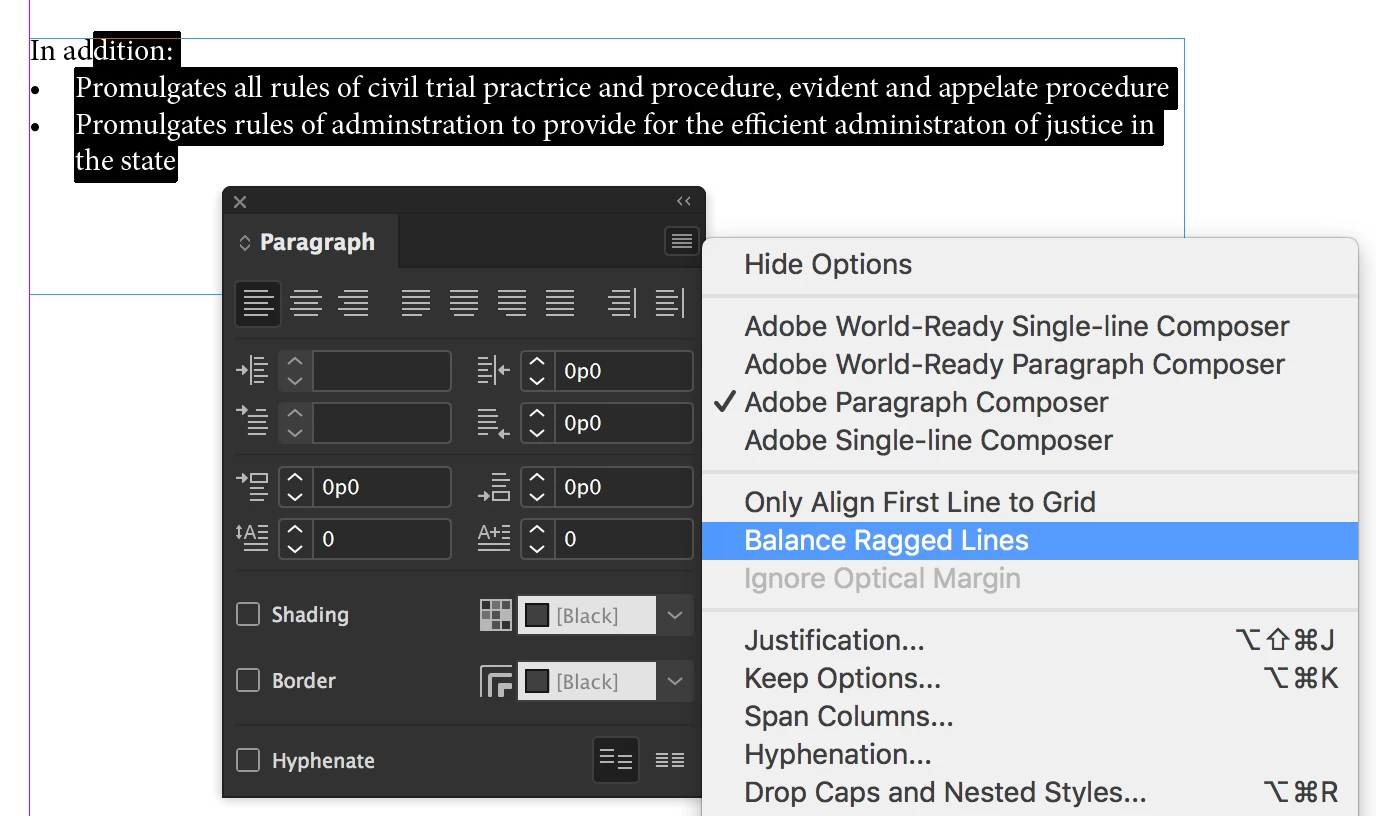
For example, the very last bullet (Promulgates rules of administration...) returns much earlier than the previous bullet (Promulgates all rules of civil...) with only a character space. Clearly "efficient administration of" could complete the line before InDesign adds a return. I'm just not seeing its usual consistency and his has nothing to do with balancing jagged edges. It's not just the bulleted text either. The first line could fit "cases" after the word "juvenile." The bottom image shows the lines Left Justify and you can see there is no break character between the words "the" and "efficient" in the last bullet. Doesn't appear to be a margin issue. Any ideas?
Left Align:
Left Justify:

 AdChoices