Known Participant
May 16, 2019
Question

Text moves & hyphenates on right text frame when left text frame is expanded

  • May 16, 2019
  • 1 reply
  • 387 views

Hello, I can't figure out why the text in the text box moves when I adjust the width of the text box on the left.

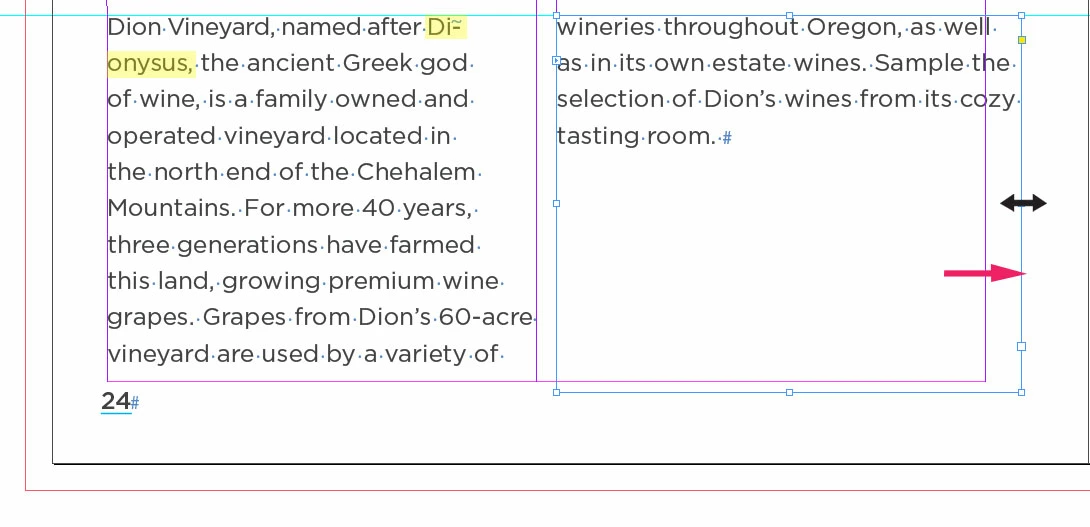
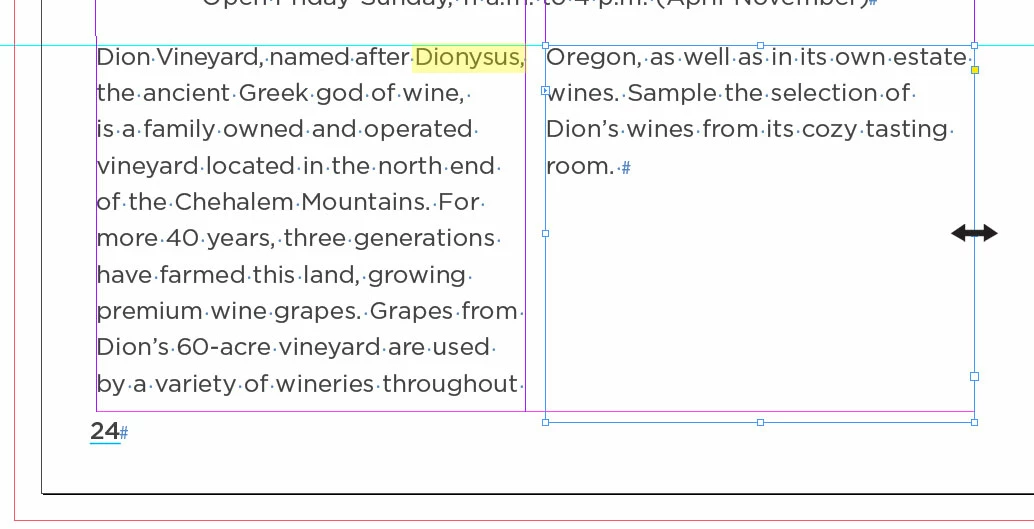
Below is a sample. The first image has the word Dionysus highlighted in yellow in the left text box. The second image I increase the width of the text block on the right. As you can see it makes the word Dionysus hyphenate. Why is this happening? Thank you for your time. I greatly appreciate it.

-Chris
This topic has been closed for replies.

1 reply

Community Expert
May 16, 2019

Hi ChrisG66 ,

since this is one single paragraph, composition of the whole paragraph can depend on the type of paragraph composer is used.

If you want to avoid changes in lines before doing something to the text, here changing line width of the last four text lines, you should consider using the Adobe Single-Line Paragraph Composer. Currently it seems that the Adobe Paragraph Composer is used that always has a look on all lines of a paragraph at one time.

Regards,
Uwe

Jongware
Community Expert
Community Expert
May 16, 2019

Inside a single paragraph, InDesign keeps all spacing as consistent as possible. Changing the line length of part of a paragraph makes it reevaluate the entire paragraph. (Which is entirely logical. If you started out with that wider layout, this is what you'd have gotten. It's not the changing that makes ID do this.)

Set the Paragraph Composer to Single Line if you don't like evened-out spacing.

Alternatively, it may be just the hyphenating that you don't like. If that is the case, just switch it off -- either locally (for this paragraph only) or globally (in your applied paragraph style, if you used this).