Participant
June 9, 2017
Answered

Text over image

  • June 9, 2017
  • 4 replies
  • 5158 views

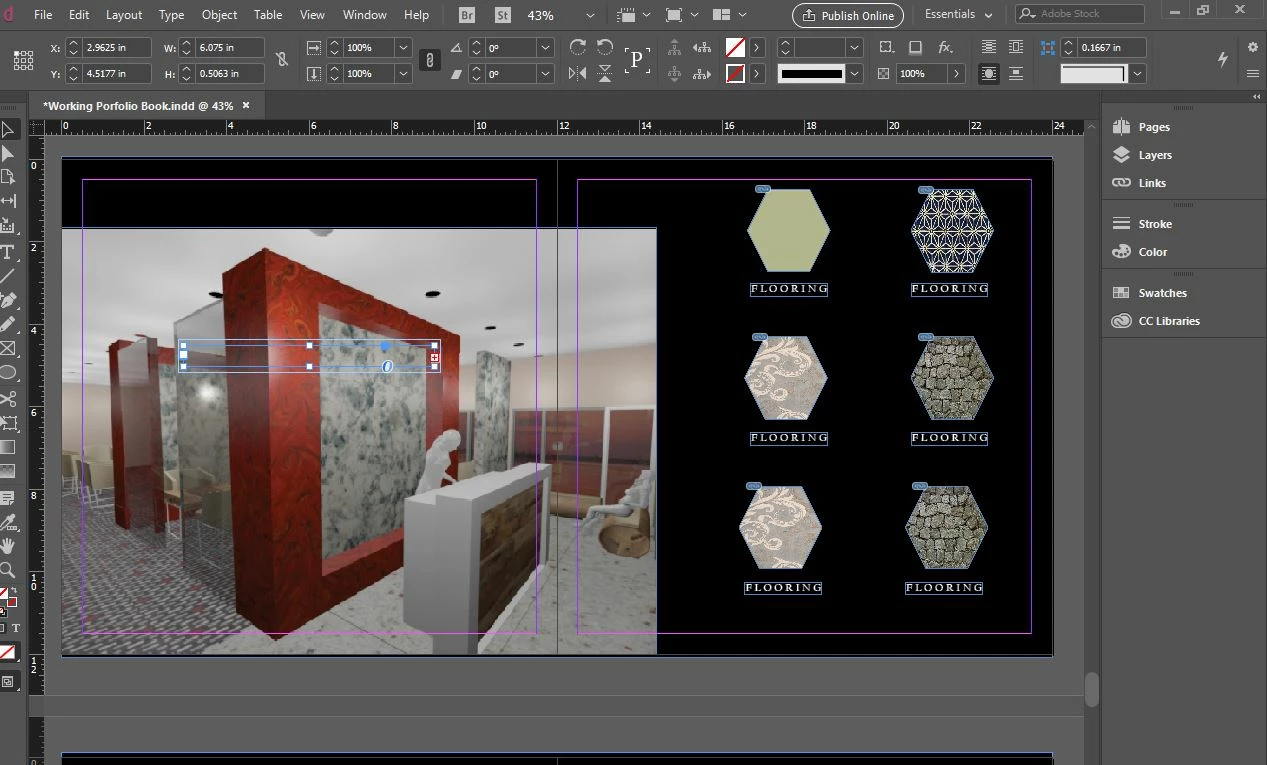
I cant seem to text over my image. I create a text box. choose my color and began to type. I "arrange" the text to "send forward and send to front but it CONINUES TO SHOW BLANK ON THE IMAGE.
    Correct answer amaarora

    Hi,

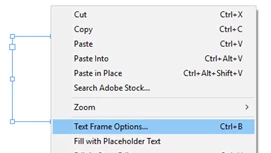
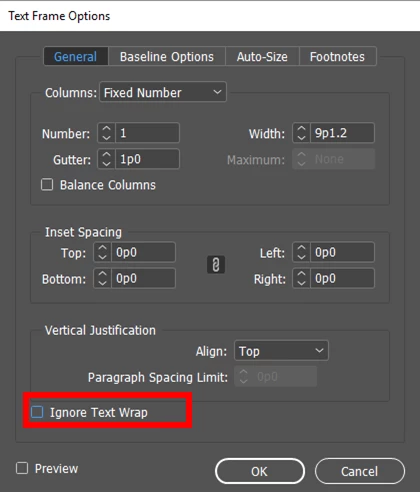
    Can you select the frame and then right click. Choose text frame options and check if the below highlighted option is checked ON.
    -Aman

    4 replies

    Barb Binder
    Community Expert
    Community Expert
    June 9, 2017

    Ah, now it see it. There's text wrap on the text frame.

    ~Barb at Rocky Mountain Training
    Barb Binder
    Community Expert
    Community Expert
    June 9, 2017

    The frame is overset. How big is the text? Does making the text smaller (or the frame larger) have an impact?

    ~Barb at Rocky Mountain Training
    Bill Silbert
    Community Expert
    Community Expert
    June 9, 2017

    Are you sure that your text frame is not on a layer below the art?

    Derek Cross
    Community Expert
    Community Expert
    June 9, 2017

    No, it's a text wrap issue, it comes up regularly on this forum – amaarora has posted the correct answer.

    Participant
    June 2, 2025

    Well, I right clicked, but the option mentioned did not show up. 


    amaarora
    amaaroraCorrect answer
    Inspiring
    June 9, 2017

    Hi,

    Can you select the frame and then right click. Choose text frame options and check if the below highlighted option is checked ON.

    -Aman

    Participant
    May 1, 2023

    Thank you AmmaArora

    I had the similar issue and after following your guidance (reply) I was able to resolve the proble. Once again thank you so much. Regards

    Shankut 


    Participant
    March 22, 2026

    I’ve done this placed a text box on top of the image and all my letters are pink
