Known Participant
March 5, 2019
Answered

Text re-flow from mere copy and paste of text box

  • March 5, 2019
  • 1 reply
  • 660 views

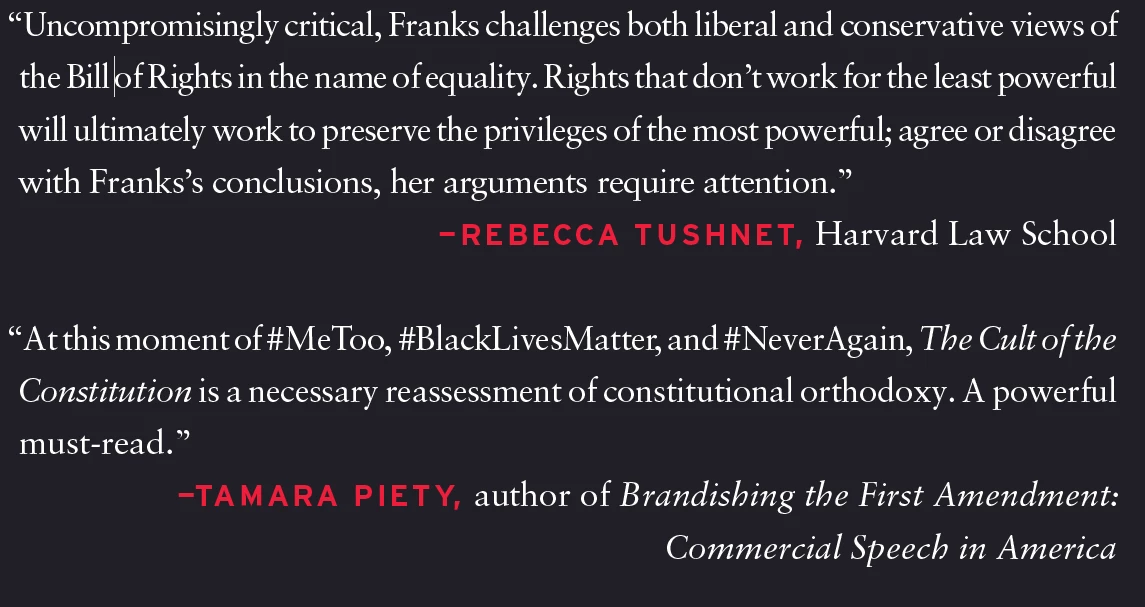
Can anyone guess why I would get re-flowed text in a text box that has been simply copied from one document to another, given the parameters below?

  • Text box, and text within it, has not been touched other than moving the box into position on the page.
  • No styles other than default ¶ style in either document.
  • Type size, leading, text measure, hyphenation rules, tracking, appear identical.
  • There are no objects with text wrap nearby that might be squeezing text beside it.

I merely took all the elements of a co-worker's book jacket file, copied them as a group from his file (which had a non-standard page setup) to mine (which had our standard page setup) and plunked them down.

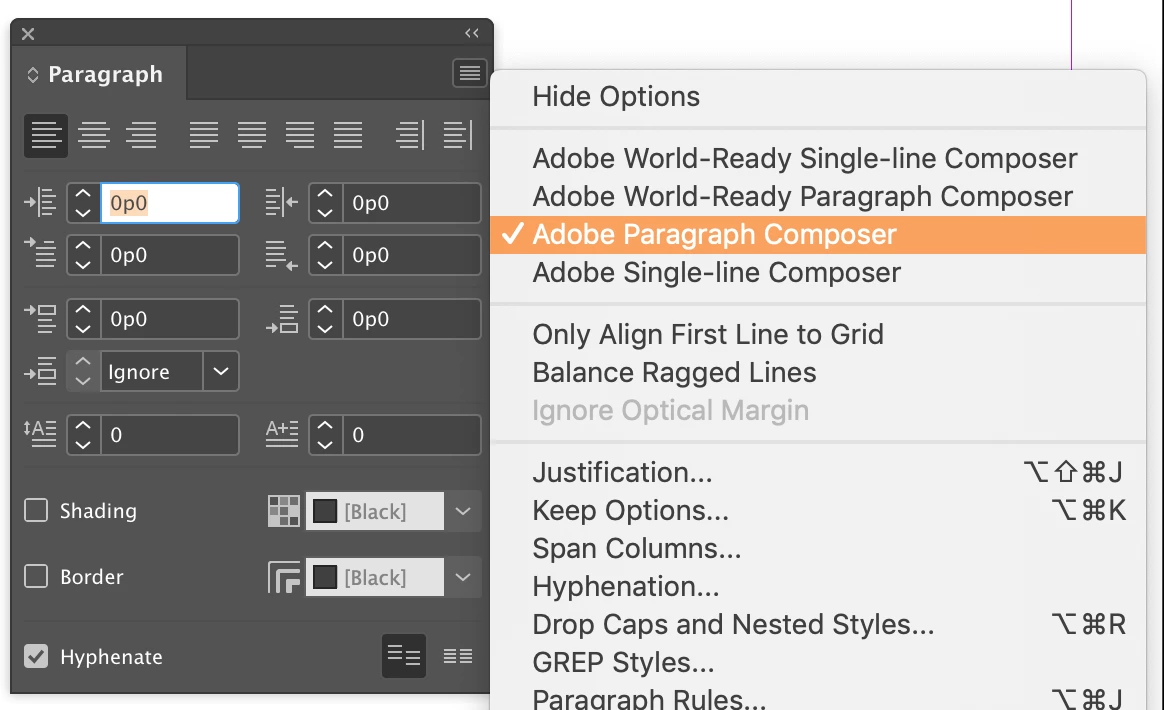
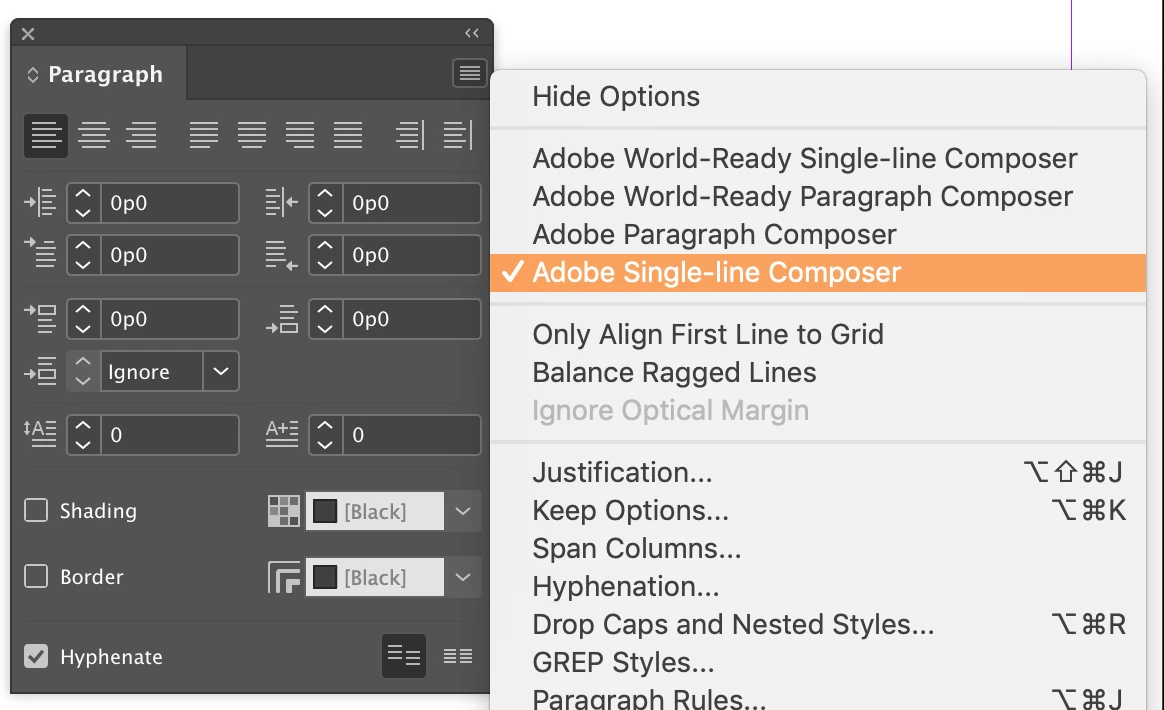
See screen grabs. Note first line of each blurb.

Thanks in advance.

This topic has been closed for replies.
Correct answer Barb Binder

Hi Robert:

Compare the composers:

Is one using Paragraph Composer and the other Single Line Composer?

~Barb

1 reply

Barb Binder
Community Expert
Barb BinderCommunity ExpertCorrect answer
Community Expert
March 5, 2019

Hi Robert:

Compare the composers:

Is one using Paragraph Composer and the other Single Line Composer?

~Barb

~Barb at Rocky Mountain Training
Rob EhleAuthor
Known Participant
March 5, 2019

Good Lord, this appears to be the problem. The default composer for the source doc is "world-ready paragraph composer," while it's just "paragraph composer" in the new one. When I click inside the text box in the new doc, that text, with its extremely tight first lines, is using "world-ready." When I switch the text in that text box to plain old "paragraph composer" (the default in the new doc) the lines match those in the source doc (whose default is "world-ready").

That a document's default composer setting would somehow mess up an individual text box with a different setting is troubling. If I copy text set in Minion into a doc whose default typeface is Garamond, it doesn't change to Garamond.

One more arcane thing to keep in mind whenever I copy and paste.

But thank you, Barb.

Barb Binder
Community Expert
Community Expert
March 5, 2019

Hi Robert:

The composers impact how the justified text is placed on each line. Think of paragraph composer as setting up word spacing for the good of the entire paragraph, and single-line composer setting the word spacing on a line-by-line basis (like Word). The word ready composers are used with other languages. I prefer to always use the paragraph composer, but I only set type using romance languages. Not Hebrew or Arabic, etc.

~Barb

~Barb at Rocky Mountain Training