
jeppebennettkrabbe
Participating Frequently
March 14, 2018
Question

Text scaling when printed to pdf

  • March 14, 2018
  • 5 replies
  • 520 views

Hi everyone!

I have a peculiar problem.

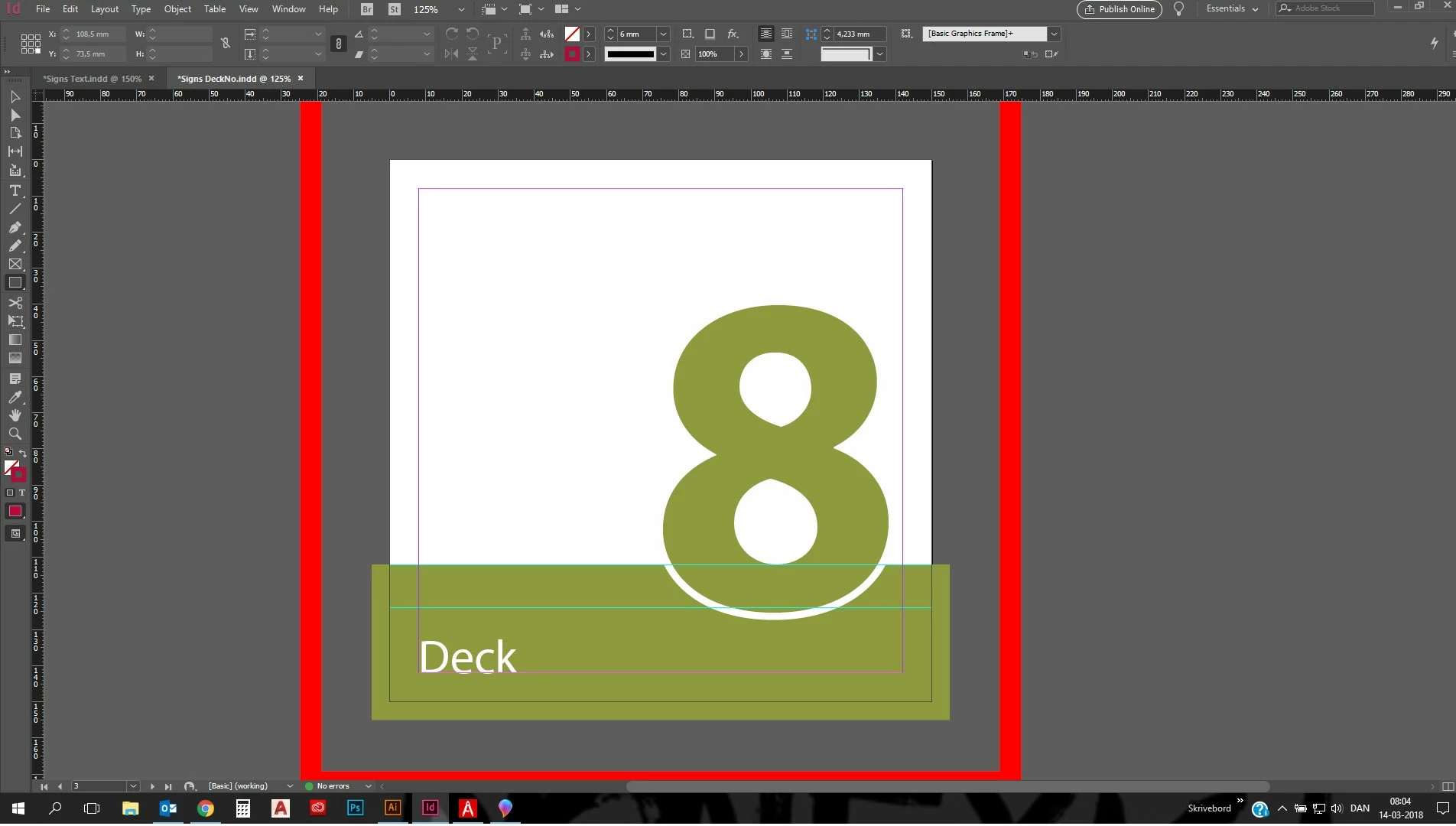
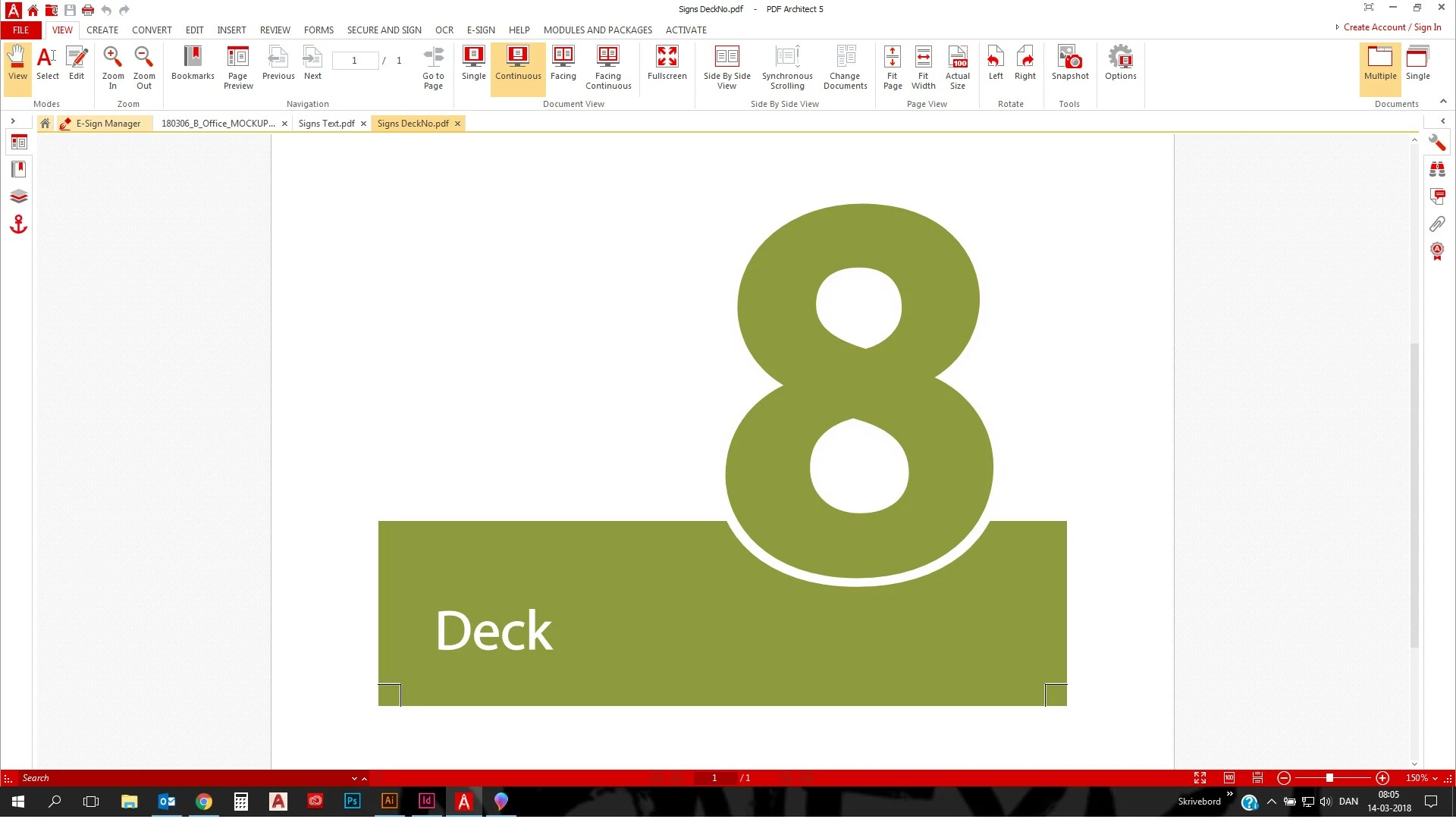
When I print the page shown in the Image, the letter scales up a bit.

When I measure the height of the number 8 in indesign, it is 85,25 mm high (360 pts.)

When printed to pdf the size is 87 mm.

I have drawn the same page in Illustrator to see if it was my pdf printer, -it prints correct size.

Anybode with a clue of the solution?

Thanks!

InDesign screen grab:
PDF screen grab:
This topic has been closed for replies.

5 replies

Barb Binder
Community Expert
Community Expert
March 14, 2018

Oddly, Acrobat and Reader default to "Fit" when you print and have done this for years. Change it to "Actual Size" in the Print dialog box.

~Barb

~Barb at Rocky Mountain Training
jeppebennettkrabbe
Participating Frequently
March 14, 2018

I get the same result exporting or printing. I have done both in an attempt to eliminate if it was the PPDF Architect printer. When I export, the format is Adobe PDF.

As I wrote above, my office does not subscribe Acrobat, so that is not an option.

BobLevine
Community Expert
Community Expert
March 14, 2018

Then try Acrobat Reader and make sure all scaling is turned off in the printer and Reader.

jeppebennettkrabbe
Participating Frequently
March 14, 2018

I think you understood me Bob. My problem isn't how the pdf behaves in Illustrator, but what happens between InDesign and my pdf printer.

BobLevine
Community Expert
Community Expert
March 14, 2018

Did you or did you not print to PDF? You need to export and you should be using Acrobat. I know nothing about that PDF application you're using.

BobLevine
Community Expert
Community Expert
March 14, 2018

I’m having trouble figuring out what you’re measuring and how you’re measuring it as well as what PDF application you’re using. So, please back up and give us some details.

What version of InDesign? How are you creating the PDF? How are you measuring the PDF? Are you measuring a print out or using tools within the application to measure it?

jeppebennettkrabbe
Participating Frequently
March 14, 2018

I measured by drawing a rectangle spanning the green, bottom to top. My office are using an unusual pdf printer, PDF Architect 5.

Indesign: 13.1.

I am printing the pdf from the Indesign print dialog. Paper set to A4. I measure the PDF by opening in Illustrator and measure with same method as in InDesign.

I print from PDF Architect 5 as paper specified to A4, no fitting/scaling. I have measured the print with a ruler as well. The measure in Illustrator and print are identical.

BobLevine
Community Expert
Community Expert
March 14, 2018

That workflow is questionable at best.

Stop printing to PDF and export the PDF.

Illustrator is NOT a general purpose PDF editor. There is no assurance that opening a PDF in it (unless it was created in Illustrator) will yield an acceptable result.

jeppebennettkrabbe
Participating Frequently
March 14, 2018

When sent directly from InDesign to printer it comes out as expected.