




Text to Image: Use Simple Text prompts to create Photos or Art in InDesign
Hi Everyone,
We are happy to announce that the ability to generate images by providing a text prompt is now available in InDesign.

|
|
► Text to Image (Beta) is a beta feature in InDesign and is now available for testing and feedback ► Text to Image (Beta) is available in English. |
Text to Image feature empowers users to generate images in Photo or Art format with simple text prompts, powered by Adobe Firefly in InDesign. The "Text to Image" feature can be accessed by using the "Text to Image panel" or the "Contextual Task Bar".
|
|

Generate Images using the Text to Image panel
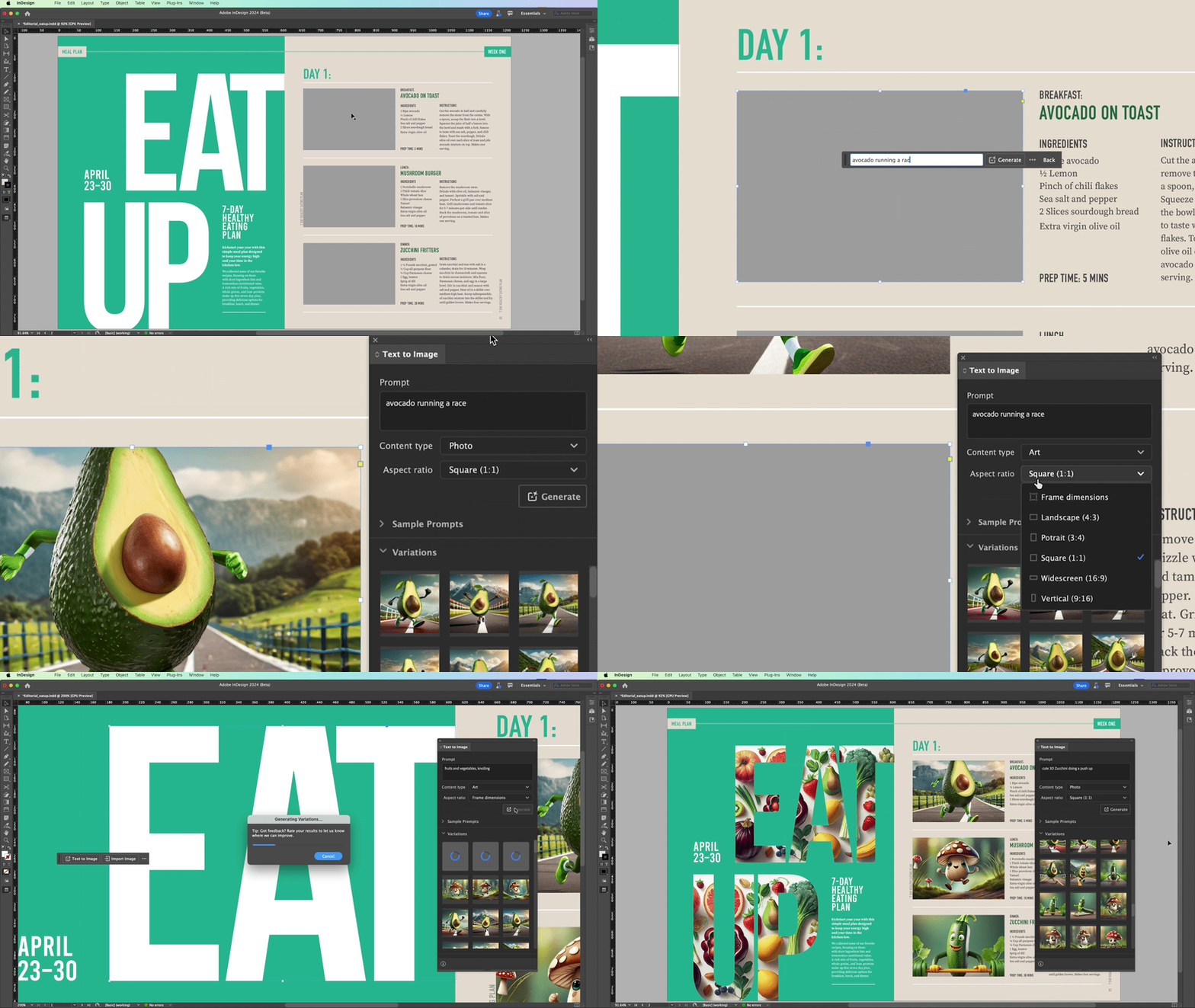
InDesign 19.4 introduces a powerful new feature: "Generating Images from Text prompts." Now, you can effortlessly create images by describing your prompt, selecting the content type and aspect ratio, and generating three variations to choose from. It's a huge time-saver and a game-changer for your workflow!
Please refer to the Text to Image article for detailed information.
Generate Images using the Contextual Task Bar
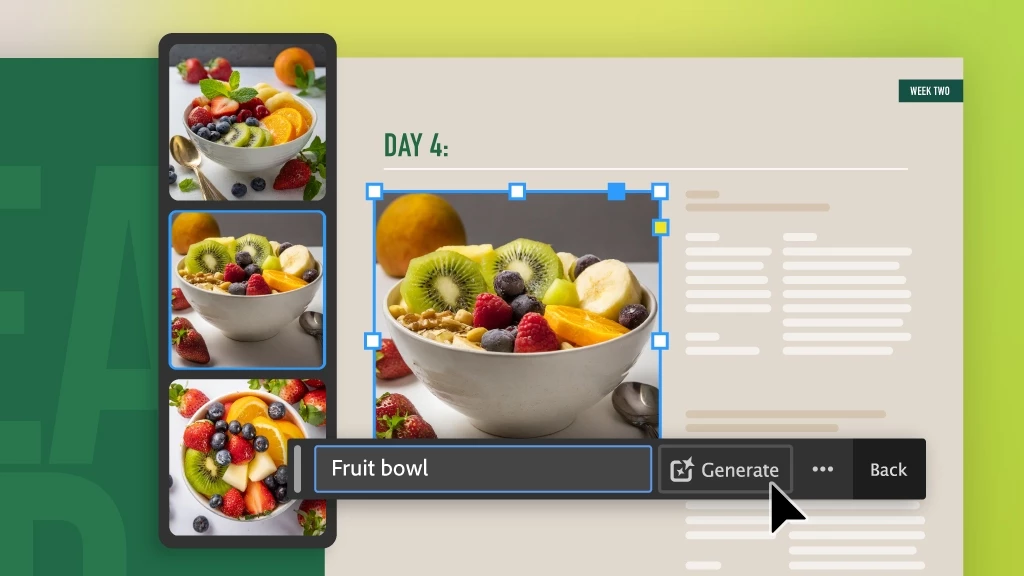
You can access the Text-to-Image feature in InDesign through the Contextual Task Bar or the Window menu. By selecting a frame or using frame tools to create placeholders, users can streamline the process of generating images then can describe the desired output in the prompt field, generate images with a click, and rate the result as Good, Bad, or report variations.
Provide Feedback
- Please contribute your unique insights and help shape the future of the "Text to Image" feature in InDesign by providing feedback on the Uservoice page for the Generated Images.
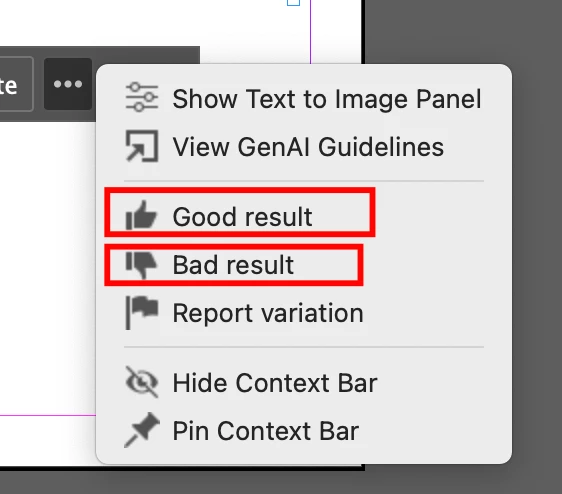
- You can also rate the images as "Good Result/Bad Result" to share your feedback.
Note: The post has been edited as per the latest release changes in InDesign MAX 19.4.
 AdChoices