

JacksonMurphy
Inspiring
April 30, 2024
Answered

Text with Object Style - Not Updating Rendering

  • April 30, 2024
  • 1 reply
  • 426 views

Hello,

I notice a bug/annoyance when adding an object style to text. In my case, I'm adding an outer glow effect with high noise to text to give it a textured appearance. 


After applying the object style, then editing the text, the object style remains in the position of the old text. The rendering of the style is not updating. It even remembers the old text if you turn the object style off and back on again. Very annoying. 
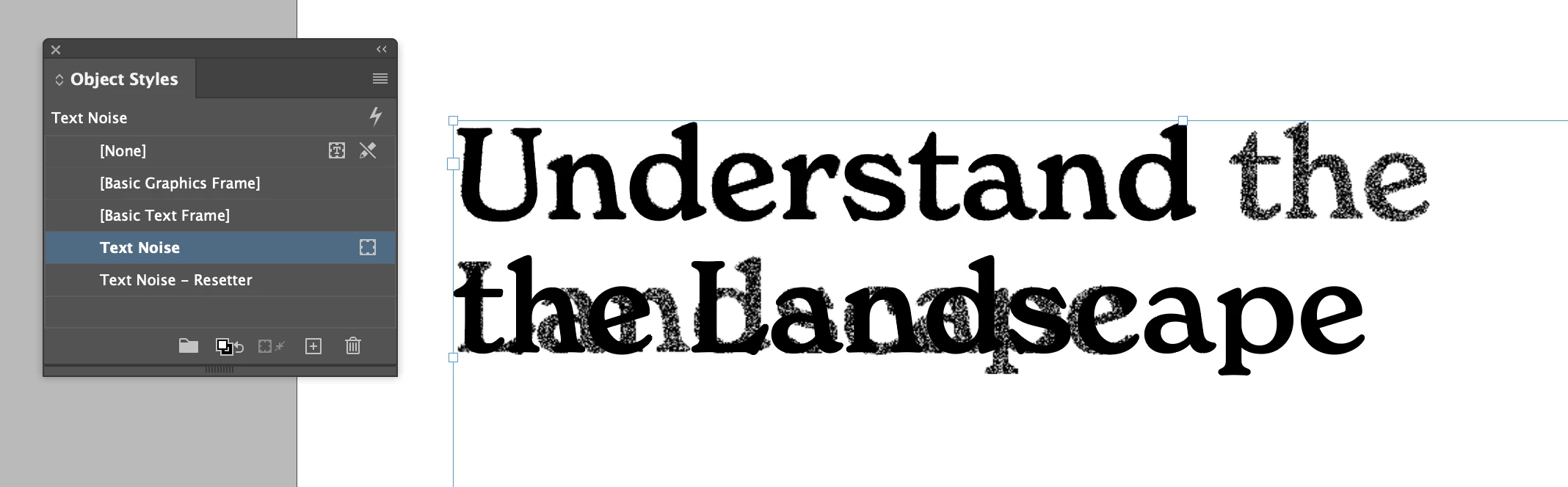
 

I found a workaround though. Create a new object style that changes the same effect that won't update. In my case, a new object style with a different glow effect.
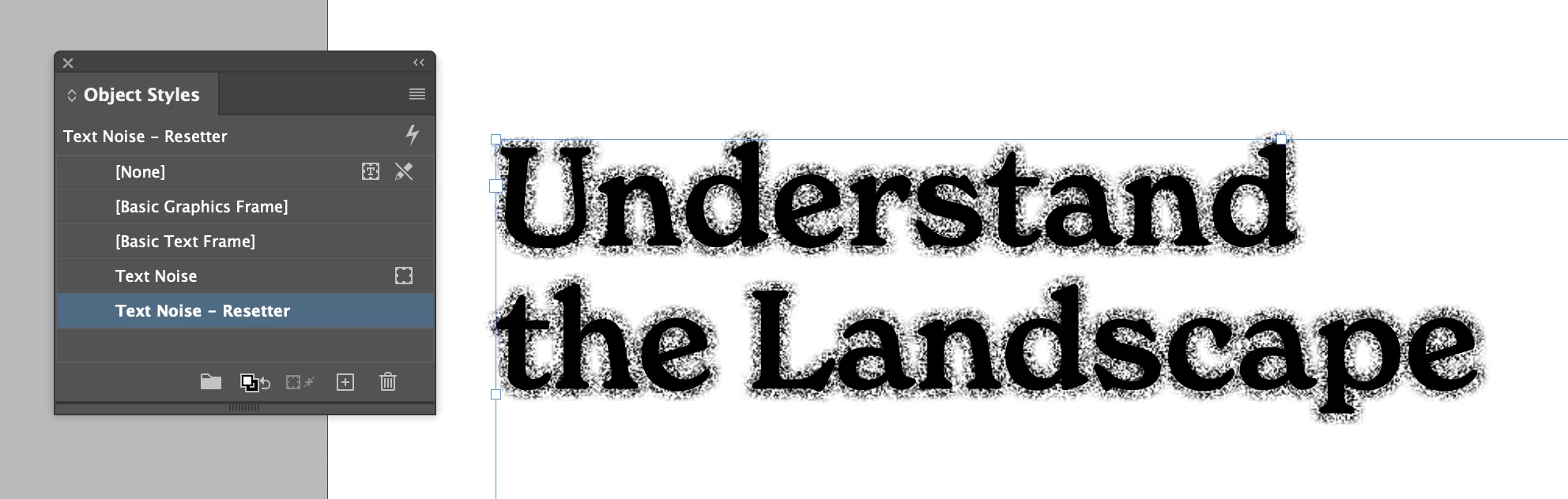
Then you can switch to this "reset" object style, and when you switch back to the intended style it updates to the new text. 
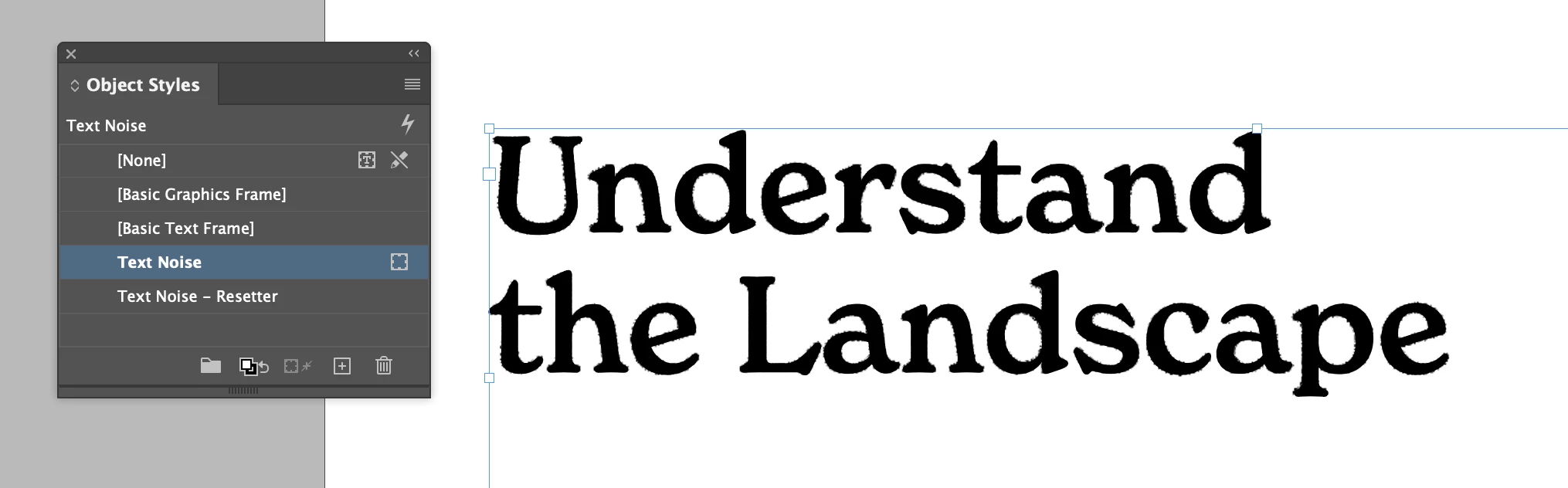
Not ideal but better than nothing. 

Best,
JM

This topic has been closed for replies.
Correct answer Eugene Tyson

Thank you for the suggestion! I didn't know about that command. 
In my testing however it does not re-render the style.


Cut and Paste in Place - usually works for me

Report bugs or make a feature request
https://indesign.uservoice.com/forums/601180-adobe-indesign-bugs


1 reply

Robert at ID-Tasker
Legend
April 30, 2024

Just for clarity - you can't apply ObjectStyle to "text" - only to a TextFrame - object that can contain text. 


JacksonMurphy
Inspiring
May 1, 2024

Hm, I might see what you mean semantically, but the result of the effect is that the text in the frame has the style applied.


While I'm here: Update to the workaround: 

Adding a shortcut to the "resetter" style and then undo-ing that application of the reset style is a quick way to reset the rendering of the style. In my case, cmd+shift+9 then cmd+z. 

Robert at ID-Tasker
Legend
May 1, 2024

https://helpx.adobe.com/uk/indesign/using/default-keyboard-shortcuts.html


Recompose all stories

Alt+Ctrl+/

Option+Command+/


It's for all Stories - but maybe will be helpful.