lbriddock
Participating Frequently
November 24, 2018
Answered

Text Wrap Image Issues

  • November 24, 2018
  • 2 replies
  • 879 views

Hi,

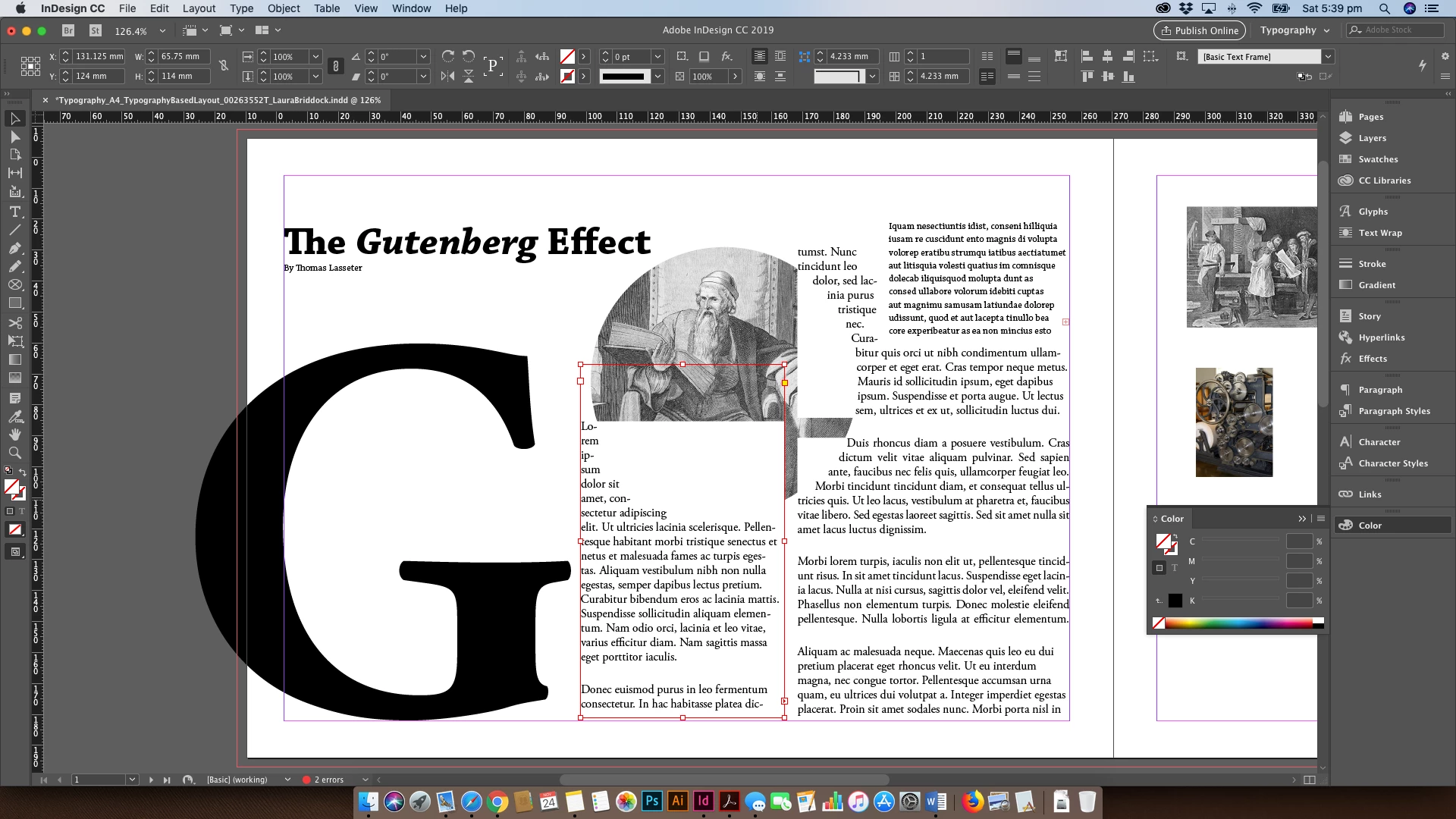
As you can see, I'm having major issues with text wrapping this picture. Somehow it's automatically creating white boxes within my photo when I'm trying to wrap. As you can see, I've had no issues creating another wrap with another textbox. Help!
This topic has been closed for replies.
Correct answer Laubender

Hi Uwe,

Thanks so much for your response. I tried a PDF export and it's still showing the white squares within the picture. I am totally stuck with this one!


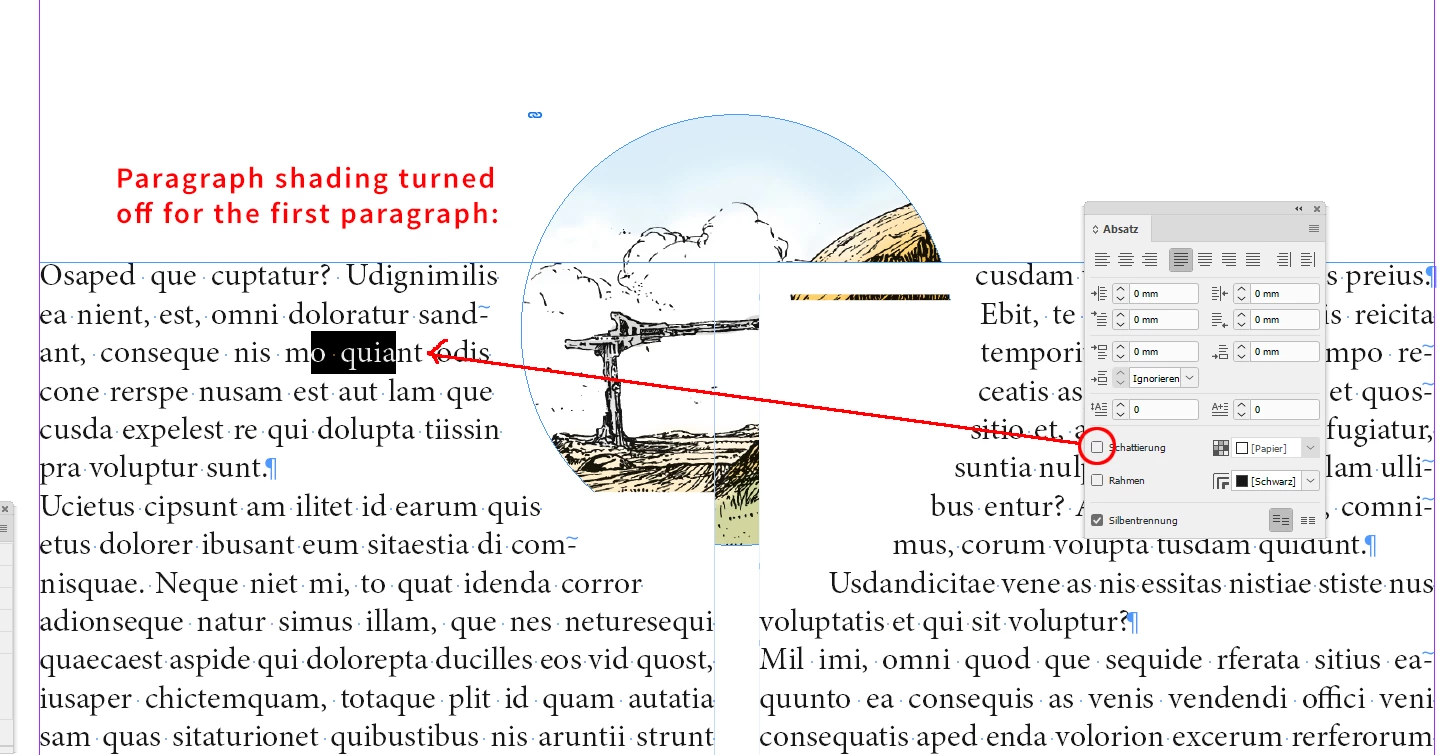
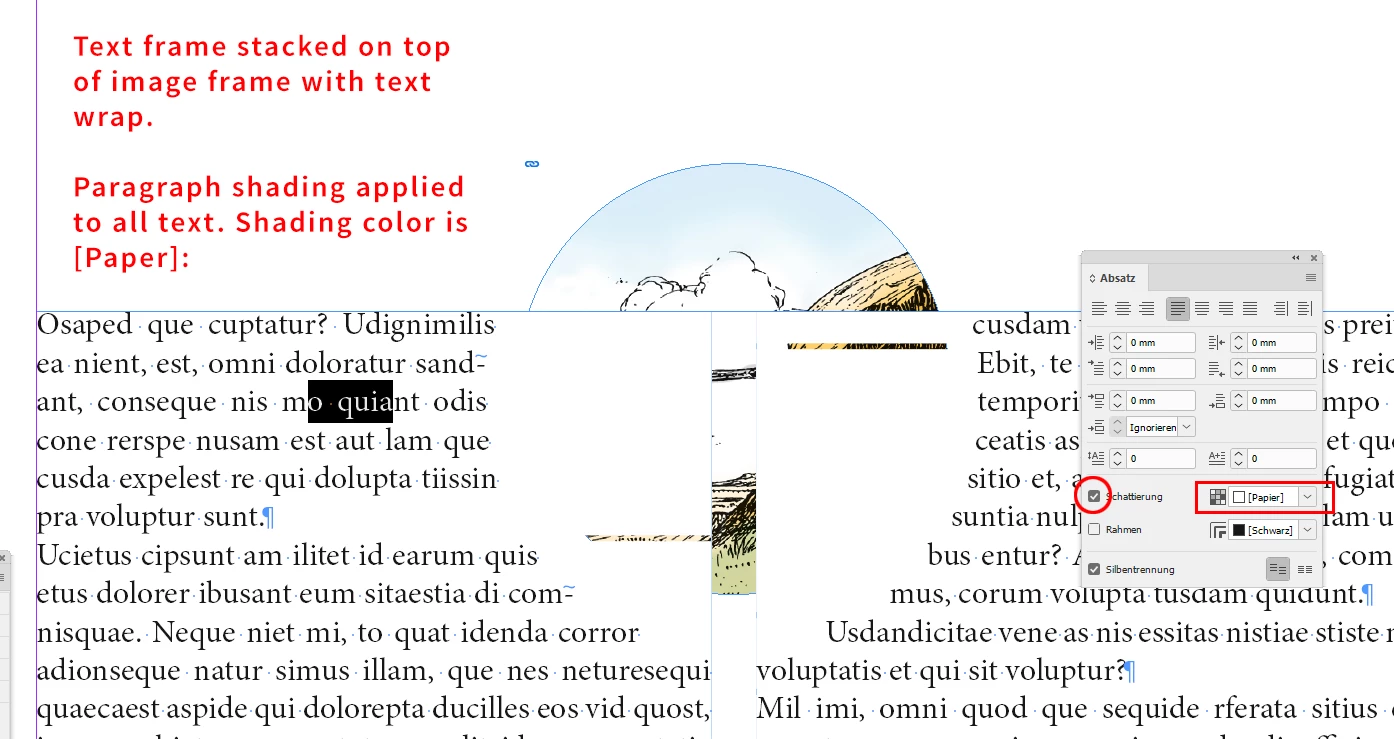
Ok. Check, if you applied paragraph shading to the text.

Shading color could be [Paper].

Below an example where I did this.

From my German InDesign CC 2019:

Paragraph shading turned off for the first paragraph. More of the image is visible now:

Workaround without changing paragraph shading:
Stack the image on top of the text frame.

Regards,
Uwe

2 replies

Derek Cross
Community Expert
Community Expert
November 24, 2018

It might also be worth having a glance in Story Editor to see if any codes or something are indicated in the text.

Derek Cross
Community Expert
Community Expert
November 24, 2018

Try: Object > Text Frame Objects — Ignore Text Wrap.

lbriddock
lbriddockAuthor
Participating Frequently
November 24, 2018

Hi Derek,

Thanks for your response but it didn't work