
Participant
December 10, 2019
Beantwortet

Text Wrap not working in InDesign

  • December 10, 2019
  • 1 Antwort
  • 1146 Ansichten

I have been trying to fix this problem (as have my teachers) for the past week or so now, however no matter how I manipulate my text wrapping on the image, the text won't go the full width of the column. It leaves an awkward gap between the image and the type, which is incredibly frustrating. I thought I had fixed it by making sure all my type was lined up using the baseline grid, but even that didn't solve the problem.


Any suggestions are welcome!

Thank you
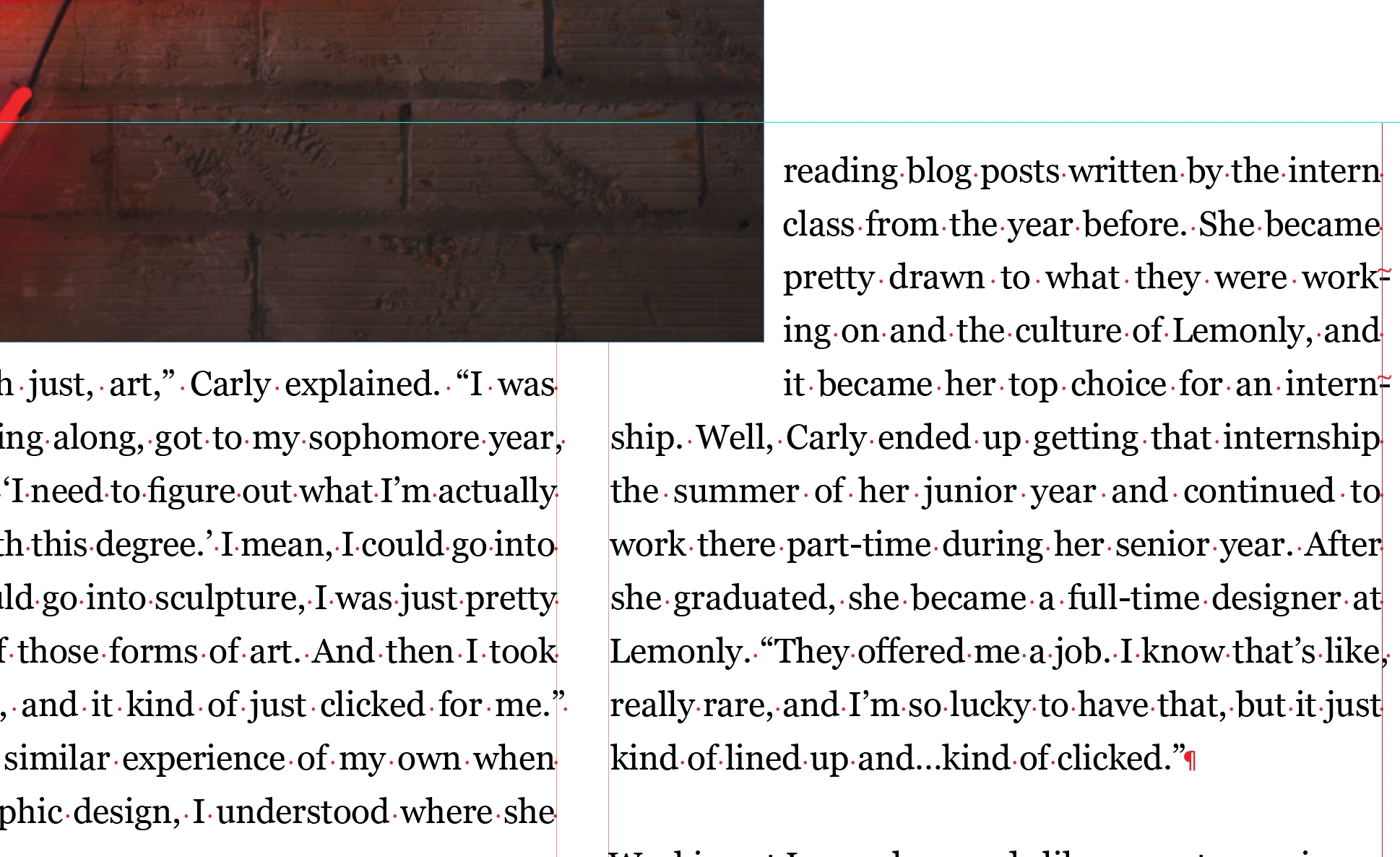
 

(As you can see, there's an awkward gap between the line of text and the image in the right column.)

Dieses Thema wurde für Antworten geschlossen.
Beste Antwort von Frans v.d. Geest

If the bottom of your image extends just slightly over the baseline you will see this happen. Try adjusting the bottom of the image frame to sit exactly on the baseline as well (Also check for extra distance below, one of the 0 mm values, added to the wrap - but I guess that is not the case here, my bet is on the bottom allignment of the image frame)

1 Antwort

Frans v.d. Geest
Community Expert
Community Expert
December 10, 2019

If the bottom of your image extends just slightly over the baseline you will see this happen. Try adjusting the bottom of the image frame to sit exactly on the baseline as well (Also check for extra distance below, one of the 0 mm values, added to the wrap - but I guess that is not the case here, my bet is on the bottom allignment of the image frame)

Participant
December 10, 2019

That did indeed fix it, it was such a minor adjustment; thank you!