Participant
February 14, 2017
Answered

Text wrapping in Table cell for list with equals = sign

  • February 14, 2017
  • 2 replies
  • 1369 views

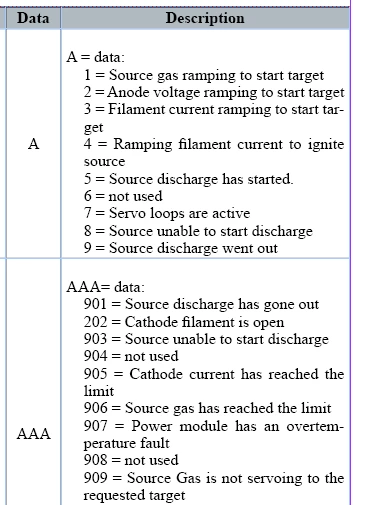
I'm trying to create a list in a table cell.  The list contains a some data = description.  The problem is that I would like the description to wrap under itself rather than the entire line.  I can not get the wrapped text to move in and I can figure out how to change the text wrapping point.  Any help would be greatly appreciated.  I'm certain there must be an easy way to do this, but my searches have come up empty.  I attached a screenshot example  below.
Regards,

Jeremy
    This topic has been closed for replies.
    Correct answer Barb Binder

    Clarifying SJRiegel​'s correct answer:

    • Follow her instructions to replace space = space to space = tab
    • Select the text:
    • Type > Tabs
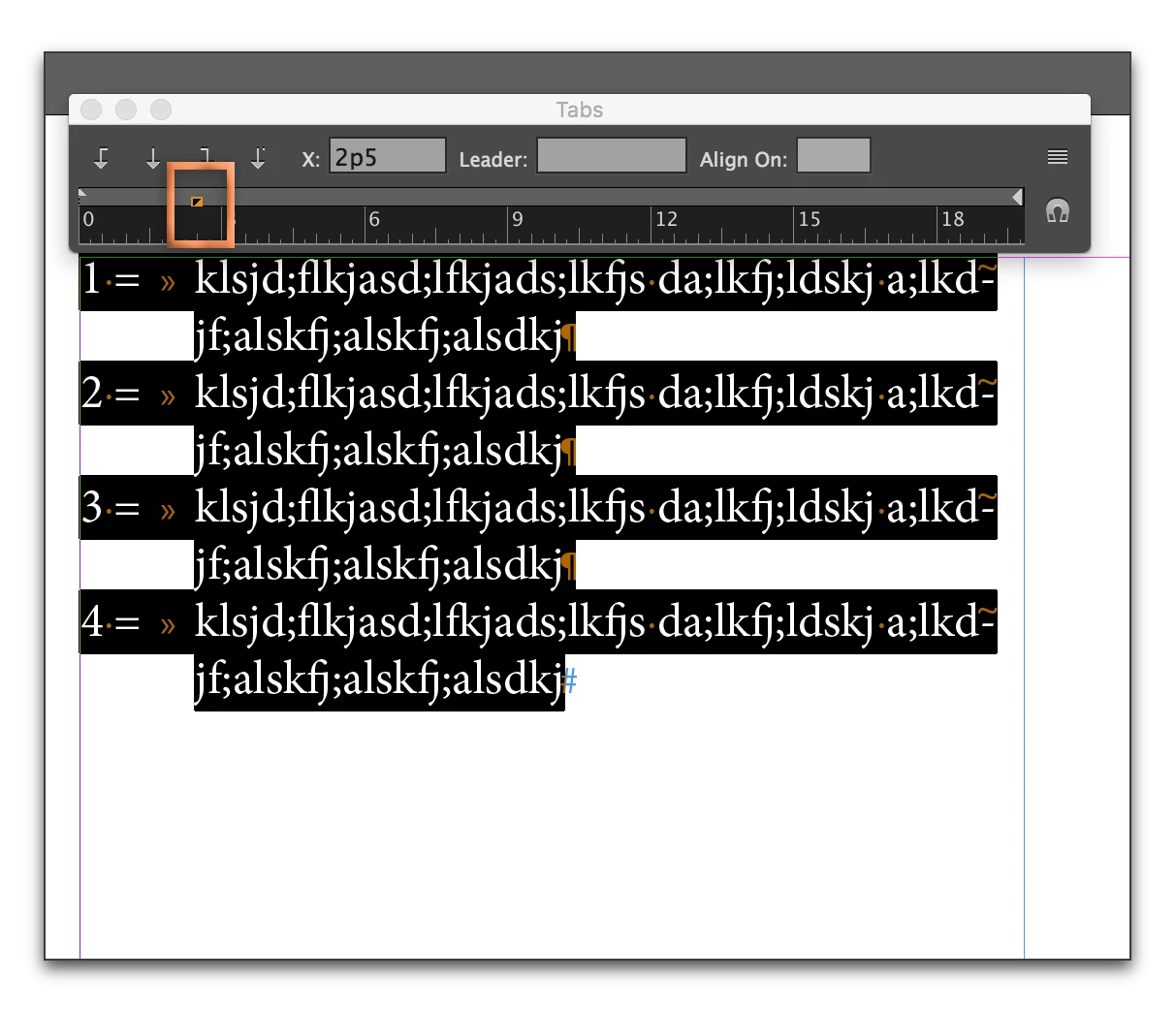
    • Shift+drag the bottom right triangle to the right (the top triangle will stay where it is) until you like the left indent. (If you forget the Shift key, the triangles move together. Edit > Undo, hold the Shift and try again.)

    Read up on setting tabs and indents here:

    Set tabs and indents in Adobe InDesign

    2 replies

    Barb Binder
    Community Expert
    Barb BinderCommunity ExpertCorrect answer
    Community Expert
    February 14, 2017

    Clarifying SJRiegel​'s correct answer:

    • Follow her instructions to replace space = space to space = tab
    • Select the text:
    • Type > Tabs
    • Shift+drag the bottom right triangle to the right (the top triangle will stay where it is) until you like the left indent. (If you forget the Shift key, the triangles move together. Edit > Undo, hold the Shift and try again.)

    Read up on setting tabs and indents here:

    Set tabs and indents in Adobe InDesign

    ~Barb at Rocky Mountain Training
    Participant
    February 14, 2017

    Thanks I’ve got it working now!

    Legend
    February 14, 2017

    if your equal signs are currently (space)(equal sign)(space), then start with a find/change on the table to turn (equal sign)(space) to (equal sign)(tab)

    Then use the indent controls in the tab panel to fix your text insets.

    Participant
    February 14, 2017

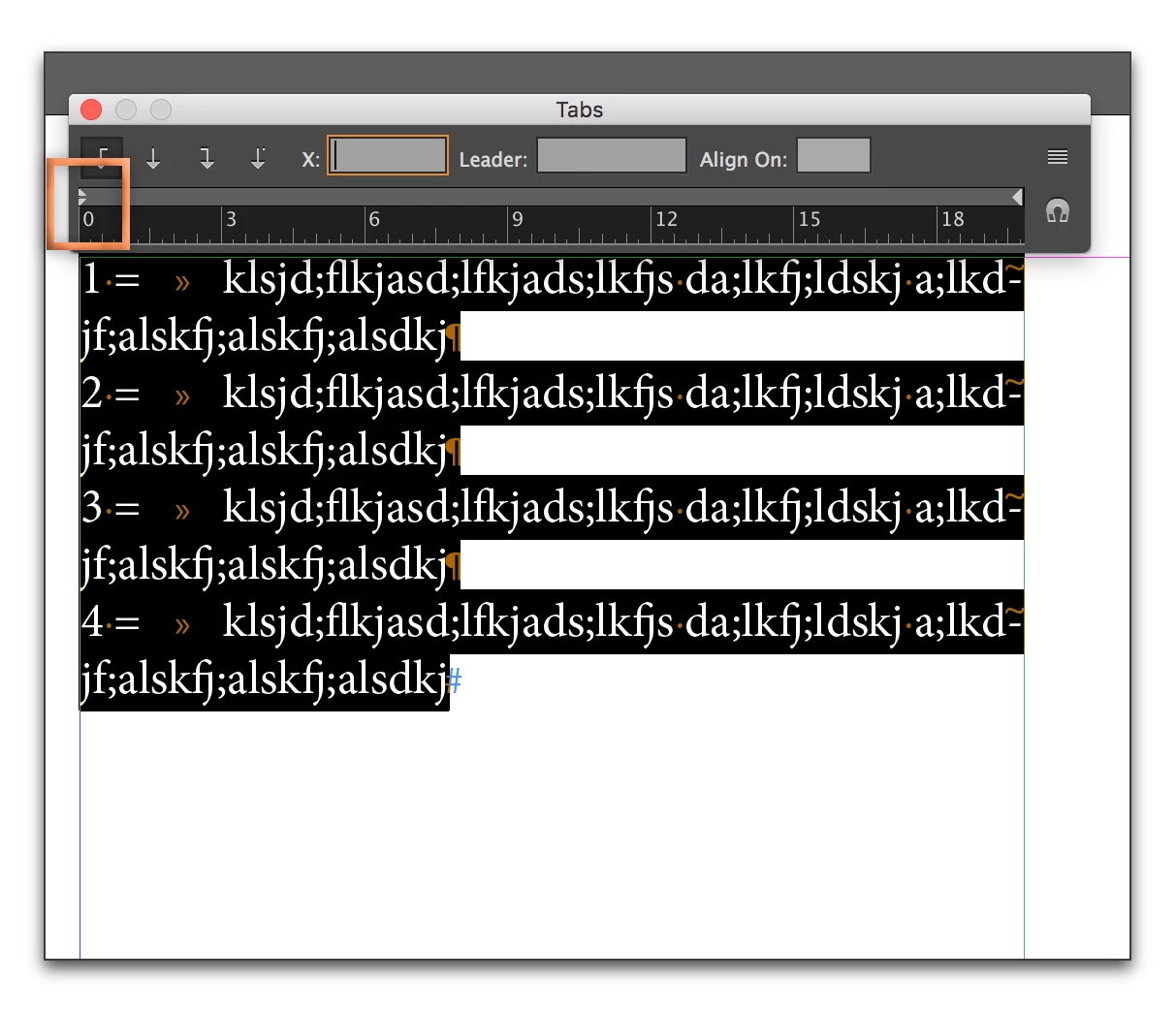
    I tried your suggestions below, but the text still wraps to the number and not to the tabbed text after the equals sign. When I move the tab position it moves the beginning of the text after the equals sign and the text still wraps back to the number before the equals sign. I’m sure this is some basic skill, but this software is completely unintuitive to me.

    Legend
    February 14, 2017

    Use the shift key to move just the bottom half of the split triangle on the left of the tab panel.

    Another way to do this is with the numerical indent fields in the paragraph panel.