Participating Frequently
January 31, 2025
Question

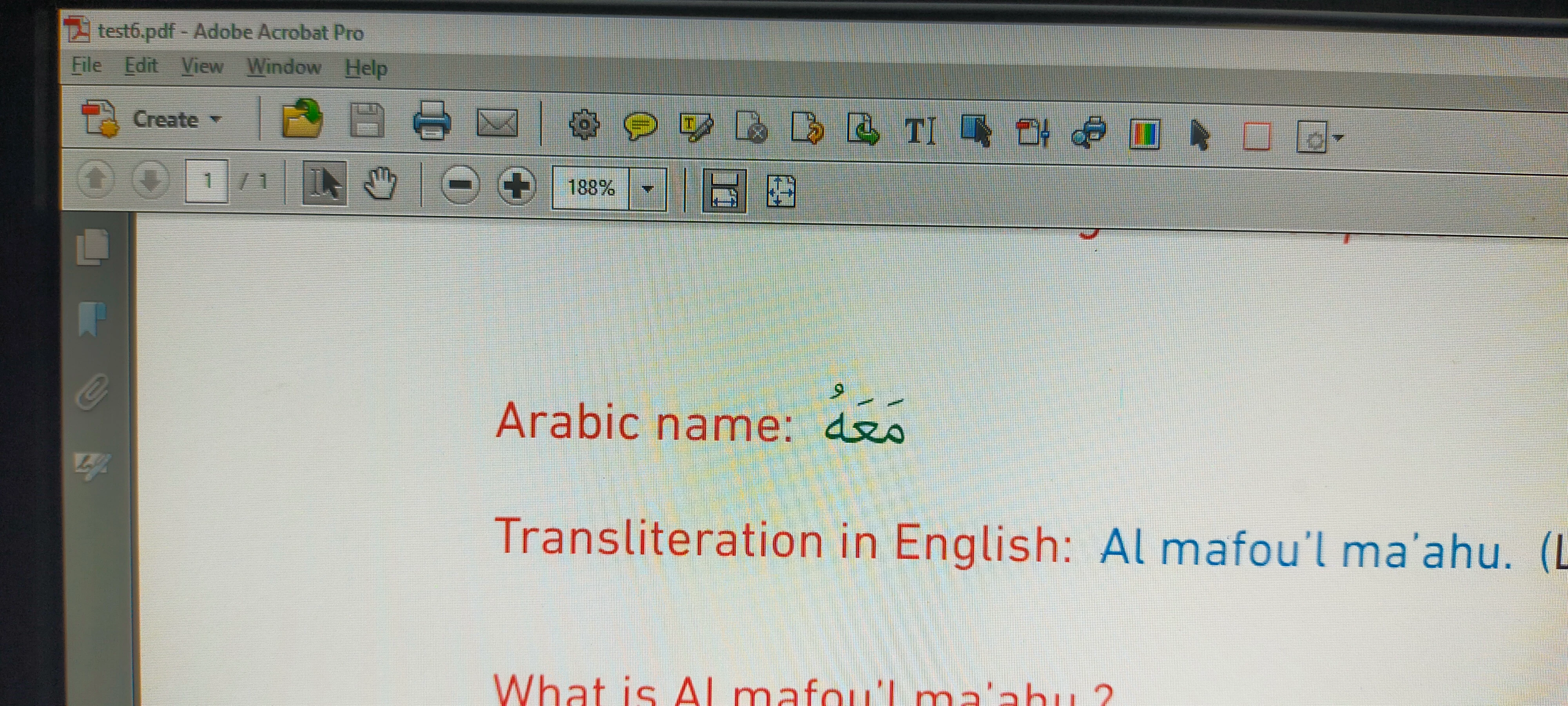
Texts (Arabics) goes missing after exporting.

  • January 31, 2025
  • 3 replies
  • 941 views

Hi Everyone, I would appreciate if someone could help me with this. 


Project is in arabic and english. This was done by another designer. When i export this to pdf, in a line of texts, the words in arabic after the first word goes missing. 
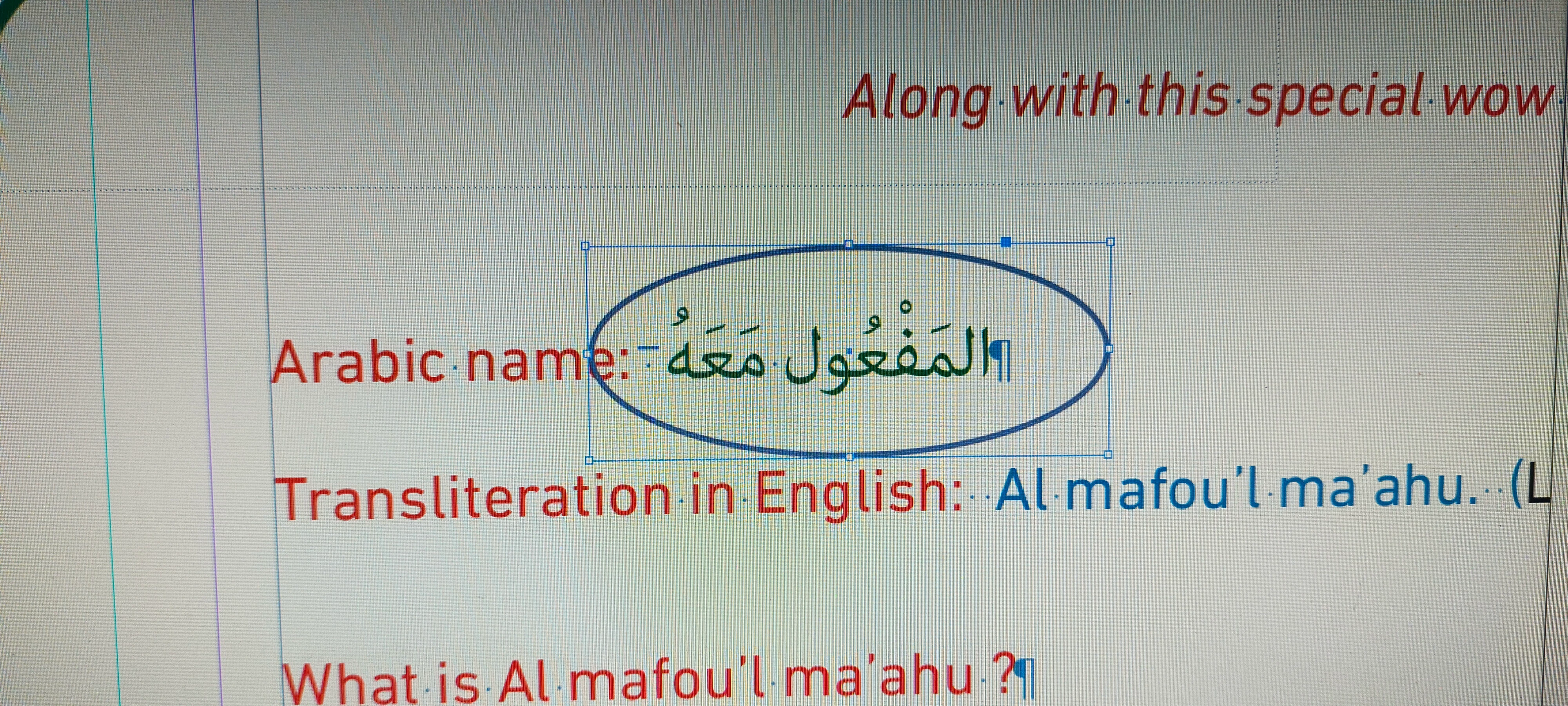
 

Text are in green. I tried changing some letters to red, it showed the complete word. But changing it to all red will have the same problem.
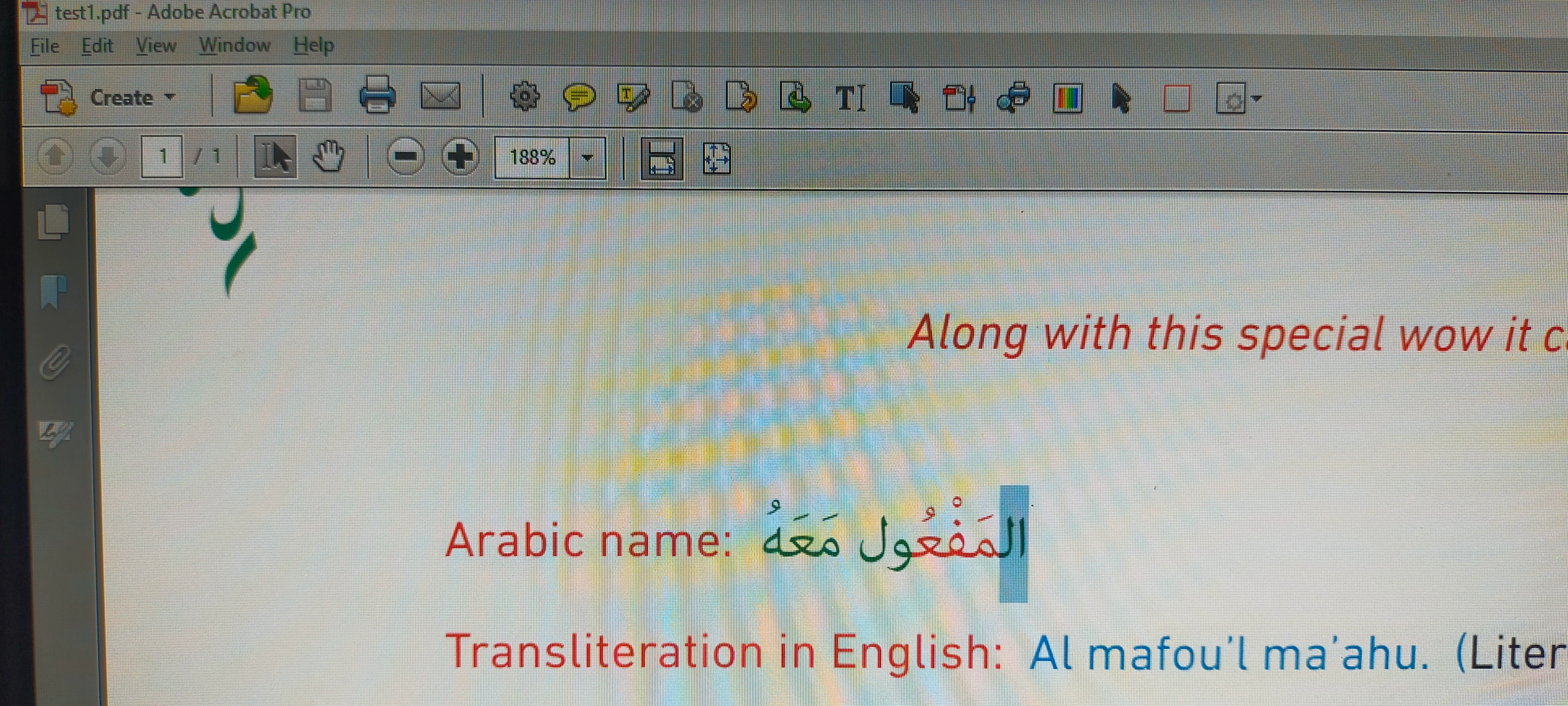
 

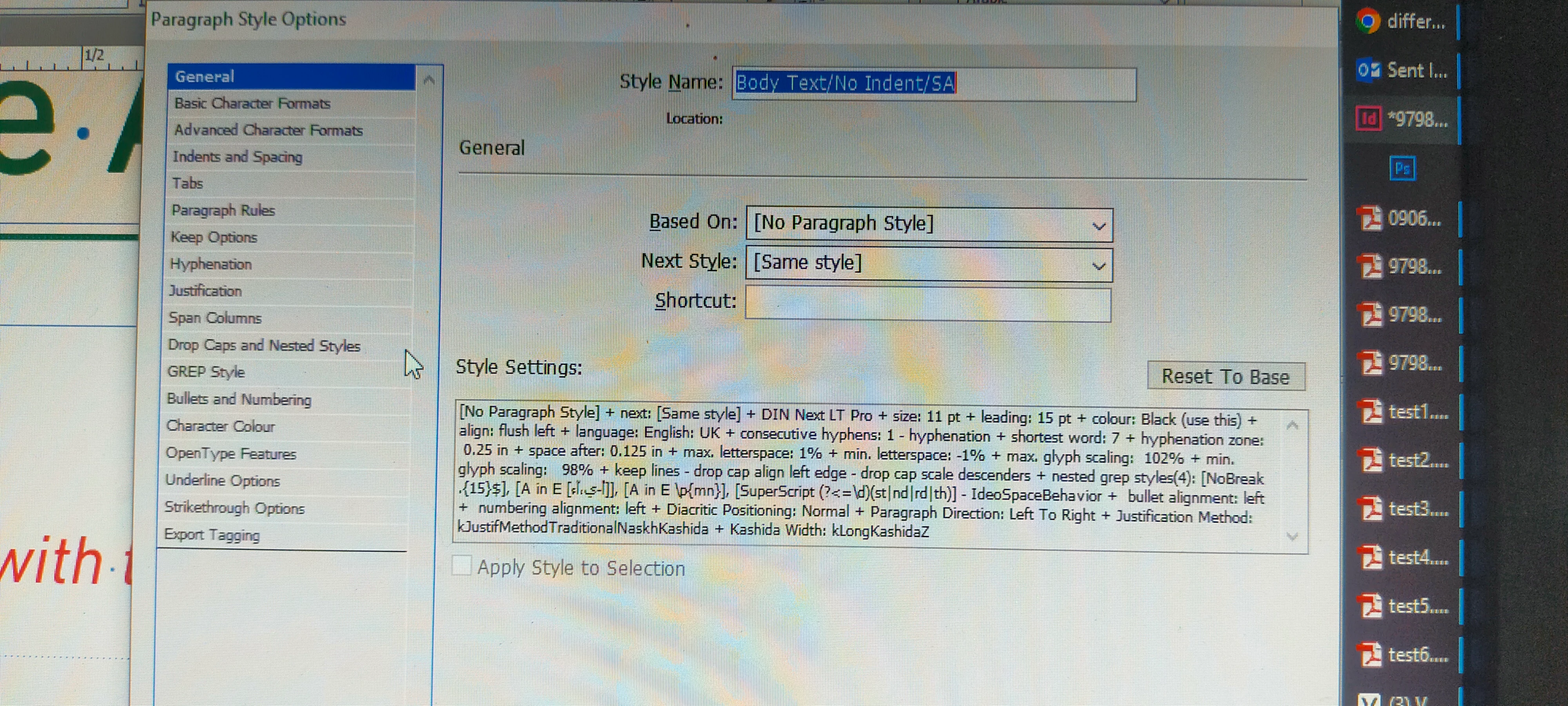
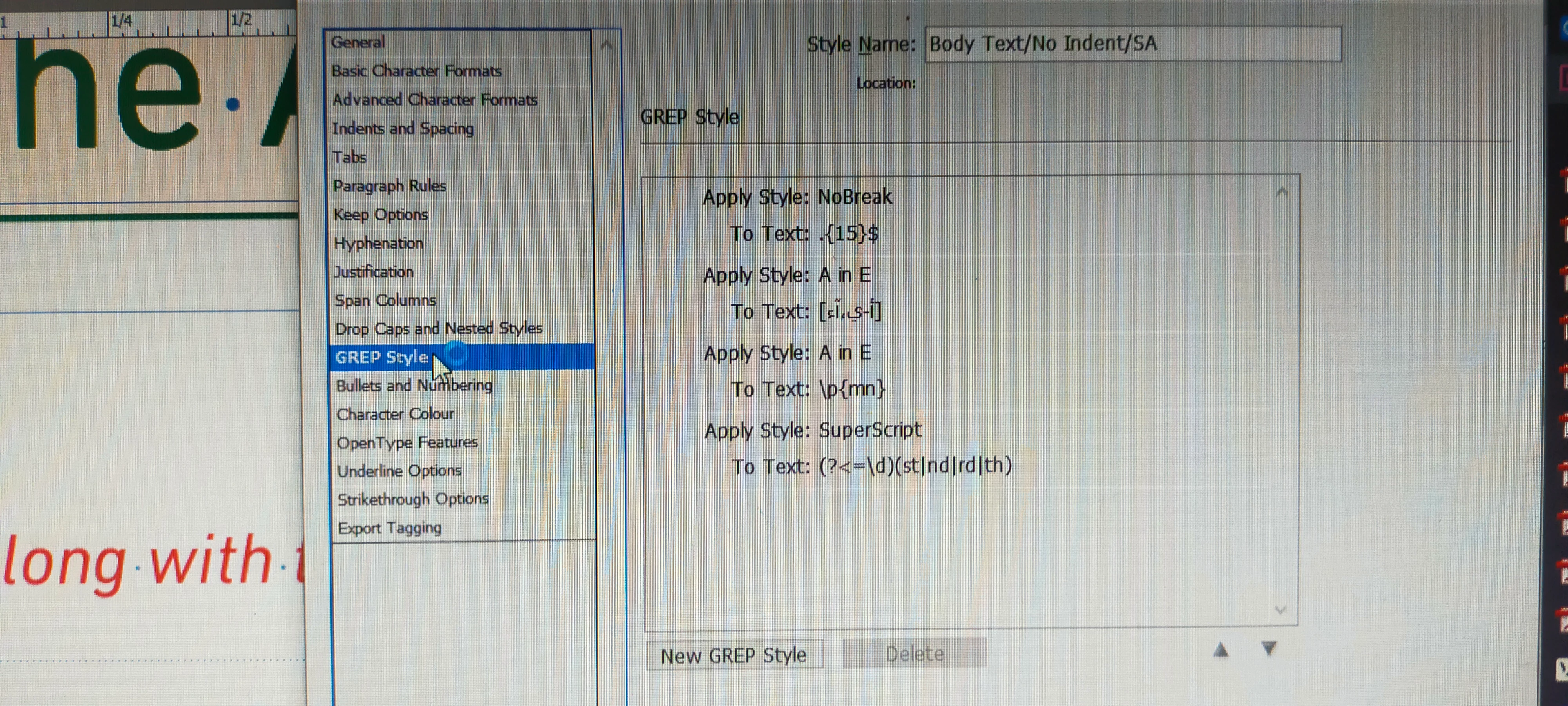
The red and green have the same character style settings. The paragraph styles, there are greps. I was testing and removed some greps, it was a success but the format got broken.
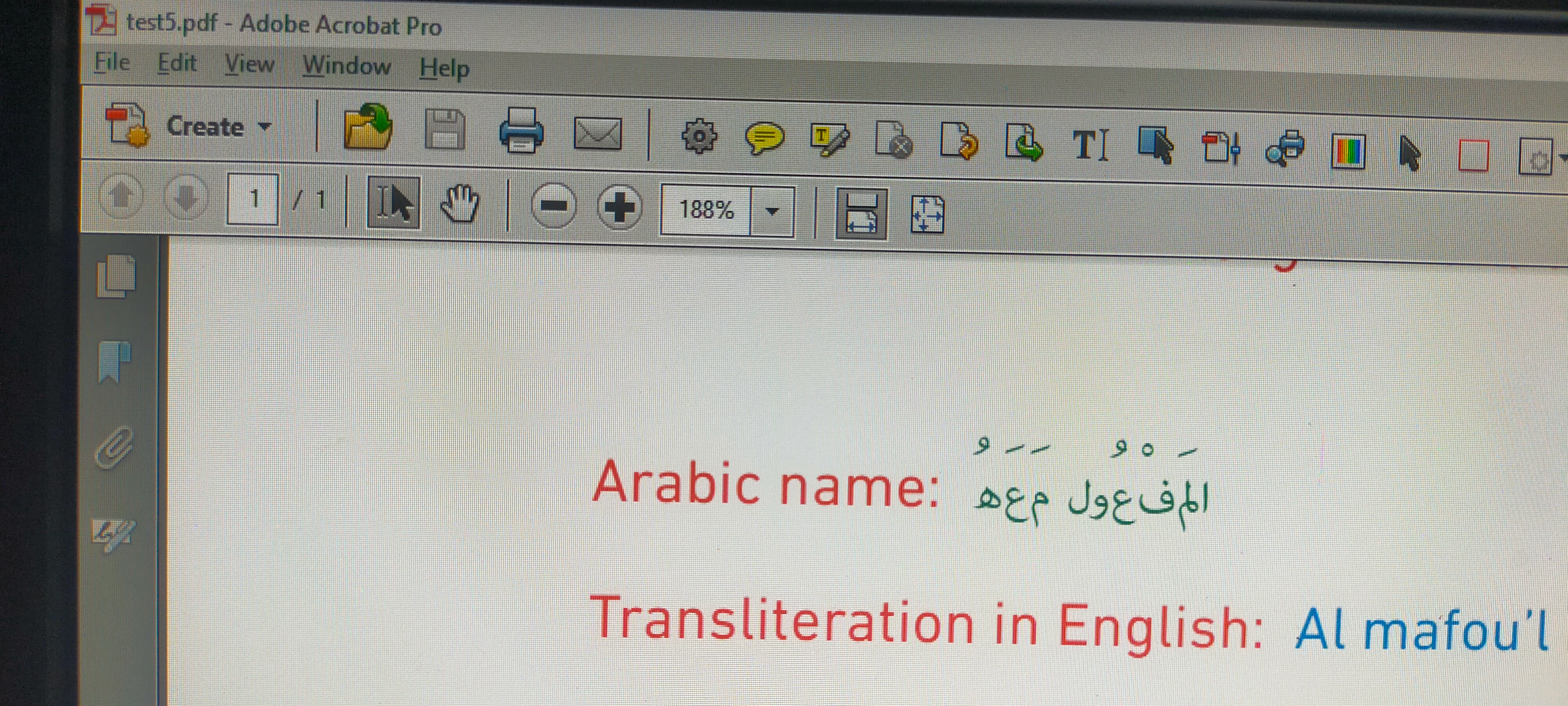
 

Any advice on how to go around with this without removing the greps?


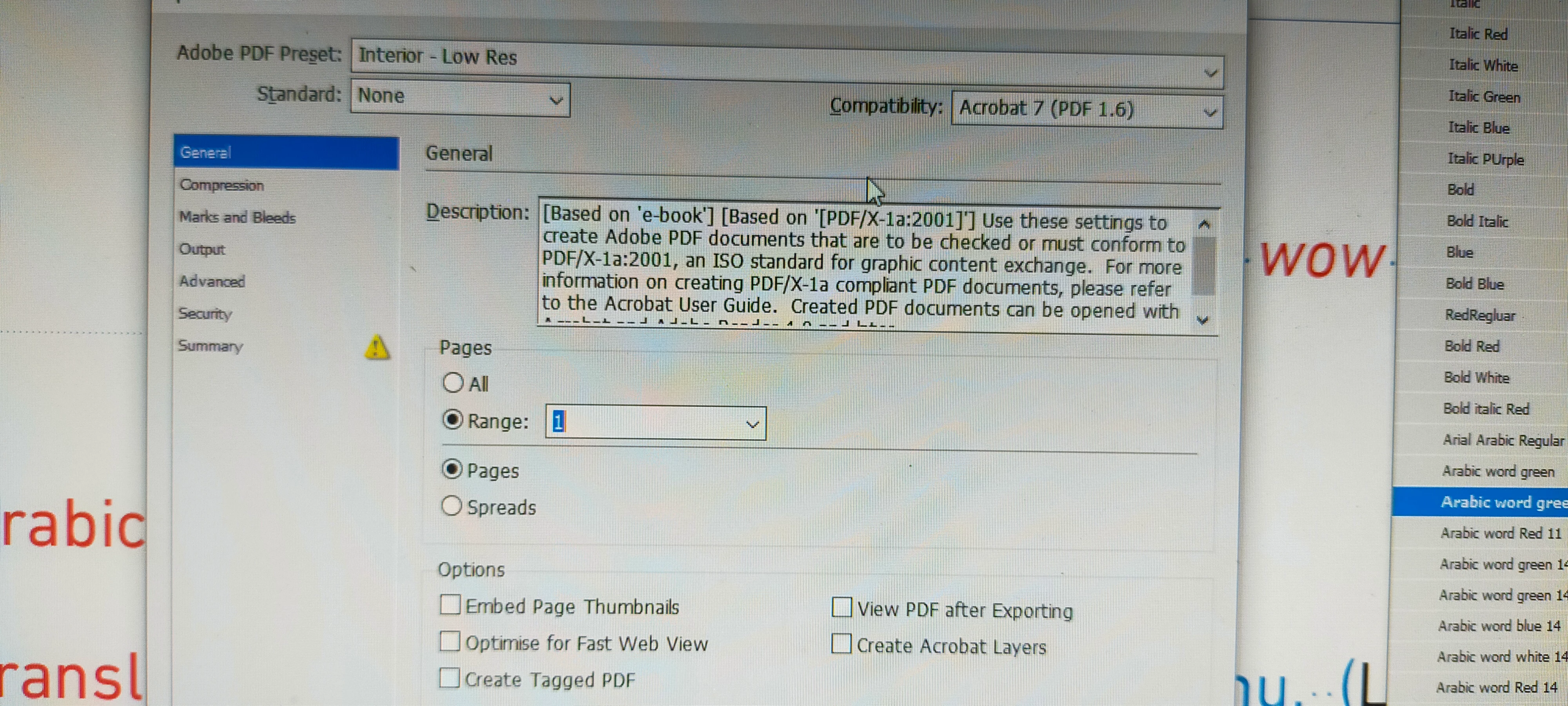
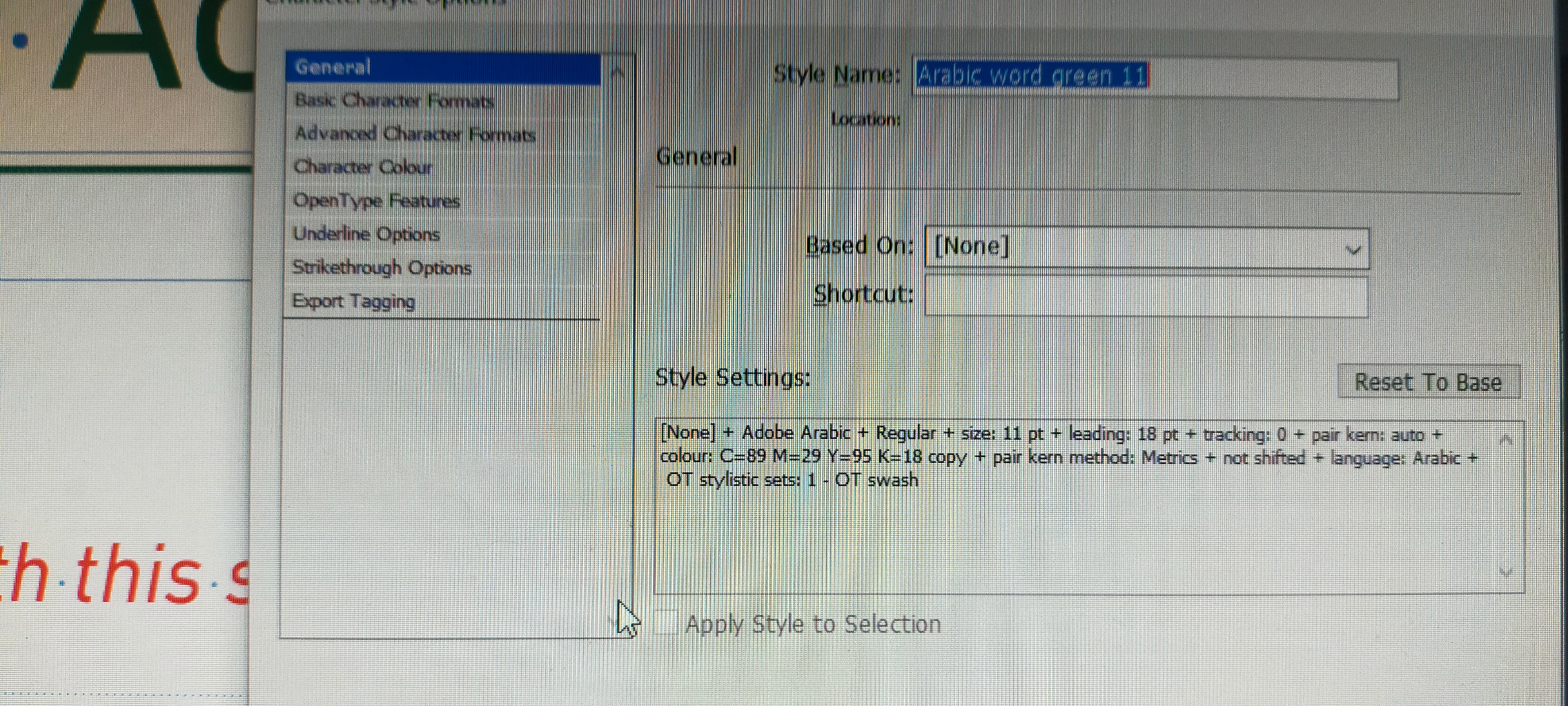
Below are the greps and export settings.


3 replies

sak95456465
Known Participant
February 2, 2025
Participating Frequently
February 3, 2025

Indesign CS6 version 8. Composer is already World ready.

Community Expert
February 2, 2025

Not sure why - but I'd copy the text to a play text editor like Notepad to Notes or something, remove the greps if possible - and replace the text with the clean non-greped text from Notepad.

Joel Cherney
Community Expert
Community Expert
February 2, 2025

Two of those regular expressions apply the character style "A in E" which I am 110% certain means "Arabic in English." This is fairly standard practice - the English paragraph style specifies DIN Next LT Pro, a font that contains zero Arabic characters. The "A in E" character style would specify a font that supports Arabic; I'm guessing Adobe Arabic with the size bumped up a few points. It would also specify something like "Language: Arabic" and "Character direction: Default." Or it might not specify Arabic at all, and just say "Character direction: Right-to-left" which probably works here but can cause problems with digits, punctuation, and other non-letter glyph types. 


My hunch is that the OP is opening their designer's work in an English version of InDesign. Probably the suggestion by @sak95456465 to change default composer (that is, changing to the World-Ready Composer) would resolve @Pratoxx_Kilabos 's issue. It's not overtly specified in the Paragraph Style, and there's no way to specify it in the Character Style, so the real mystery to me is: why is the Arabic rendering correctly onscreen in InDesign at all? 


@Pratoxx_Kilabos , if the above suggestion to change the Composer to the World-Ready Composer in your paragraph style doesn't work for you, feel free to post your file, or to contact me via private message so I can offer you a way to send me that file without posting it for everybody on the Internet to download. 

Participating Frequently
February 3, 2025

The composer is already world-ready. Regarding the file, it is hard to share this since it is from my work, would it be okay i'll just screen shot both para and char style? Worth noting is that this only happens in this line across all chapters. All other arabics is ok. Also this happens is there are two word arabics. If the text is english. It's okay. I also tried changing to arial.


quote

Two of those regular expressions apply the character style "A in E" which I am 110% certain means "Arabic in English." This is fairly standard practice - the English paragraph style specifies DIN Next LT Pro, a font that contains zero Arabic characters. The "A in E" character style would specify a font that supports Arabic; I'm guessing Adobe Arabic with the size bumped up a few points. It would also specify something like "Language: Arabic" and "Character direction: Default." Or it might not specify Arabic at all, and just say "Character direction: Right-to-left" which probably works here but can cause problems with digits, punctuation, and other non-letter glyph types. 


My hunch is that the OP is opening their designer's work in an English version of InDesign. Probably the suggestion by @sak95456465 to change default composer (that is, changing to the World-Ready Composer) would resolve @Pratoxx_Kilabos 's issue. It's not overtly specified in the Paragraph Style, and there's no way to specify it in the Character Style, so the real mystery to me is: why is the Arabic rendering correctly onscreen in InDesign at all? 


@Pratoxx_Kilabos , if the above suggestion to change the Composer to the World-Ready Composer in your paragraph style doesn't work for you, feel free to post your file, or to contact me via private message so I can offer you a way to send me that file without posting it for everybody on the Internet to download. 


By @Joel Cherney

Zw#

leo.r
Community Expert
Community Expert
February 2, 2025

What are your versions of InDesign and Windows?


I know that some ME InDesign versions have a problem of some text disappearing when exporting to PDF but I'm not familiar with the details of this issue. Some ME users will probably chime in.

Participating Frequently
February 3, 2025

Windows 11 and Indesign is CS6 version 8.0.

leo.r
Community Expert
Community Expert
February 3, 2025
quote

Windows 11 and Indesign is CS6 version 8.0.

By @Pratoxx_Kilabos


I assume you have reasons not to upgrade to the current version?


Can you at least install InDesign 2025 as a free trial (I think it's 14 days) and see if the issue is fixed there?