dublove
Legend
July 5, 2024
Question

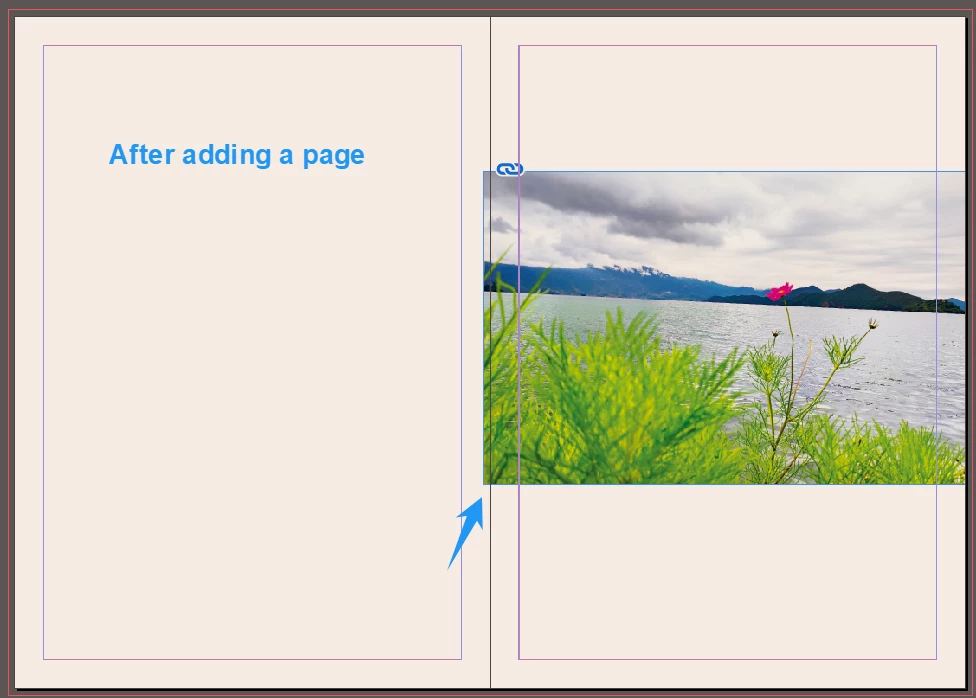
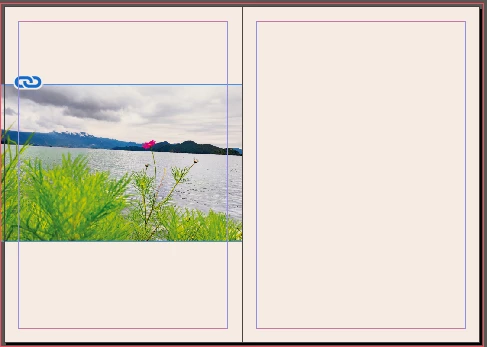
The left page becomes the right page, is the problem of dislocation of the picture solved?

  • July 5, 2024
  • 1 reply
  • 851 views

The left page becomes the right page, is the problem of dislocation of the picture solved?

The original object should be moved left or right for 3mm.
 

This topic has been closed for replies.

1 reply

Community Expert
July 11, 2024

If you anchor the image in a text frame you can control the placing when it moves pages 


Then add a page and it will shift correctly


Here's an example file

Enjoy the picture of my dog with a perm 


dublove
dubloveAuthor
Legend
July 12, 2024

Do you put an object in a text box?
This doesn't make much sense ...
I may have 300 pages


Do you put an object in a text box?
This doesn't make much sense ...
I may have 300 pages

Community Expert
July 12, 2024

There's no other way to get images to automatically align towards/away from the spine.

There's a feature request open here

https://indesign.uservoice.com/forums/601021-adobe-indesign-feature-requests/suggestions/20396779-object-style-frame-fitting-add-align-towards-awa


And another here 

https://indesign.uservoice.com/forums/601021-adobe-indesign-feature-requests/suggestions/33862330-object-styles-size-and-position-relative-to-spine


Usually you would align text and images in a layout,  the image usually stays with the text. 

Are you saying you may have 300 pages of just images? 

No text? The images will be placed page by page and pages may move.


Hard to know what you want as you don't describe your scenarios very well. 

You presented 1 image on 1 page and asked for a solution.


The solution I provided solves your issue perfectly. 


If you have 300 pages of just images you don't need to use facing pages.

You could use single pages and then place your image on each page ensuring you have the image positioned as you like.


If your image needs to flow with text, I highly recommend anchoring your images in the text frames so the text moves the image moves. 


Hard to know what your workflow is. 


-----------
I've taken an idea here by @Peter Kahrel and adjusted the script

So it will align left page images to the right
and right page images to the left

But it does ALL images on ALL pages 

If you need something more specific you'll have to tell us

#target indesign

// Function to align images on even and odd pages
function alignImages() {
    var pages = app.activeDocument.pages.everyItem().getElements();

    for (var i = 0; i < pages.length; i++) {
        var pageItems = pages[i].pageItems.everyItem().getElements();

        // Check if there are any items on the page
        if (pageItems.length > 0) {
            if ((i + 1) % 2 === 0) {
                // Align page items to right for even pages
                app.activeDocument.align(pageItems, AlignOptions.RIGHT_EDGES, AlignDistributeBounds.PAGE_BOUNDS);
            } else {
                // Align page items to left for odd pages
                app.activeDocument.align(pageItems, AlignOptions.LEFT_EDGES, AlignDistributeBounds.PAGE_BOUNDS);
            }
        }
    }
}

// Check InDesign version for compatibility
if (parseFloat(app.version) < 6) {
    alignImages();
} else {
    app.doScript(alignImages, ScriptLanguage.JAVASCRIPT, undefined, UndoModes.ENTIRE_SCRIPT, "Align Images on Even and Odd Pages");
}