


vinod2911
Participant
August 5, 2017
Answered

The new "New Document Dialog" is not show

  • August 5, 2017
  • 4 replies
  • 4764 views

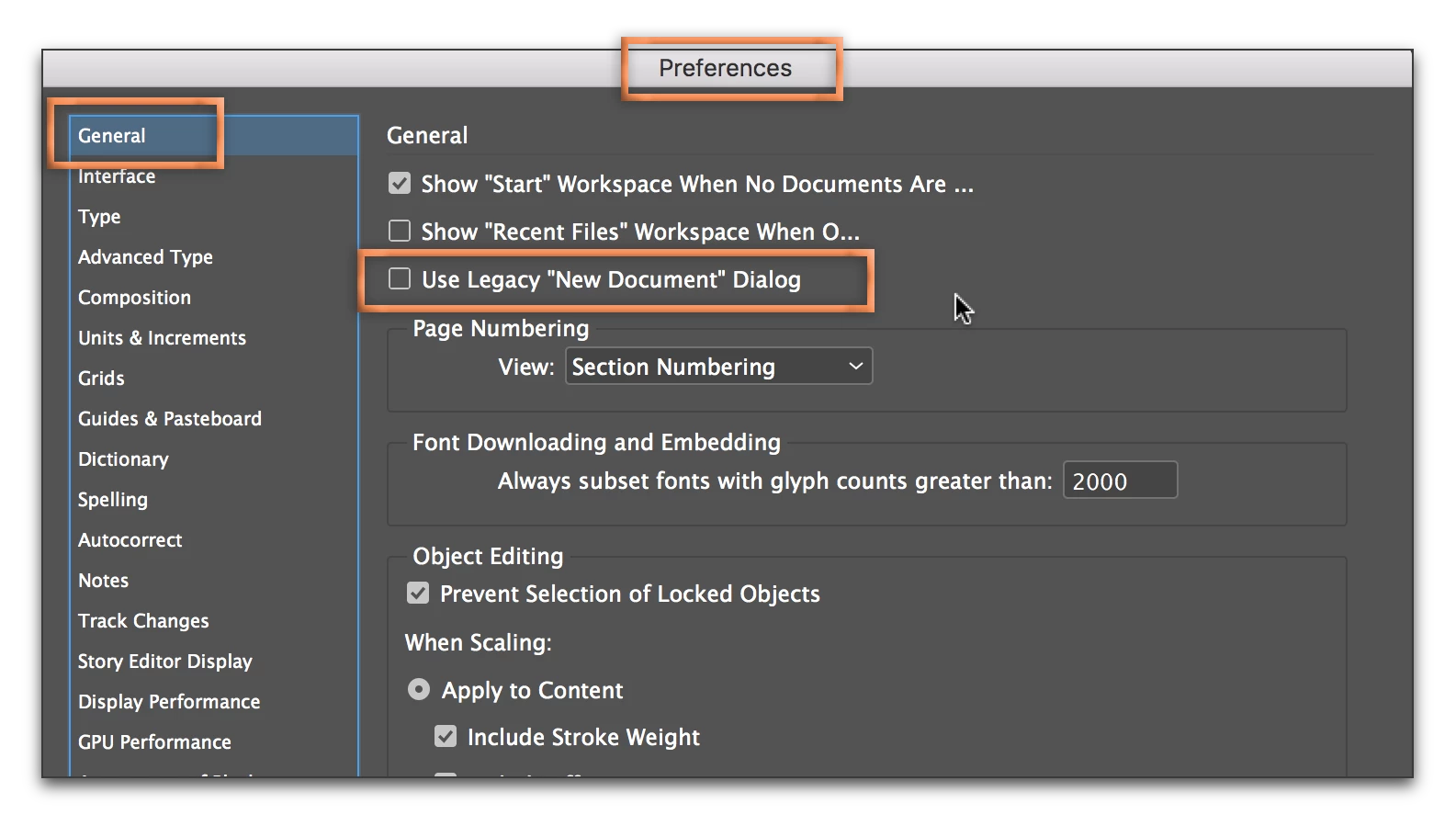
When I clicked create new documents button the new dialog not shown and no templates available like photoshop or illustrator and only show the old new document dialog and when I checked my preferences I could not find Use legacy option check box at all in General Tab

This topic has been closed for replies.
Correct answer Barb Binder

What version, exactly, of InDesign are you using?

I could not find Use legacy option check box at all in General Tab

The revised New Document dialog box is only in the latest versions (CC 2017). If the revised New document dialog box is available to you, then you will need to go to Preferences > General and uncheck "Use Legacy New Document Dialog". If it isn't listed, then your version doesn't support it. If you are on CC it's a free upgrade.

4 replies

Zaid Al Hilali
Community Expert
Community Expert
August 5, 2017

This question I asked few months back and amaarora​ answered it then. Some InDesign versions such as the Middle Eastern I'm using doesn't have the new dialogue window.

amaarora
Inspiring
August 5, 2017

Hi,

If the above answers do not solve your issue, we may need more information like...

Which locale of InDesign are you using? Is it Japanese? Arabic? Or English?

And creative cloud version?

-Aman

Barb Binder
Community Expert
Barb BinderCommunity ExpertCorrect answer
Community Expert
August 5, 2017

What version, exactly, of InDesign are you using?

I could not find Use legacy option check box at all in General Tab

The revised New Document dialog box is only in the latest versions (CC 2017). If the revised New document dialog box is available to you, then you will need to go to Preferences > General and uncheck "Use Legacy New Document Dialog". If it isn't listed, then your version doesn't support it. If you are on CC it's a free upgrade.

~Barb at Rocky Mountain Training
Bill Silbert
Community Expert
Community Expert
August 5, 2017

Try resetting your InDesign preferences.

To do so:

For Macintosh Users: With InDesign closed Launch a Finder Window in column view and click on your home folder. With the Option Key pressed choose Library from the Finder Go Menu. Within the Library folder find the folder called Preferences and within it find the following two files and delete them: “Adobe InDesign” and “com.adobe.InDesign.plist”. When InDesign is next launched it will create new preference files and the program will be restored to its defaults.

After you’ve reset up the program (make sure that no document window is open) to your liking, it is a really good idea to create copies of your personalized “mint” preference files (make sure that you quit the program before copying them—that finalizes your customization) and use them in the future to replace any corrupt versions you may need to delete.

For Windows Users: Hold down Ctrl + Alt + Shift when launching InDesign and respond affirmatively when asked if you want to reset.