Known Participant
November 30, 2023
Question

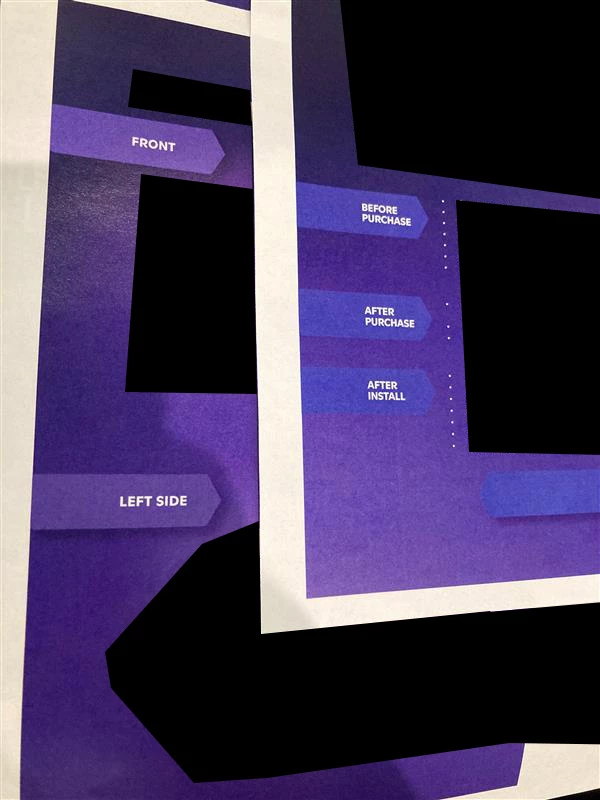
The same asset prints a different color on different pages

  • November 30, 2023
  • 2 replies
  • 821 views

I am having a really hard time figuring out what the problem with my file is. Hoping someone has some ideas!! 


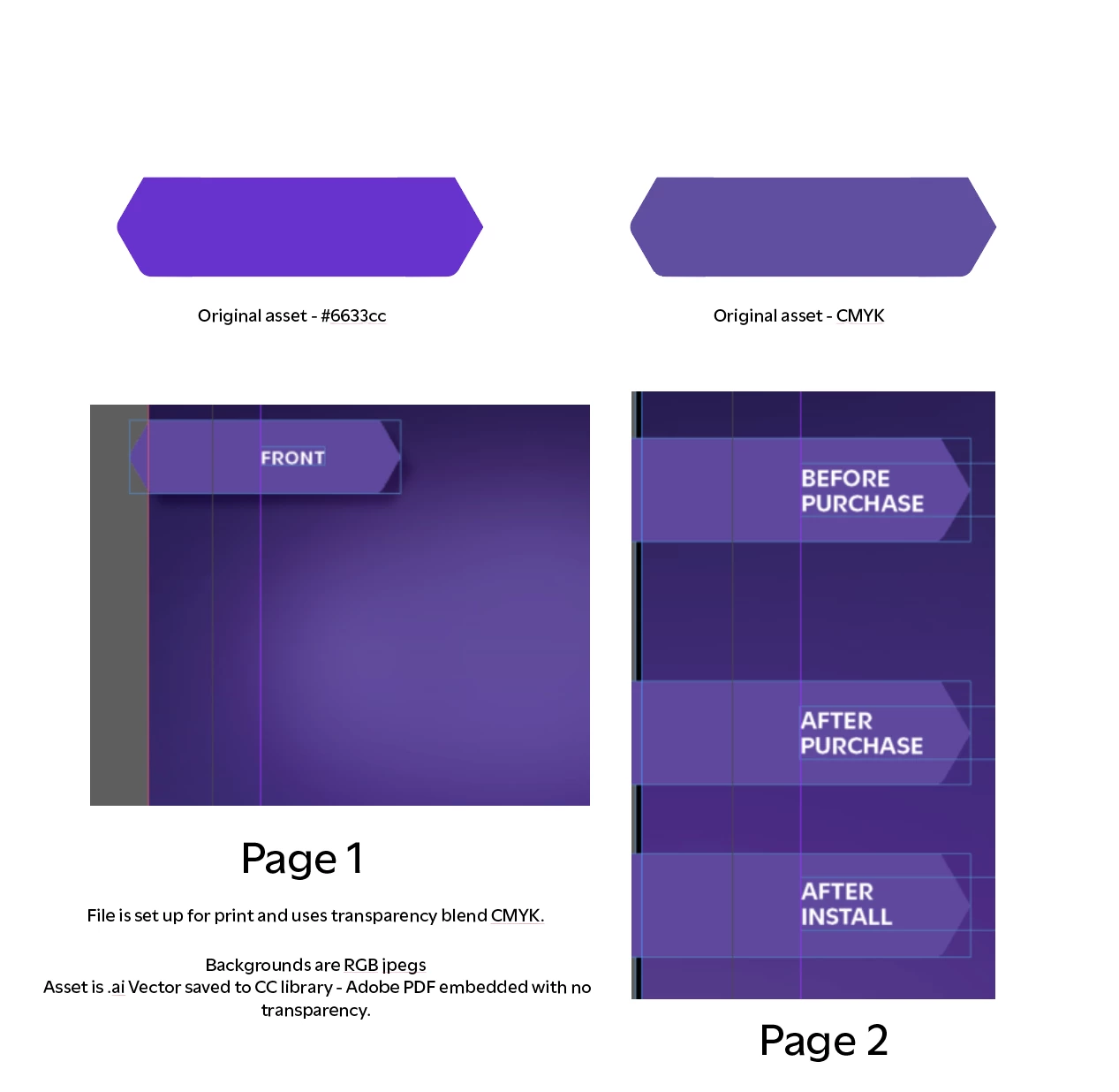
I have a single asset that is causing problems on one of my pages. I'll call it "Longhex" from here on out.

Everything except the longhex on this page is printing correctly. Even the background is printing correctly. 

The longhex is also located on another page and is printed correctly.

Both pages have RGB backgrounds. I am working in CMYK with CMYK transparency blend. 

The working page has a few items with transparency on it. The broken page does not. 
Adding an item with transparency still results in the same longhex blue print. 

Please let me know if there's any other information I can provide, but I am unable to share the full file. 
Thank you! 
 

This topic has been closed for replies.

2 replies

Robert at ID-Tasker
Legend
November 30, 2023

What do you mean by "printing"? 


Desktop laser / ink jet printer - or professional offset / digital / flexo / etc?


Or when you export to PDF? 


Will it fix if you recreate this one affected page - using copy of the object from "good" pages?


Can you share part of your file for deeper inspection? 


Have you tried IDMLing? Export your file as IDML, open and save with a new name. 


toadlyradAuthor
Known Participant
December 1, 2023

Thanks for your reponse! 
I am printing to a Canon iR C5535i II printer in my office. 
Longhex is already a duplicate of the original placement  (Click+alt +dragged)
Replacing it completely with the original(RGB) from my CC library instead of duplicating also has the same result . 

I tried IDMLing and i didnt see anything change after printing again.
Unfortunately sending a portion of the file with stuff removed doesnt replicate the same issue. If I were to just sent Those 2 pages, without additional text or images on the page, both pages print off with blue longhexs. 


This file is meant to be printed, but also exported in RGB for digital use.
If i print this page alone, the error does not occur. 

Robert at ID-Tasker
Legend
December 1, 2023

Do you mean that the problem is only when you print whole document? 


John D Herzog
Inspiring
November 30, 2023

Is longhex RGB or CMYK? You showing both as being the original asset. Are they both in the same layer in the indd file, and there is nothing additional applied to a layer or group that they are in? Have you tried printing on a different machine to make sure it is just not that machine's rip misinterpreting the file?

toadlyradAuthor
Known Participant
December 1, 2023

Thanks for your response, 
Longhex is RGB. 

Everything is on the same layer and is just a duplicate of the same file.  (Click+alt +dragged)
Replacing the image seperately does nothing either. 
They both originally had a 30% drop shadow effect applied. Removing the effect has the same results. 

I only have the one printer in my office (Canon iR C5535i II), so I am unable to try a different one.