
Inspiring
June 10, 2026
Question

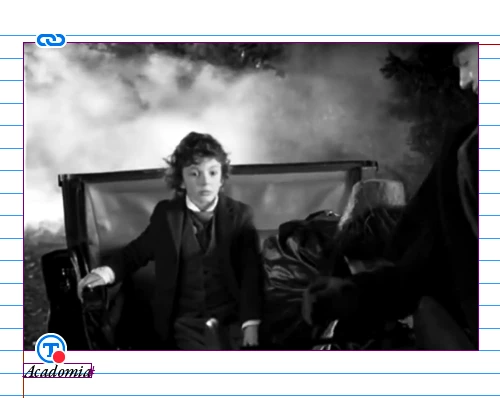
There is a strange symbol appearing next to a placed image. What is it?

  • June 10, 2026
  • 2 replies
  • 0 views

A curious symbol has appeared at the bottom left of a placed image. I’ve never seen it before. It’s not part of the image. What is it? I replaced the image but it’s still there. It disappears if I remove the image. It does not show up if I open the image in Photoshop.
 

    2 replies

    leo.r
    Community Expert
    Community Expert
    June 10, 2026

    To expand on Bob’s answer: disable Generative AI options in preferences. Also, View > Extras > Alt Text badge (if you do want the AI alt text for some reason but don’t want the badge).

    BobLevine
    Community Expert
    Community Expert
    June 10, 2026

    Alt text

    Inspiring
    June 10, 2026

    What does that mean?  Wat is “alt text:? I’ve never seen it before. Why is it appearing next to images? Or perhaps it’s in the caption text box; I’ll have to check. 

    leo.r
    Community Expert
    Community Expert
    June 10, 2026


    In general, the Alt Text option can be found in the Object > Object Export Options dialog. (If you want to know more about the term “alt text” in general, then just google it. Evidently, you simply don’t need it in your workflow anyway.)


    Recently, Adobe added an option to generate Alt Text automatically using AI, which proved to be a problem for many users. Here’s one thread on the subject: