Participant
August 22, 2024
Answered

There is Extra Space at the End of a Text Line in InDesign

  • August 22, 2024
  • 2 replies
  • 797 views

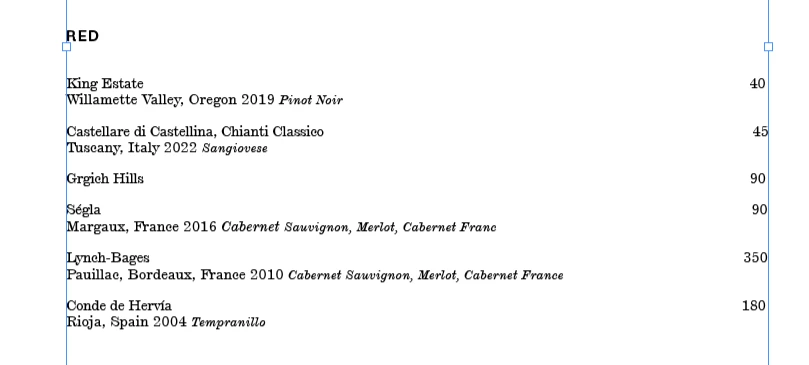
I'm working a wine list for my restaurant. I can't figure out why some numbers are flush wit the border of the box and some won't do that, they just move to the next line down. 


Send help. 


<Title renamed by MOD>

This topic has been closed for replies.
Correct answer Barb Binder

Hi @Dominika_Perkowska9457:


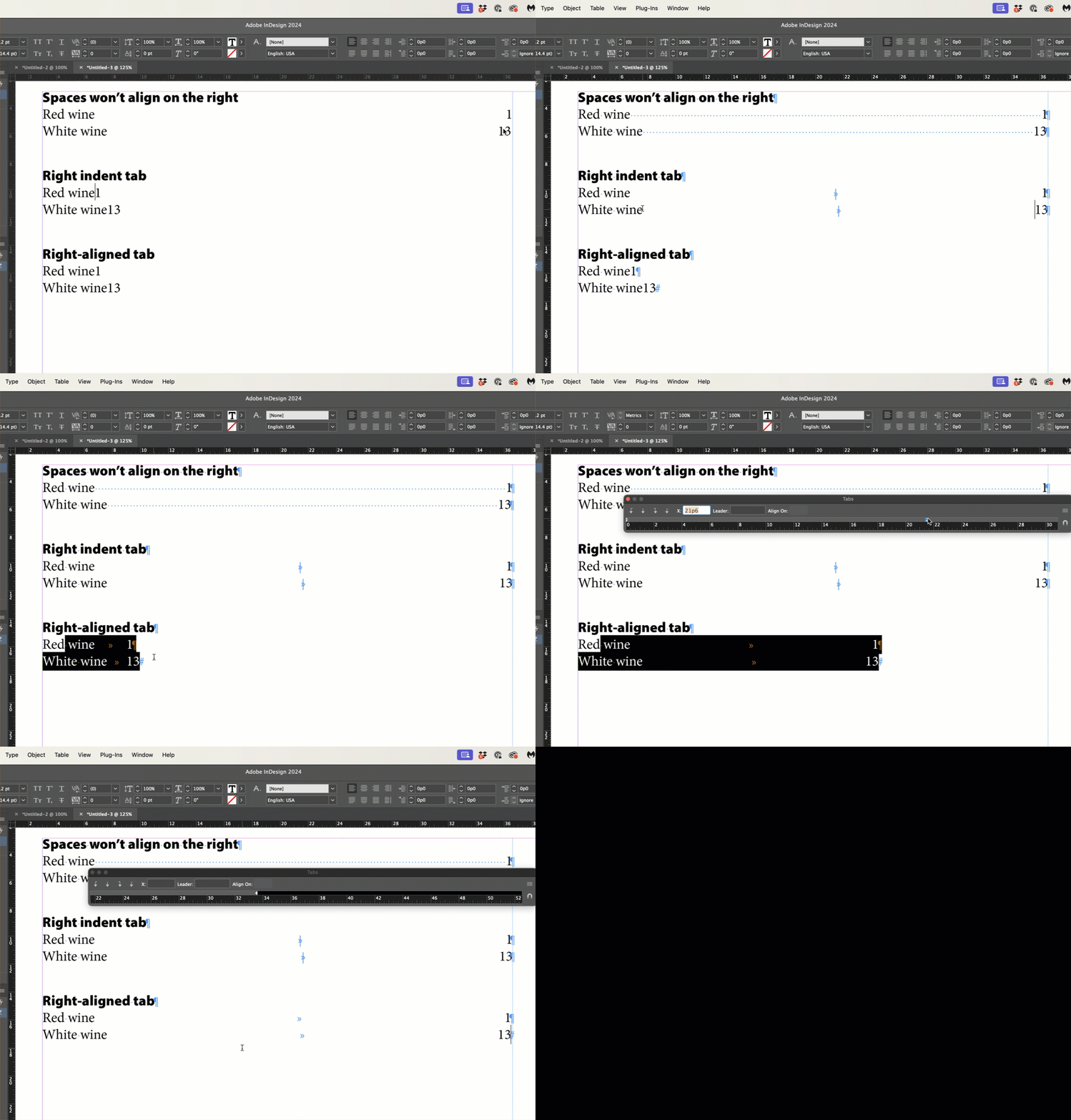
As per @Robert at ID-Tasker, instead of pressing the spacebar multiple times to push the numbers to the right side of the frame use either a right indent tab, or a right-aligned tab. These two options represent the reliable way to align the numbers on the right side. 


In the video, I used a right indent tab first (pressed Shift+Tab) and then showed a right aligned tab (pressed Tab and then set the tab alignment and location). Both work, the first is quicker and adapts to a frame width adjustment. 


~Barb


2 replies

Barb Binder
Community Expert
Barb BinderCommunity ExpertCorrect answer
Community Expert
August 22, 2024

Hi @Dominika_Perkowska9457:


As per @Robert at ID-Tasker, instead of pressing the spacebar multiple times to push the numbers to the right side of the frame use either a right indent tab, or a right-aligned tab. These two options represent the reliable way to align the numbers on the right side. 


In the video, I used a right indent tab first (pressed Shift+Tab) and then showed a right aligned tab (pressed Tab and then set the tab alignment and location). Both work, the first is quicker and adapts to a frame width adjustment. 


~Barb


~Barb at Rocky Mountain Training
Participant
August 23, 2024

Thanks so much! This is so helpful!

Barb Binder
Community Expert
Community Expert
August 23, 2024

We are always happy to help, @Dominika_Perkowska9457.


~Barb

~Barb at Rocky Mountain Training
Robert at ID-Tasker
Legend
August 22, 2024

Please post the screenshot again - but with Hidden Characters visible.


Or check if you have different ParaStyles applied to those lines - or local overrides, with extra indent on the right.


Participant
August 22, 2024

Robert at ID-Tasker
Legend
August 22, 2024

You should replace all your spaces with a right align tab. 


Or better yet - as @Barb Binder showed below - right indent tab.