
Known Participant
Feb 27, 2025 11:14 AM UTC
Question

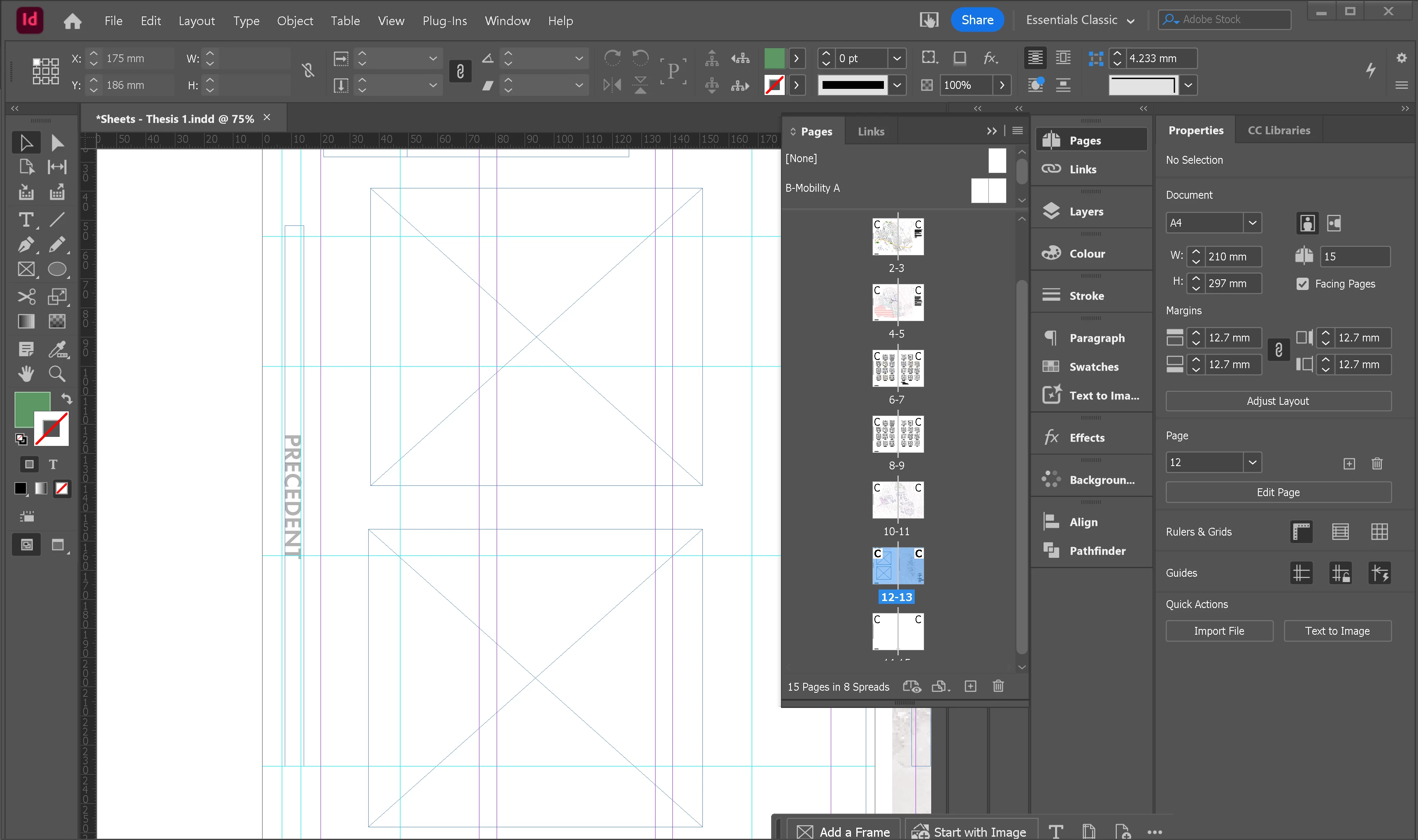
Things shifting in indesign without them being moved

Hello. I am having an issue where the titles to the sides of my pages are shifting away from the grid lines. I have not moved anything manually, it just seems to be happening when I switch between tabs and come back to it. Its a template of A4 portrait facing pages. Any help is much appreciated!
4 replies

Abhishek Rao
Community Manager
Community Manager
Feb 27, 2025 3:08 PM UTC

Hi @Alice373165806dlw, 


I hope Robert's suggestion helped resolve the issue. If not, kindly share more details as Mike suggested, like the OS/InDesign version, if this is specific to certain files, if the position is automatically reverted after switching to InDesign or if it stays out of place and a small screen recording of the problem (if possible), so I can check it with the team.


Additionally, kindly confirm if your titles are anchored to the text and share your observations. 


Looking forward to your update. 


^

Abhishek

Translate
Robert at ID-Tasker
Legend
Feb 27, 2025 2:51 PM UTC

@Alice373165806dlw


People report problems on Windows 11 - but only when actively moving things...


Maybe your file is corrupted? 


Can you try IDMLing - export as IDML, open, save with a new name - do not overwrite your original file. 


Translate
Mike Witherell
Community Expert
Community Expert
Feb 27, 2025 2:31 PM UTC

Hi Alice, can you describe this with more detail? For example, you say it is moving after shifting between tabs, but there is only 1 open document tab showing in your example. Do you mean something else?

What version of InDesign? What version of Operating System?

Translate
Mike Witherell
Known Participant
Feb 27, 2025 2:33 PM UTC

Sorry, I mean switching between applications. Say I look at a PDF in acrobat and then come back it shifts or if I close the document and reopen it. Its almost like it doesnt want to sit there and maybe theres something wrong with the page?

Translate