



Question
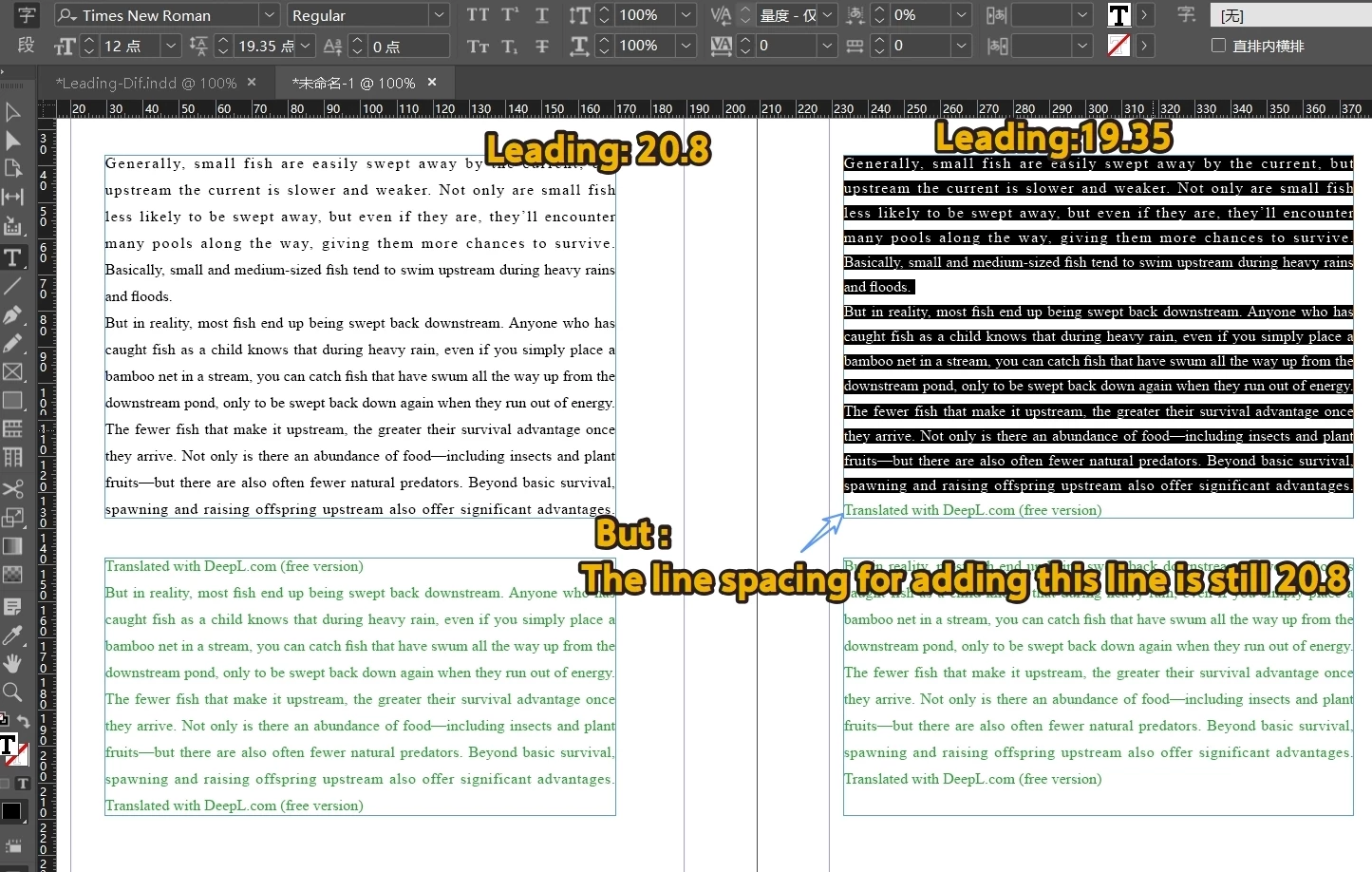
Thinking a bit clumsy: the last line was not applied to the new leading
Question: Since the spacing of the last line has not changed, special handling is needed. Do I feel a bit clumsy in my current way of thinking?
Do you have a simpler science?
Target: Current text box.
Status: cursor in line (not selected)
Original Leading: 20.8 points.
Operation result: Set the line spacing in the current text box to 19.35;
Exception: The last line spacing is still 20.8 (special handling required)
/**
@Function Add a line and apply new line spacing
**/

var d = app.activeDocument;
var item = d.selection[0];

//Insert point to select the entire text box
if (item.constructor.name == "InsertionPoint"
    && item.parent.constructor.name == "Story") {
    item.parentTextFrames[0].texts[0].select();
}

//Setting line spacing: An extra line has not been selected at this time
newItem = d.selection[0];
var oLinesNum = newItem.lines.length;
for (i = 0; i < oLinesNum; i++) {
    newItem.lines[i].leading = 19.35
}
Later, I added this paragraph and was able to handle the last line, but I always felt that the method was a bit clumsy.
//Re select the text within the box
if (newItem.constructor.name != "InsertionPoint"
    && newItem.parent.constructor.name == "Story") {
    newItem.textColumns[0].select();
}
newItem = d.selection[0];
var oLinesNum = newItem.lines.length;
for (i = 0; i < oLinesNum; i++) {
    newItem.lines[i].leading = 19.35
}
 AdChoices