Known Participant
June 5, 2023
Answered

Threading all textFrame in document skips second frame in page

  • June 5, 2023
  • 2 replies
  • 843 views

I've this script that links all Document textFrame with specific frame name.

It works well, only if I've one box per page.

When I've two textFrames in one page, it links only one.

var ps = app.activeDocument.pages;
var ct, nt;
for (var i = 0; i < ps.length - 1; i++) {
    ct = ps[i].textFrames.itemByName("<Numbers>");
	secondTextFrame = ct.nextTextFrame
    nt = ps[i+1].textFrames.itemByName("<Numbers>");
	ct.nextTextFrame = nt;    
}

 Thanks

This topic has been closed for replies.
Correct answer m1b

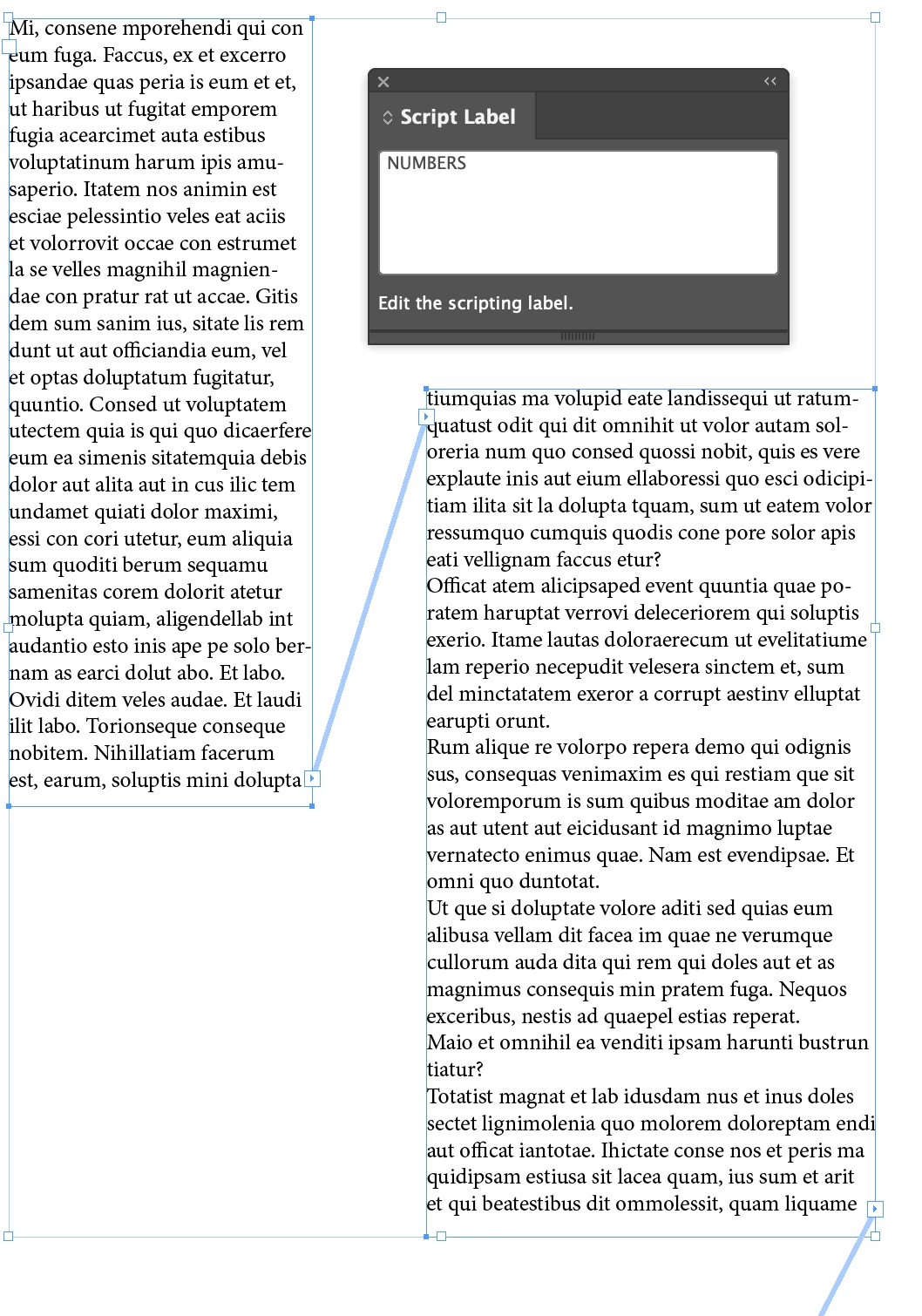
Hi @lux65, here's some code that might help you with your project. It will thread any text frame that has the script label "NUMBERS". If you prefer using the name you can change that—either is fine. Text frames will be sorted by page order, then Y coordinate, then X coordinate.

- Mark


/**
 * Thread text frames labelled "NUMBERS"
 * @author m1b
 * @discussion https://community.adobe.com/t5/indesign-discussions/threading-all-textframe-in-document-skips-second-frame-in-page/m-p/13842736
 */

var targetScriptLabel = "NUMBERS";

function main() {

    var doc = app.activeDocument,
        allTextFrames = doc.textFrames,
        targetFrames = [];

    // we only want the text frames
    // with target script label
    for (var i = 0; i < allTextFrames.length; i++)
        if (allTextFrames[i].label == targetScriptLabel)
            targetFrames.push(allTextFrames[i]);

    //sort in page order
    targetFrames.sort(sortFrames);

    // now we thread the frames, by only if
    // they aren't already threaded properly
    for (var i = 0; i < targetFrames.length - 1; i++)
        if (targetFrames[i].nextTextFrame != targetFrames[i + 1])
            targetFrames[i].nextTextFrame = targetFrames[i + 1];

}

app.doScript(main, ScriptLanguage.JAVASCRIPT, undefined, UndoModes.ENTIRE_SCRIPT, 'Thread "' + targetScriptLabel + '" Frames');


/**
 * Sorts text frames based on page, then left position, then top position.
 * @param {TextFrame} a - the TextFrame to sort.
 * @param {TextFrame} b - the TextFrame to sort.
 */
function sortFrames(a, b) {

    // by page number
    if (a.parentPage.documentOffset < b.parentPage.documentOffset) return -1;
    else if (a.parentPage.documentOffset > b.parentPage.documentOffset) return 1;
    // by top-bottom
    else if (round(a.geometricBounds[0]) < round(b.geometricBounds[0])) return -1;
    else if (round(a.geometricBounds[0]) > round(b.geometricBounds[0])) return 1;
    // by left-right
    else if (round(a.geometricBounds[1]) < round(b.geometricBounds[1])) return -1;
    else if (round(a.geometricBounds[1]) > round(b.geometricBounds[1])) return 1;
    // same
    else return 0;

    function round(a) { return (Math.round(a * 1000) / 1000) };
};


Edit 2023-06-07: added sorting function so the layer order doesn't matter.

Edit 2023-06-17: changed sorting order to prefer left-right.

Edit 2023-06-18: changed sorting order to prefer top-bottom.

Edit 2023-06-18: improved sorting so that tiny Extendscript rounding errors are ignored.

2 replies

m1b
Community Expert
m1bCommunity ExpertCorrect answer
Community Expert
June 5, 2023

Hi @lux65, here's some code that might help you with your project. It will thread any text frame that has the script label "NUMBERS". If you prefer using the name you can change that—either is fine. Text frames will be sorted by page order, then Y coordinate, then X coordinate.

- Mark


/**
 * Thread text frames labelled "NUMBERS"
 * @author m1b
 * @discussion https://community.adobe.com/t5/indesign-discussions/threading-all-textframe-in-document-skips-second-frame-in-page/m-p/13842736
 */

var targetScriptLabel = "NUMBERS";

function main() {

    var doc = app.activeDocument,
        allTextFrames = doc.textFrames,
        targetFrames = [];

    // we only want the text frames
    // with target script label
    for (var i = 0; i < allTextFrames.length; i++)
        if (allTextFrames[i].label == targetScriptLabel)
            targetFrames.push(allTextFrames[i]);

    //sort in page order
    targetFrames.sort(sortFrames);

    // now we thread the frames, by only if
    // they aren't already threaded properly
    for (var i = 0; i < targetFrames.length - 1; i++)
        if (targetFrames[i].nextTextFrame != targetFrames[i + 1])
            targetFrames[i].nextTextFrame = targetFrames[i + 1];

}

app.doScript(main, ScriptLanguage.JAVASCRIPT, undefined, UndoModes.ENTIRE_SCRIPT, 'Thread "' + targetScriptLabel + '" Frames');


/**
 * Sorts text frames based on page, then left position, then top position.
 * @param {TextFrame} a - the TextFrame to sort.
 * @param {TextFrame} b - the TextFrame to sort.
 */
function sortFrames(a, b) {

    // by page number
    if (a.parentPage.documentOffset < b.parentPage.documentOffset) return -1;
    else if (a.parentPage.documentOffset > b.parentPage.documentOffset) return 1;
    // by top-bottom
    else if (round(a.geometricBounds[0]) < round(b.geometricBounds[0])) return -1;
    else if (round(a.geometricBounds[0]) > round(b.geometricBounds[0])) return 1;
    // by left-right
    else if (round(a.geometricBounds[1]) < round(b.geometricBounds[1])) return -1;
    else if (round(a.geometricBounds[1]) > round(b.geometricBounds[1])) return 1;
    // same
    else return 0;

    function round(a) { return (Math.round(a * 1000) / 1000) };
};


Edit 2023-06-07: added sorting function so the layer order doesn't matter.

Edit 2023-06-17: changed sorting order to prefer left-right.

Edit 2023-06-18: changed sorting order to prefer top-bottom.

Edit 2023-06-18: improved sorting so that tiny Extendscript rounding errors are ignored.

lux65Author
Known Participant
June 6, 2023

Hi m1b

strange behaviour, still ignoring second frame and links page 3 before page 2


m1b
Community Expert
Community Expert
June 6, 2023

Interesting! Can you check if the frames are in the correct order on the spread? Maybe the page 3 frame is above the page 2 frame?

brian_p_dts
Community Expert
Community Expert
June 5, 2023

If you have two text frames named <Numbers> on a page, then yes, this would not work. ItemByName only returns the first item it finds. You would need to either change how you name your frames and adjust the script to account for that, or loop through ps[i].allPageItems, and find all text frames named <Numbers>. Of course, in that case, how would the script know which is the first and which is the second? Alternatively, you could link the frames on the page before executing the script. 

lux65Author
Known Participant
June 5, 2023

I changed second frame name, it works but only if all frames are unthreaded.

var ps = app.activeDocument.pages;
var ct, nt, ct2;
for (var i = 0; i < ps.length - 1; i++) {
    ct = ps[i].textFrames.itemByName("<Number>");
	ct2 = ps[i].textFrames.itemByName("Number2");
    nt = ps[i+1].textFrames.itemByName("<Number>");
  //  ct.nextTextFrame = nt;

  if(ct2.isValid ){
ct.nextTextFrame = ct2;
ct2.nextTextFrame = nt;
}
else{
ct.nextTextFrame = nt
}

}