

Question
Thumbnails in Pages Panel Out of Alignment
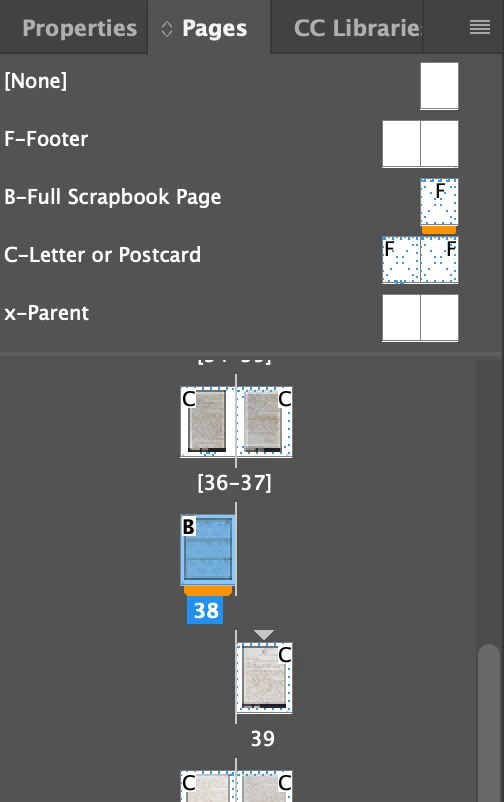
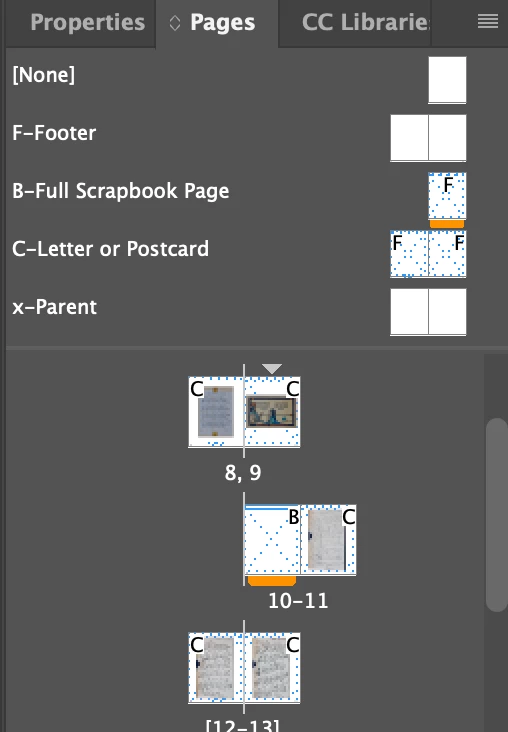
As you can see by the screen shots, some of the thumbnails in my Pages panel are not lined up.
Project Description: I have a scrapbook of letters sent home during WWII (the original scrapbook is fragile and falling apart ... hence this project). I want a photo of each "Full Scrapbook Page" to start a new section/chapter, and have it appear on odd pages. Then, I want each letter or postcard to appear on their own separate page.
Two problems at this time:
- I'm having trouble getting each Full Scrapbook Page to appear on odd pages.
- Why are the thumbnails of pages out of alignment (not side-by-side).
I've looked in the Adobe documentation and have watched countless YT videos.
Thanks tons for any assistance.


 AdChoices