Participant
December 12, 2018
Answered

Thumbnails not showing in workspace?

  • December 12, 2018
  • 1 reply
  • 1544 views

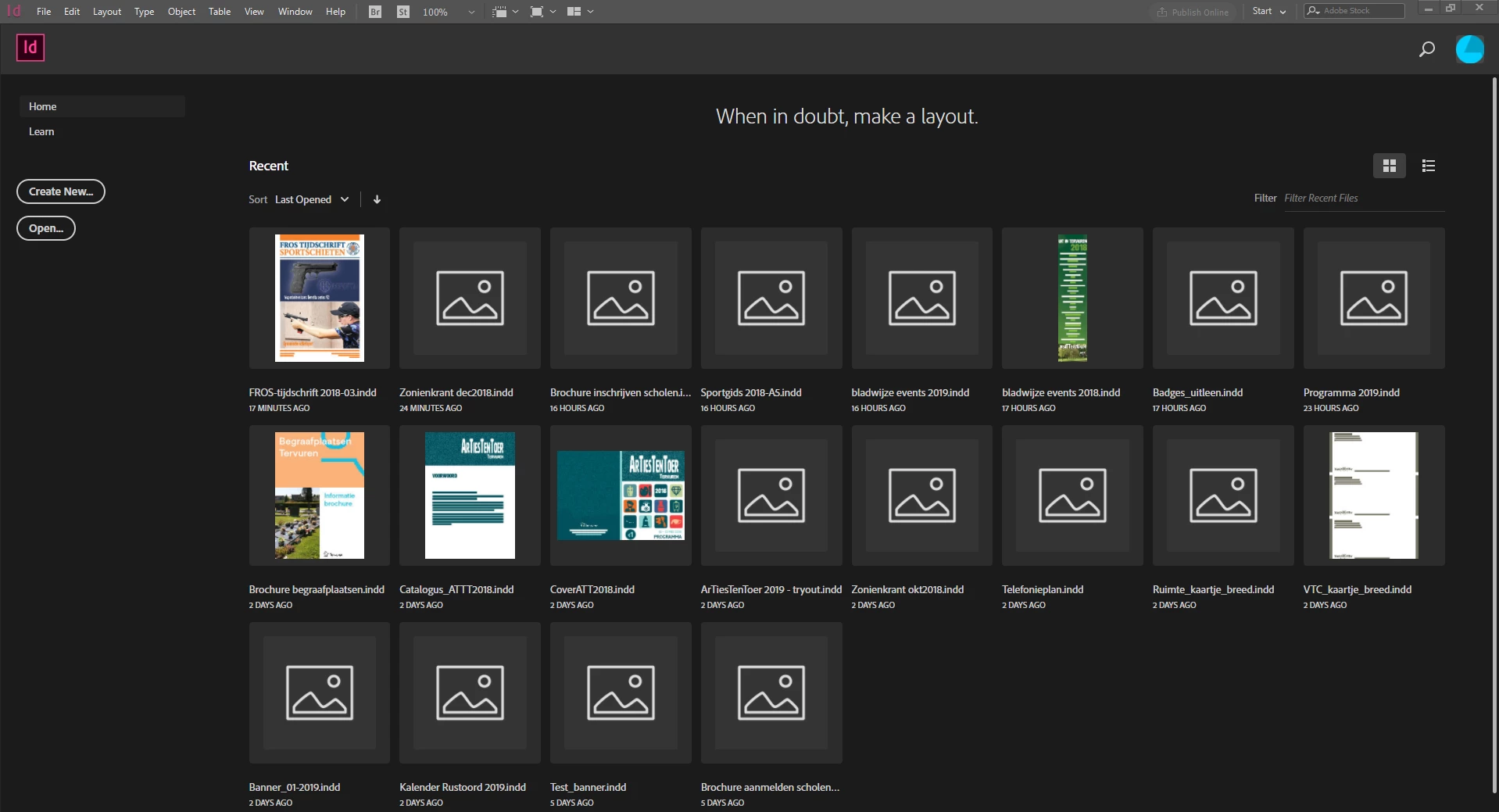
Since one of the previous updates my workspace isn't showing the thumbnails anymore of new or updated files. Old files are showing as you can see in the screenshot. Files made on another PC are also showing (first row, left). I have tried a couple of things but nothing worked (reinstall Indesign, show/hide workspace, …)

Anyone any idea how I can solve this?
    This topic has been closed for replies.
    Correct answer Laubender

    Hi FrWings ,

    did you recently change your InDesign preferences?

    Go to Preferences > File Handling > Saving InDesign Files

    Always Save Preview Images with Documents

    should be enabled.

    Default is:

    Pages: First 2 Pages

    Preview Size: Medium 256 x 256

    What are your settings with that?

    Regards,
    Uwe

    1 reply

    LaubenderCommunity ExpertCorrect answer
    Community Expert
    December 12, 2018

    Hi FrWings ,

    did you recently change your InDesign preferences?

    Go to Preferences > File Handling > Saving InDesign Files

    Always Save Preview Images with Documents

    should be enabled.

    Default is:

    Pages: First 2 Pages

    Preview Size: Medium 256 x 256

    What are your settings with that?

    Regards,
    Uwe

    FrWingsAuthor
    Participant
    December 12, 2018

    That solved it thx. But I can't recall that I ever would have changed that. Like I said it suddenly 'appeared' after an update.