

Robert at ID-Tasker
Legend
March 7, 2025
Question

Tint in Character Style bug

  • March 7, 2025
  • 3 replies
  • 269 views

Not sure if anyone reported / noticed it before:
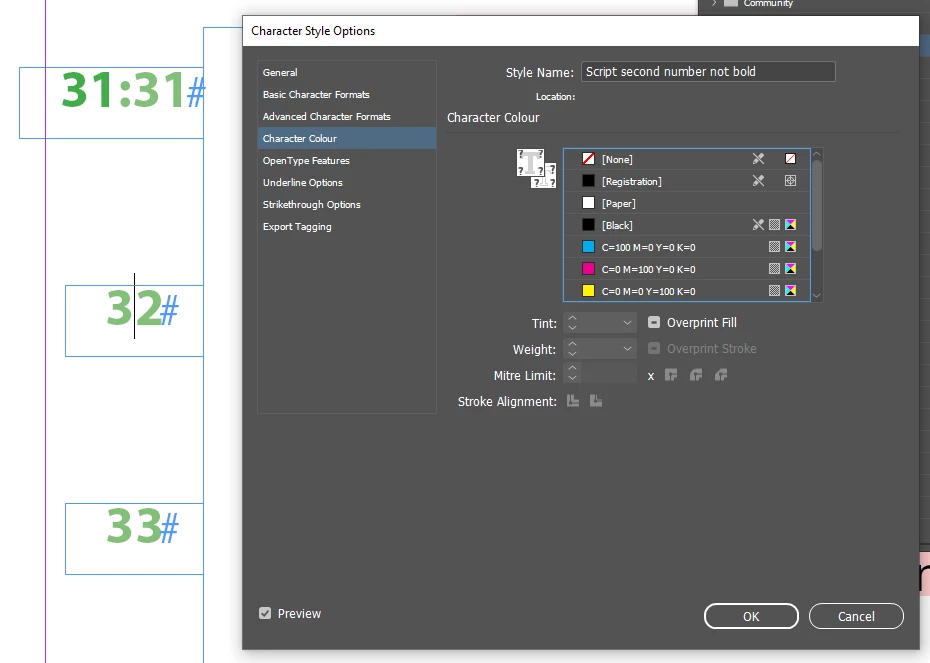


As you can see - there is NO color defined - 31, 32, 33 - BUT there is still 70% TINT applied...
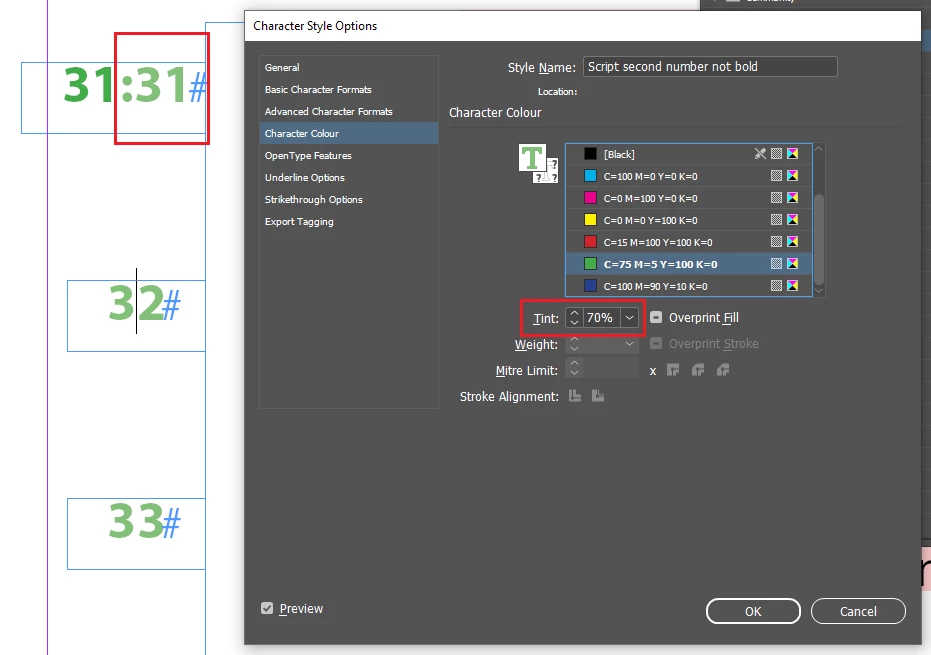


First "31", the on the left - is 100% - on the right, in the applied CharStyle - it's 70%.


But if I turn OFF color - 1st screenshot - tint is still affecting text - but can't be changed without applying some color first... 


Yes, it's handy if someone needs to just change tint of the color applied in the ParaStyle - but then it should be editable?


3 replies

Robert at ID-Tasker
Legend
March 8, 2025

How about something like this - should I start a new thread?


Object is selected - NO COLOR to stroke applied - but I CAN change Stroke's tint...


Which results in [Black] being automatically applied: 


But what's worse - text goes into an overset - even when there is enough space for the Page Number marker??


AND it doesn't get fixed/updated on regular pages - same contents and size of both TFs:


The only way to fix it is to change the width of the TextFrame from "105.853 mm" by "0.3306 mm".


Scott Falkner
Community Expert
Community Expert
March 8, 2025

I see what you mean. Tint % should be adjustable even if no colour is selected. This is in 20.2. I can select a stroke weight without selecing a colour, but still no tint %.

Robert at ID-Tasker
Legend
March 8, 2025
quote

I see what you mean. Tint % should be adjustable even if no colour is selected. This is in 20.2. I can select a stroke weight without selecing a colour, but still no tint %.


By @Scott Falkner


Exactly.


James Gifford—NitroPress
Legend
March 8, 2025

Is there a GREP or nested/line style set in the Paragraph Style? Looks like something that kicks in on first word or after a colon.

Robert at ID-Tasker
Legend
March 8, 2025

CharStyle is applied to the 2nd 31 and following 32 and 33. 


It's the file from: 

https://community.adobe.com/t5/indesign-discussions/trying-to-line-up-a-left-column-of-numbers-anchored-to-a-right-column-of-text-blocks/m-p/15198050#M614886


I was playing with it to align those numbers - and noticed, that even if I'll turn off color - tint percentage is still applied - which is OK - but isn't directly editable.