
Santiago Sepúlveda
Participant
September 11, 2021
Answered

Tipografías aparecen en catálogo de fuentes pero no funcionan en InDesign

  • September 11, 2021
  • 2 replies
  • 292 views

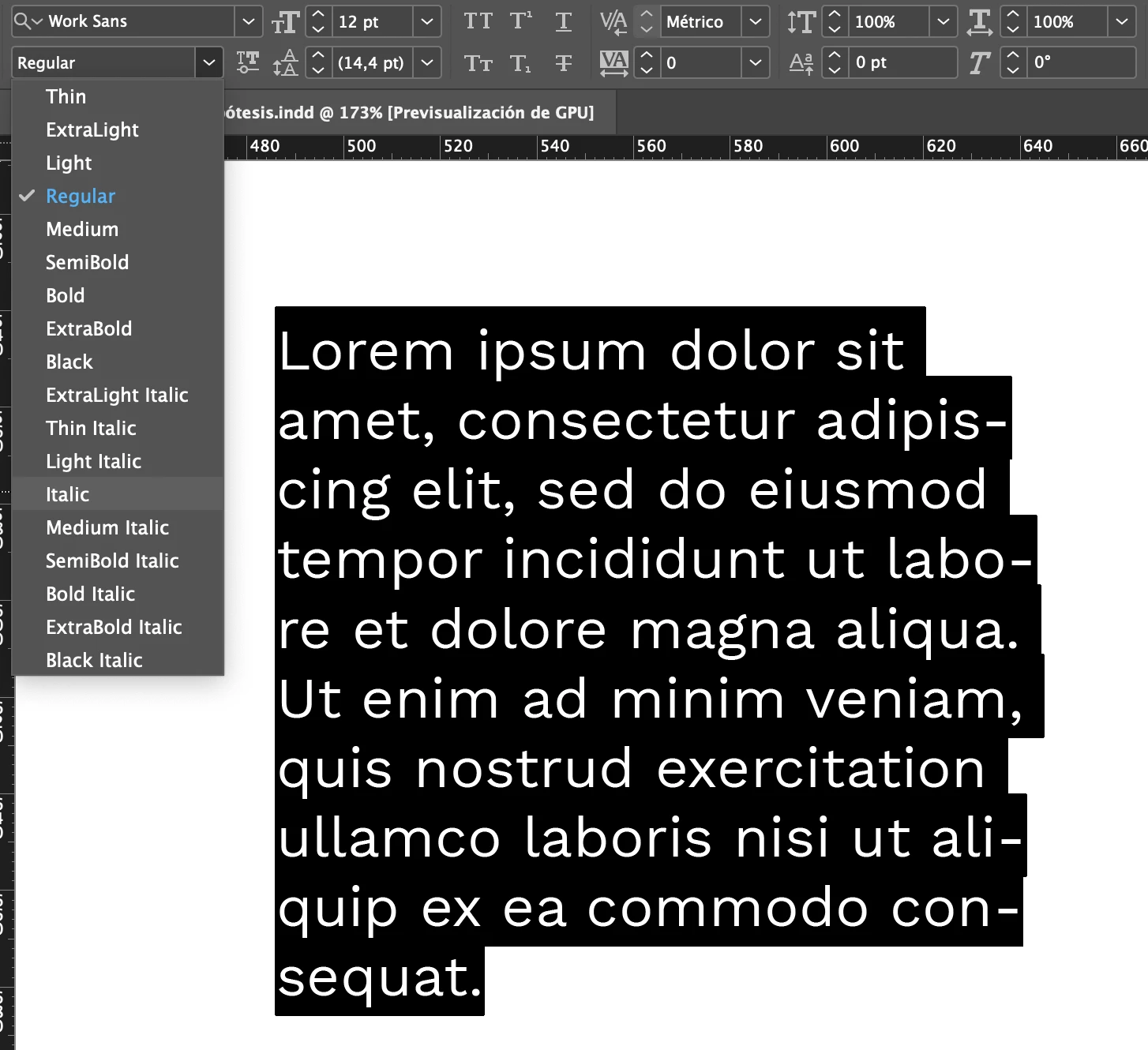
Tengo un documento donde estoy trabajando con la tipografía Work Sans. Las no itálicas funcionan con normalidad, pero ninguna de las itálicas se aplica en el texto, aunque aparece en la lista de opciones. Cuando hago cick en "Italic" no se convierte.
No me pasa con otras tipografías.
 

This topic has been closed for replies.
Correct answer J E L

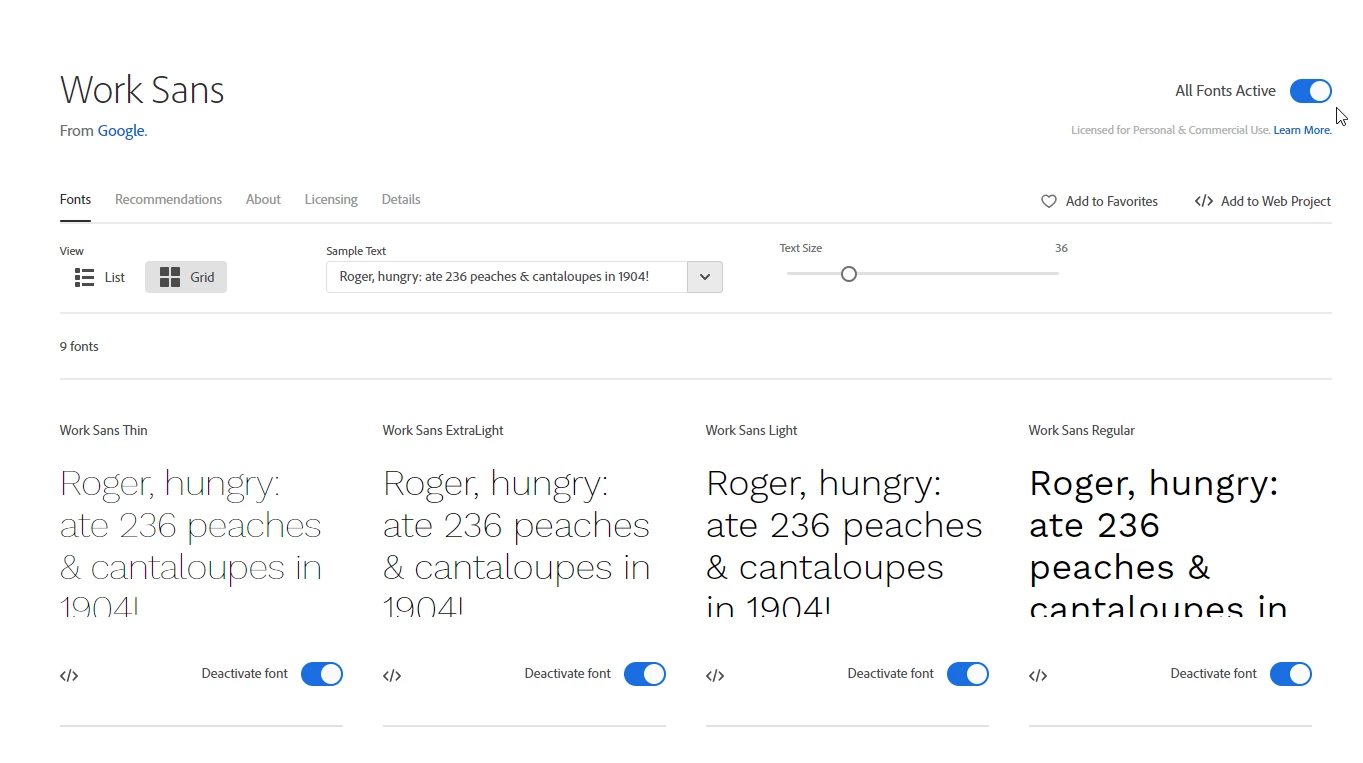
If you have Work Sans enabled from your Adobe fonts, there isn't an italic style. The full Google set has italics so you might have a conflict between the two. Make sure Work Sans is disabled in Adobe fonts and perhaps reinstall the full Google set. Then close and restart InDesign to see if that cleared things. Worth a try!


Work Sans | Adobe Fonts


Work Sans - Google Fonts


2 replies

J E L
Community Expert
J E LCommunity ExpertCorrect answer
Community Expert
September 11, 2021

If you have Work Sans enabled from your Adobe fonts, there isn't an italic style. The full Google set has italics so you might have a conflict between the two. Make sure Work Sans is disabled in Adobe fonts and perhaps reinstall the full Google set. Then close and restart InDesign to see if that cleared things. Worth a try!


Work Sans | Adobe Fonts


Work Sans - Google Fonts


Randy Hagan
Community Expert
Community Expert
September 11, 2021

Is it only your book weight italic that doesn't show — e.g. are thin, light, extrabold italics working fine, but the book weight does not? Is it a PostScript or a TrueType font? Has it worked fine before and stopped just now? Or have you never had the book italic weight work on your system.


And very important: when you print it out, does the italic weight show up on paper or not?


Answers to these questions will help us sleuth what your problem is, and help come up with a solution that will work for you.


Hope this helps,


Randy