
Title: Images appearing corrupted in InDesign and exported PDFs – vertical coloured lines and black areas
Hi everyone,
I'm experiencing a strange issue with Adobe InDesign and I'm hoping someone can help me identify the cause.
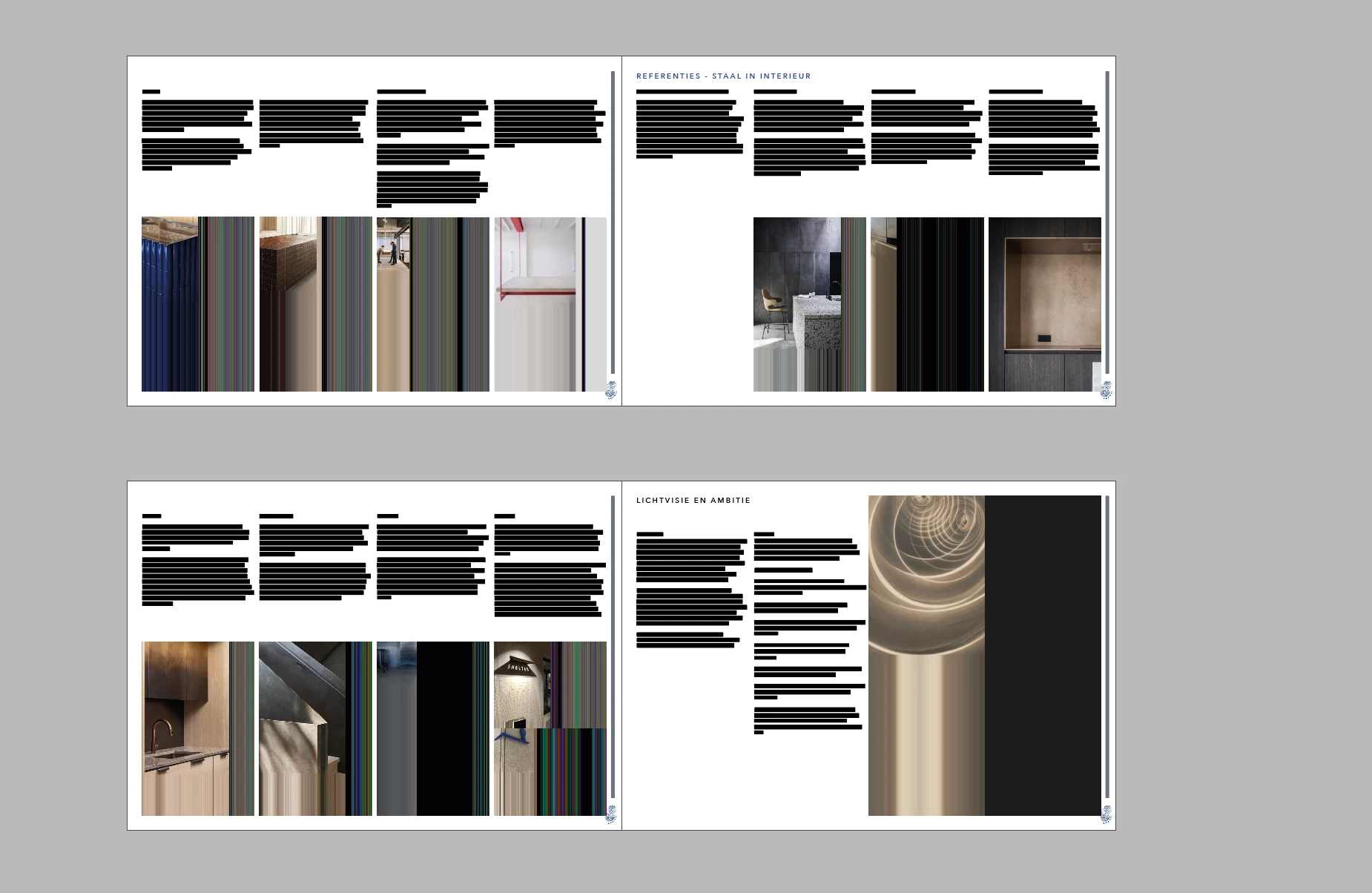
When I place photos in my InDesign document, some images appear corrupted. They show vertical coloured lines, black areas and missing parts of the original photographs (see attached screenshot).
The problem also appears in the exported PDF. So it is not just a display issue within InDesign.
Here is what I have tried so far:
-
Checked the Links panel. All images are correctly linked and up to date.
-
Tried storing the images in different locations, including my local hard drive, Desktop and a shared OneDrive folder.
-
Confirmed that there are no missing links or warnings in InDesign.
-
Changed the display performance settings, but this did not solve the issue.
The problem persists regardless of where the images are stored.
My questions:
-
Could this be related to InDesign's image rendering or PDF export engine?
-
Could it be a problem with the image formats or colour profiles?
-
Are there any settings, preferences or troubleshooting steps I should try?
I am working on a Mac.
Any help or suggestions would be greatly appreciated. I would really like to resolve this without having to rebuild my entire document.
Thank you in advance!
 AdChoices