
keithconover
Inspiring
May 25, 2020
Answered

Title within (interrupting) frame border

  • May 25, 2020
  • 3 replies
  • 840 views

A common graphic technique is to have a title within (interrupting) a frame border. I tried to recreate this in InDesign by shifting the paragraph, the paragraph shading and the paragraph border all up into the frame border. It almost works.
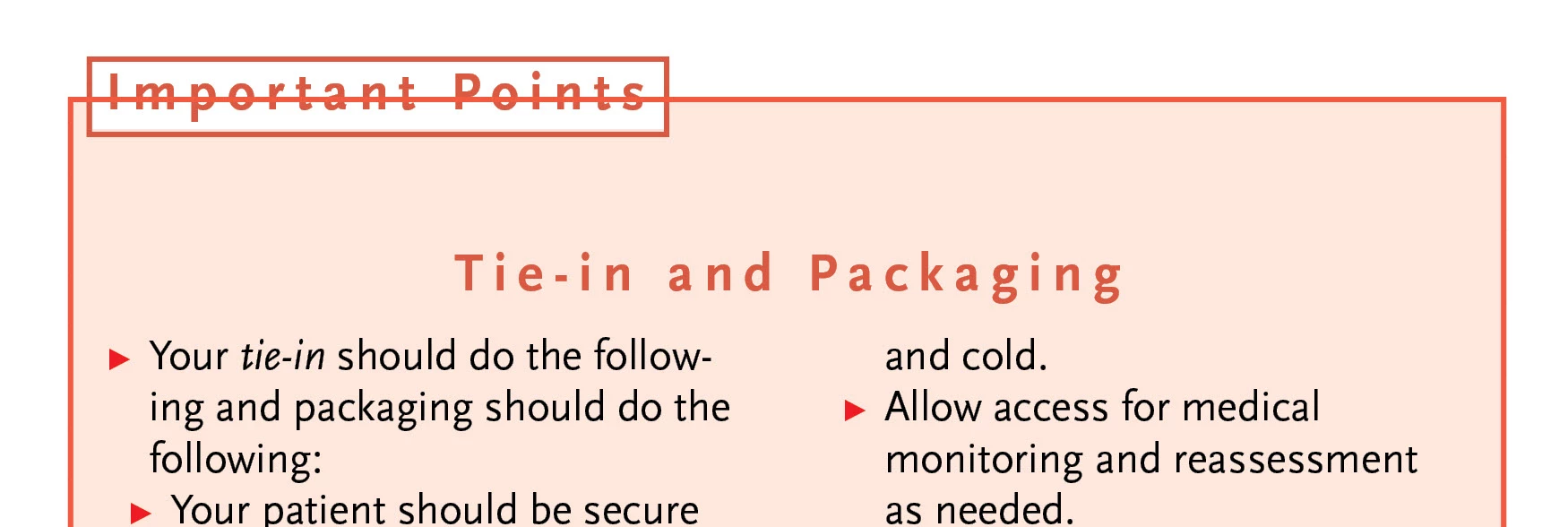
If the pagagraph and shading and boreder could overprint the frame border, this would be a very nice design trick. I thought about doing it as an anchored object with a PNG file, but figured it probably woldn't work. I gave up and ended up with this:
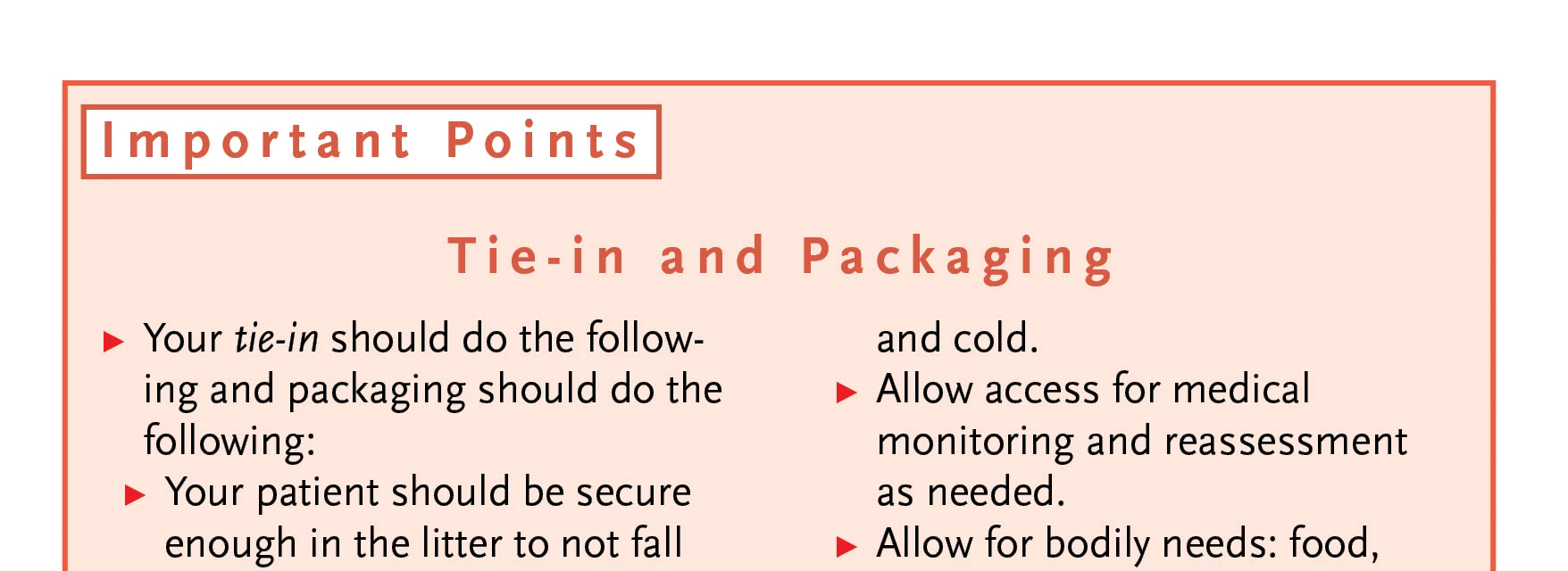
It's nice but not as nice.
This topic has been closed for replies.
Correct answer Barb Binder

Hi Keith,


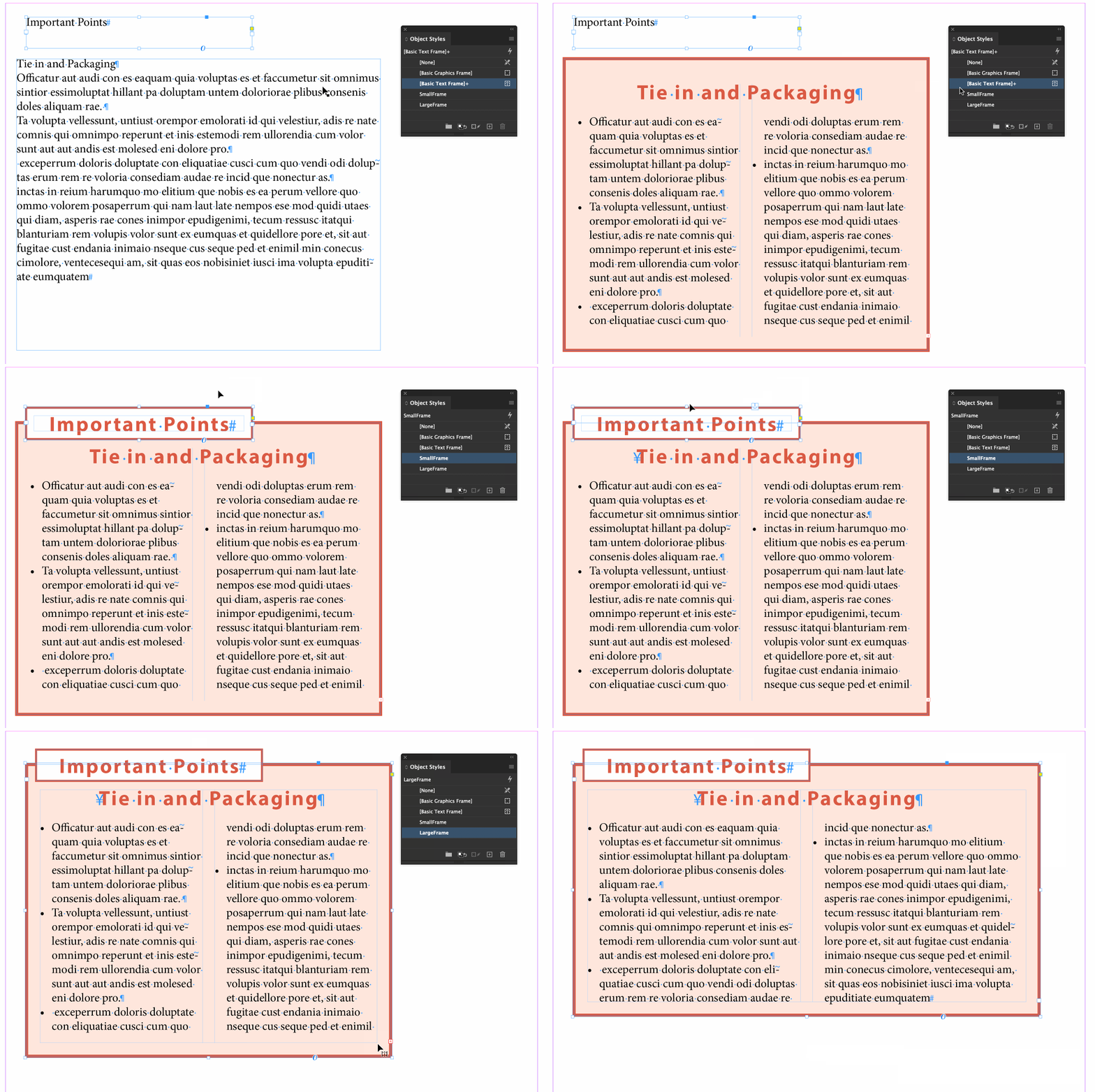
The best solution I could come up with is to use object styles that nest the paragraph styles and then add an anchor. If you need more information I can certainly provide it.


~Barb 


3 replies

Barb Binder
Community Expert
Community Expert
May 26, 2020

That's great news! Glad that will work for you. 😊


~Barb 

~Barb at Rocky Mountain Training
keithconover
Inspiring
May 26, 2020

Thanks very much, Barb! My mind stuck at the point of creating a graphic to use as an anchored object. You smarts now let me do what I wanted. I didn't nest anything, I just copied and pasted a text frame with a suitable object style manually into a paragraph style at the top of each box. Worked like a charm. Thanks again!

Barb Binder
Community Expert
Barb BinderCommunity ExpertCorrect answer
Community Expert
May 25, 2020

Hi Keith,


The best solution I could come up with is to use object styles that nest the paragraph styles and then add an anchor. If you need more information I can certainly provide it.


~Barb 


~Barb at Rocky Mountain Training