
To know which values have been modified in a paragraph style
Hi
I have a doubt with the styles.
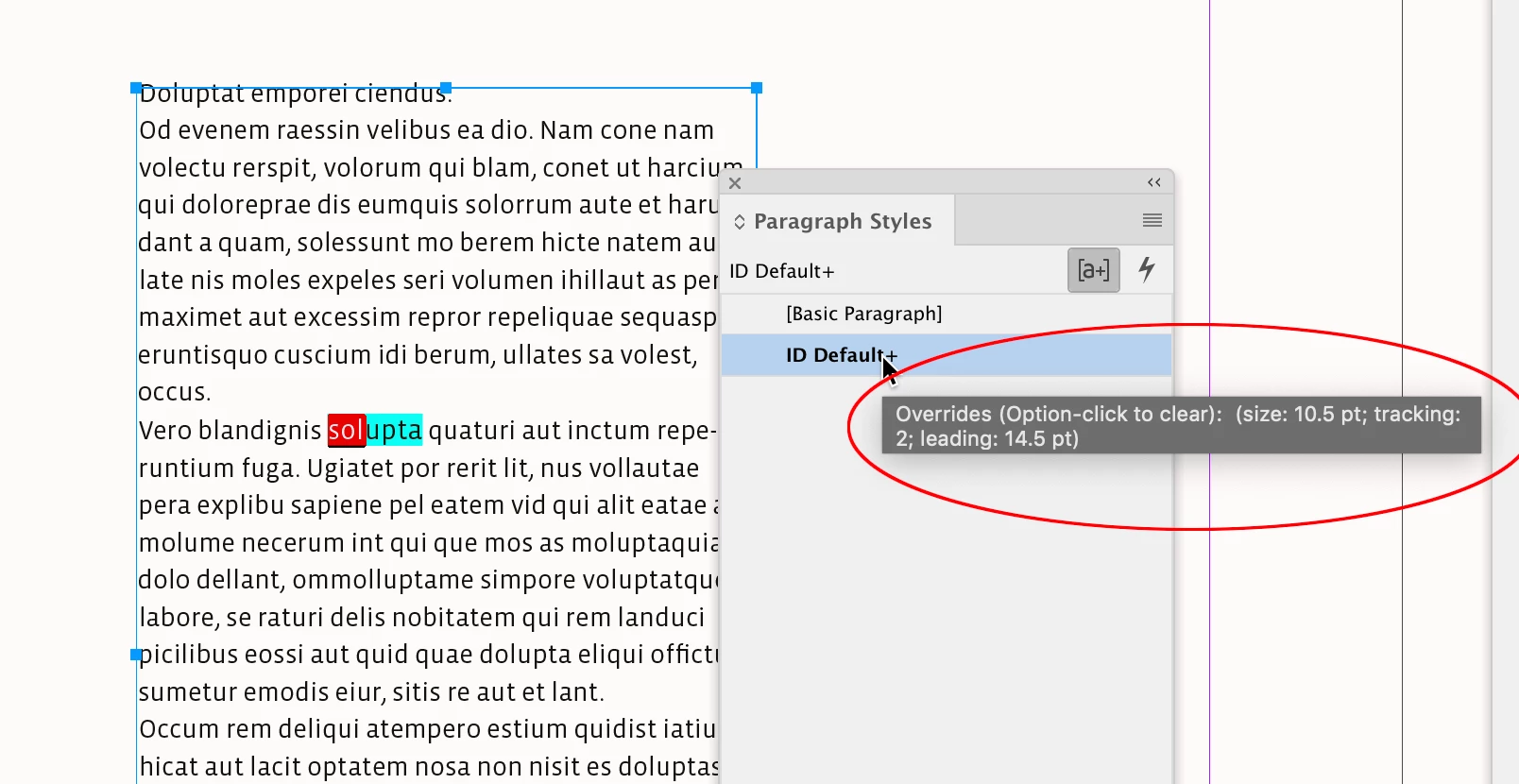
For example, I have several paragraphs with a style that sets the font to 10pt. If I modify a couple of lines and set the font to 11pt without modifying the style, I will get the symbol (+) next to the style name when I select that part of the text.
But that modification can be easy to see. Let's suppose that now there are many modifications and maybe not all so obvious, color change but very subtle, or modification of values in the hyphenation...
Is there a way to know which are the modifications made outside of the style and which generate the (+).
I had the idea that it was somehow shown in the summary of the style settings that comes out in the “general” option of the “paragraph style options” menu but it doesn't seem to be so.
Thank you very much.


 AdChoices