
Participant
November 7, 2018
Answered

TOC - Can't align page title properly to the left after page numbers

  • November 7, 2018
  • 1 reply
  • 517 views

Hello,

To the lovely community, would you be able to help me come up with a solution for my problem?

For the Table of contents, I know generally people would right align page numbers, but I am trying to do the opposite. Although I got it working, the page names keep aligning to the right right instead of left after the page numbers. Is there something I am missing?
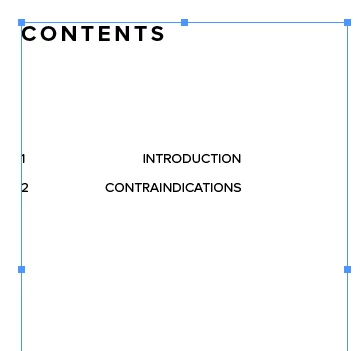
For example I am trying to achieve something like...

1     intro

2     Page title 1

3     Page title 2

4     etc ...

Hope this makes sense!
    This topic has been closed for replies.
    Correct answer SJRiegel

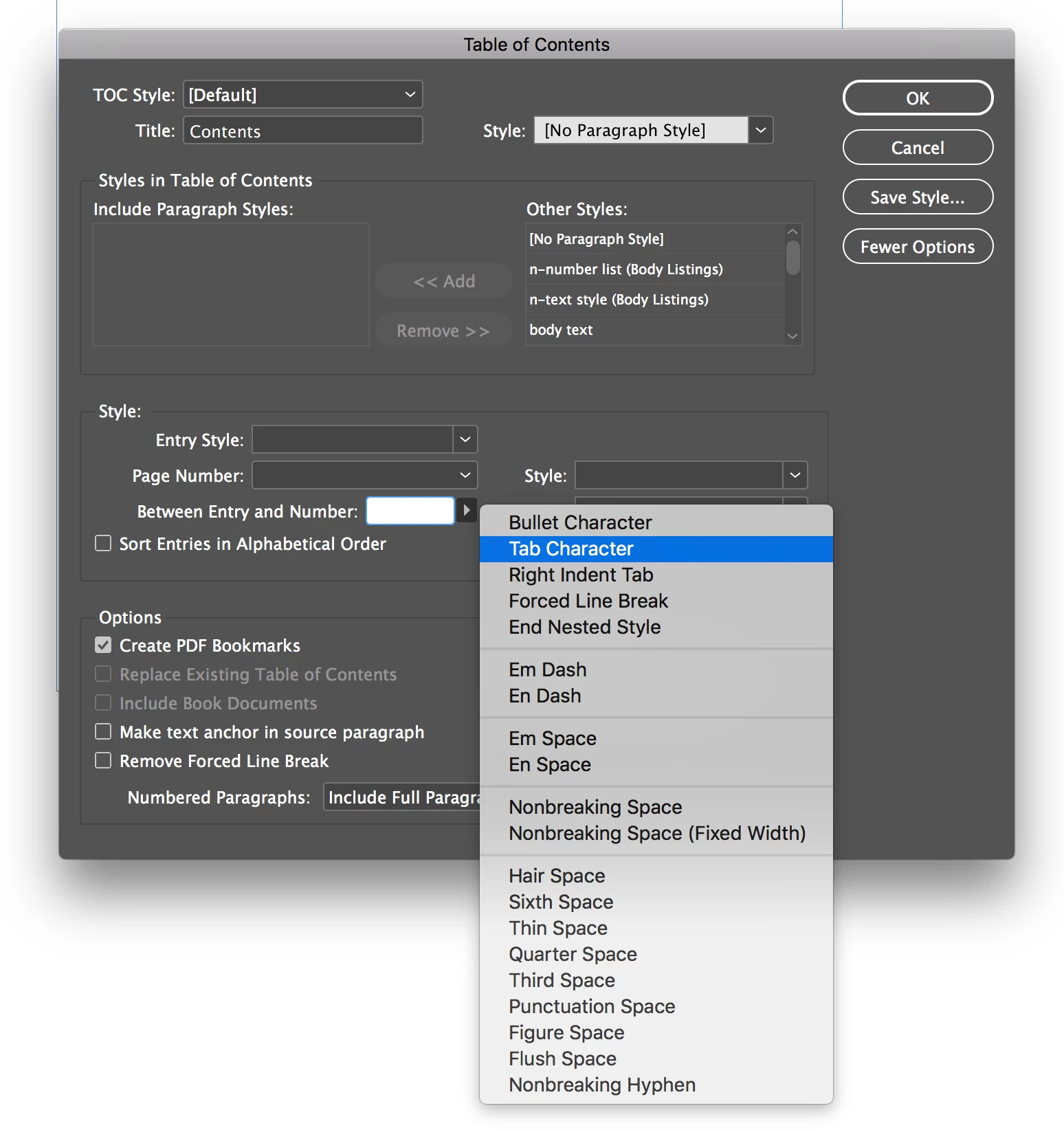
    I can see the problem now -- you have a right-indent tab character after your page numbers.

    This can be changed in your TOC dialog box.

    Choose More Options, and fix it here:

    1 reply

    Legend
    November 7, 2018

    what does your tab panel look like? Your text looks like it has a right-aligned tab

    Participant
    November 7, 2018

    Its looking like this at the moment, but I can't work out why my blue arrows have a line down the middle (sorry I'm still a little new on TOC on Indesign!)

    SJRiegelCorrect answer
    Legend
    November 7, 2018

    I can see the problem now -- you have a right-indent tab character after your page numbers.

    This can be changed in your TOC dialog box.

    Choose More Options, and fix it here: