
Inspiring
December 28, 2023
Answered

TOC creating extra entries

  • December 28, 2023
  • 1 reply
  • 1532 views

I am not understanding how to fix my TOC. Any ideas?


The end of TOC looks like this:
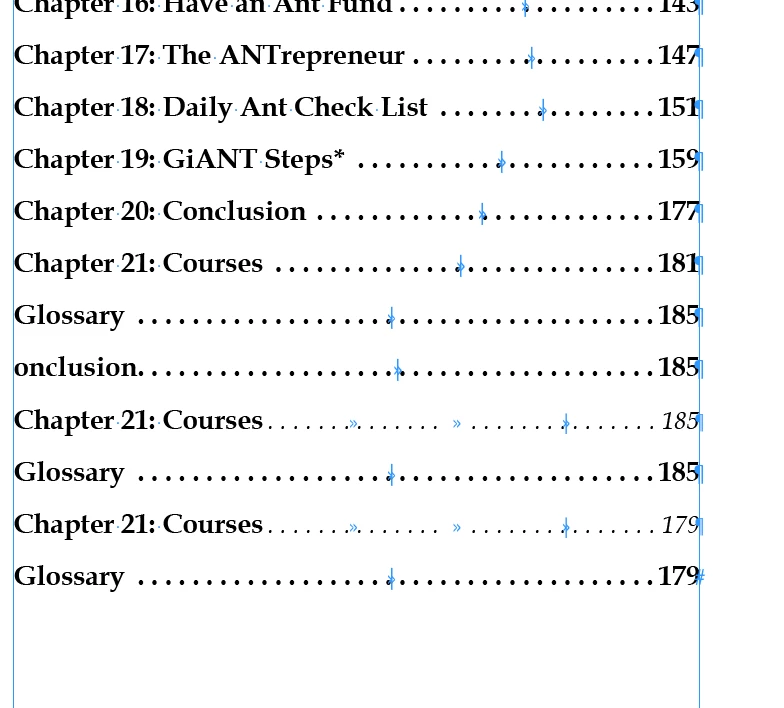


Everything is fine up to and including "Glossary...185"


....everything after, and including, the TOC entry "onclusion 185" I don't see in my ID document.


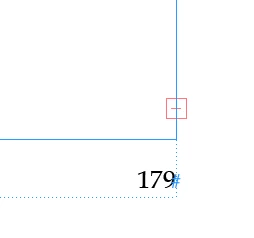
Not sure if this helps, but page 179 of the INDD has this:
 

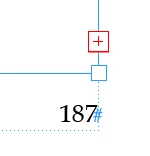
and page 187 of my INDD has this..


This topic has been closed for replies.
Correct answer Andrew Mikelsons

On your page 178 image, it looks as if you have two (or more) text frames on the page. You need to delete the extra one(s) and make sure the text flow from the prior and next pages is correct. (Text can flow from ANY frame to ANY frame, even across widely separated pages; it's all too easy to end up with such muddled threading or extra frames when you are making changes as you have in this cleanup.)


The useful tool there is to turn on the visual text threading, View Text Threads. It's in View | Extras or toggled by Ctrl-Alt-Y.


I got the 179 red+ sorted. 


Now I've other problems. Page numbering has overset. TOC Layout won't run. 

1 reply

Willi Adelberger
Community Expert
Community Expert
December 28, 2023

Is there hidden text?

Text tool int the end of the visible story and cmd/ctrl+y

James Gifford—NitroPress
Legend
December 28, 2023

You have 'overset' text, content which has not flowed to additional pages. Manually add a page or two to your document so that the text will be displayed, and then either deleted or pulled into the flow of the book.


(A quick and dirty trick is to click the red + box, then drag out a big text frame on the adjacent pasteboard. You can serially review and delete any extra or junk text, although you'll still need to add pages or otherwise deal with text you want to keep.)

Inspiring
December 28, 2023

When I add pages, I use the Page panel. The pages show up without a text frame box. Is this normal? I click of page 187, right click, and choose insert pages. 

Andrew MikelsonsAndy Fairchild Publishing Inc.