klp002
Inspiring
March 31, 2018
Answered

TOC formatting is applying randomly

  • March 31, 2018
  • 3 replies
  • 1328 views

I'm creating a book in InDesign CC, and have set up the correct paragraph styles etc.

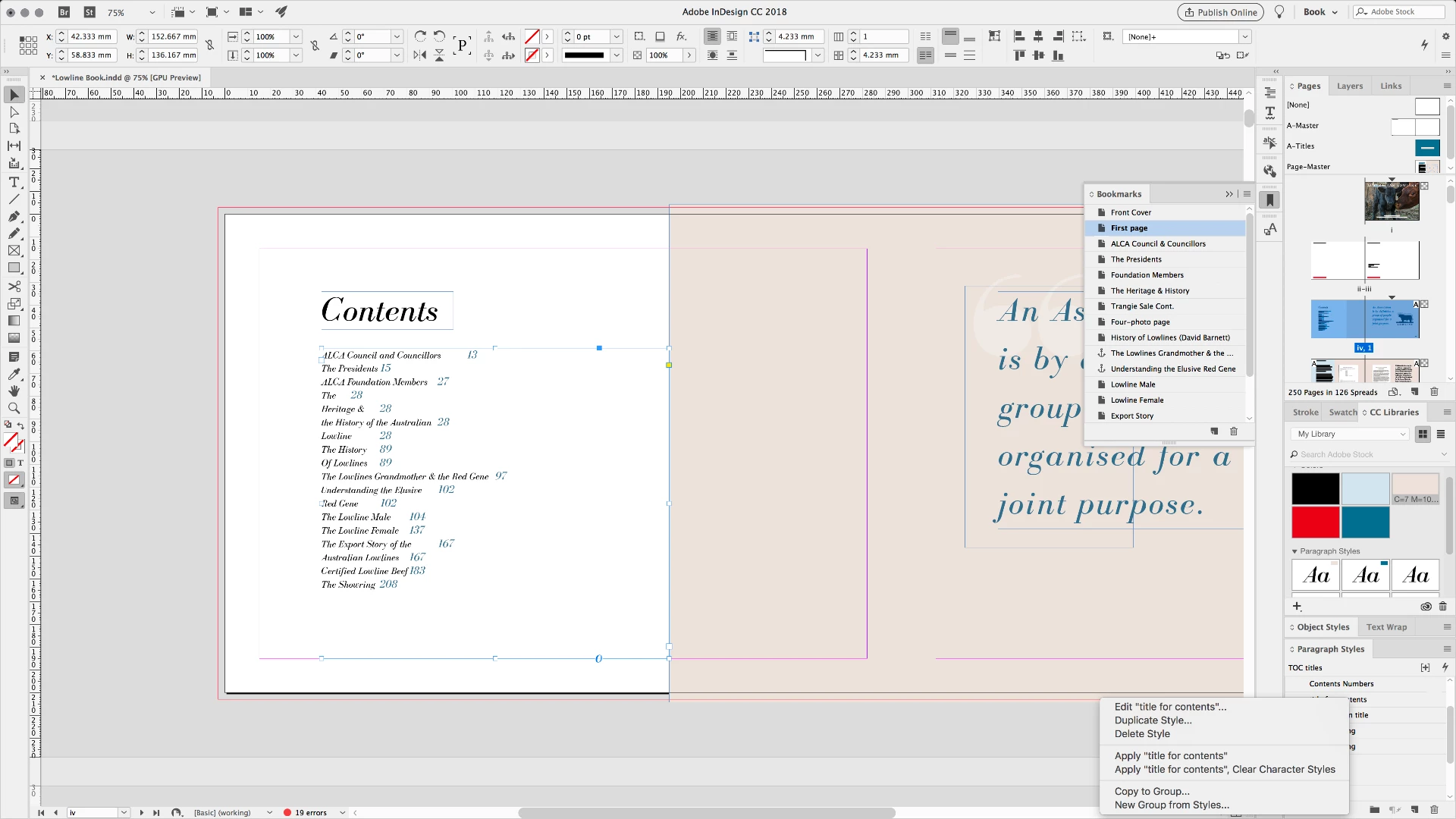
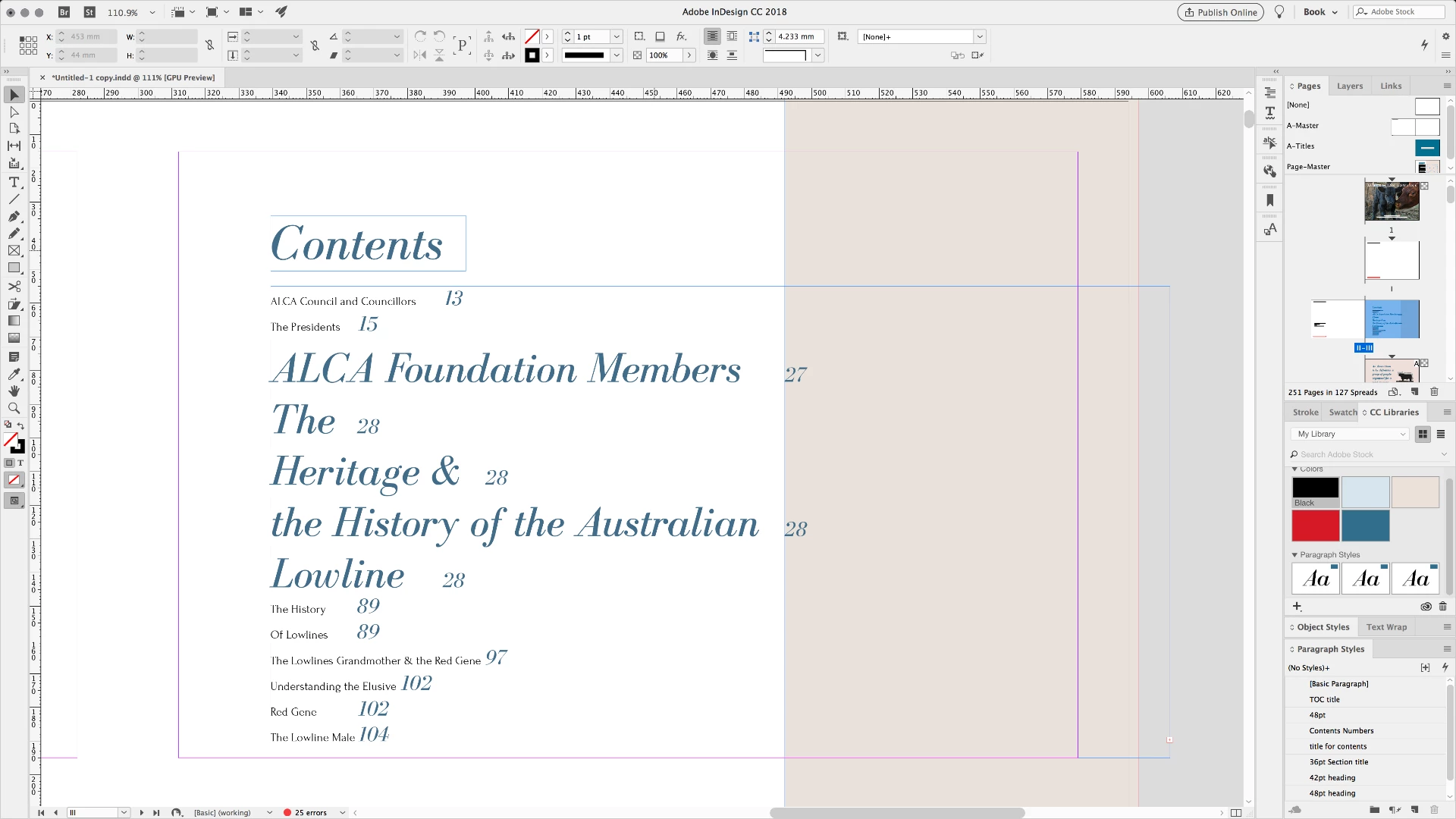
For some reason that I cannot for the life of me find out why (I've spent hours searching), the formatting is applying to only some of the TOC items, but not others.

See attached screenshot.....

The second and third items are the "non-conformers"....also any clues as to why some of the titles are being seperated? (the second item is The Heritage & History of the Australian Lowline - one item, not 4 as it currently sits). I can update these manually but of course, that means if I need to update the TOC I will have to do the changes every time I do...

Any help is greatly appreciated.

- K
This topic has been closed for replies.
Correct answer klp002

Ok so from your answer (thank you Barb!) I looked a little further.

Selected the problem headings in the document, right clicked on the Paragraph Style on the right-hand menu.

Clicked "apply style XXX & clear character styles"

Updated TOC and it's FIXED!!

THANK YOU!

3 replies

Willi Adelberger
Community Expert
Community Expert
March 31, 2018

Besides the problem I see another cause for future problems: Always name the styles after their functionality, never include their typographic properties like size or font name into any style. If you change the appearance you have to change the names to and with changed names other related items are envolved to.

If you have functionality names it makes it easy to re-use some items from other documents with no or only some adaptions, even if the appearance is completely different, like tocs.

You will not have any need to reinvent everything again in a new document.

klp002
klp002Author
Inspiring
April 1, 2018

Great tip Willi!

I did actually have them all named "body text" "heading1" "captions" etc but in my efforts to fix whatever this issue was, I deleted all the styles and started from scratch (many hours of frustration are showing in the style names). I'll keep it in mind for future.

- K

Barb Binder
Community Expert
Community Expert
March 31, 2018

Hi K:

As long as you have correctly mapped the paragraph style from the source files to the correct TOC style (which it looks like you are doing via your second screen shot) then I'd wager you have a character style assigned to several of the headings in the source files.

Try this:

  1. Locate "ACLA Foundation Members" on page 27
  2. Select the entire heading, including the ¶—triple or quadruple click with the Type tool, depending on if it wraps to a second line
  3. Hold Alt (Mac: Option) and click on [None] in Window > Character Styles
  4. Then navigate back to the TOC and update it.

Does that take care it? If so, repeat on the other troublesome headings.

~Barb

~Barb at Rocky Mountain Training
klp002
klp002Author
Inspiring
April 1, 2018

Hi Barb,

Nope, still there (and no character styles were applied). I have NO clue what is going on.

amaarora
Inspiring
March 31, 2018

Hi,

Can you also add a screenshot of the Table of Contents dialog box.

-Aman

klp002
klp002Author
Inspiring
March 31, 2018

Sure!

Anna Lander
Inspiring
March 31, 2018

Hi,
this doesn't look like random.
Do these big lines originally have the same style as the small ones?
Is their Entry style the same as others?

Could you please check the original titles for the character style applied and tell us about the result? Character styles often provide some strange and unexpected issues.