


TOC Hyperlink Issues in KDP EPUB Export from InDesign 2024
Hi everyone,
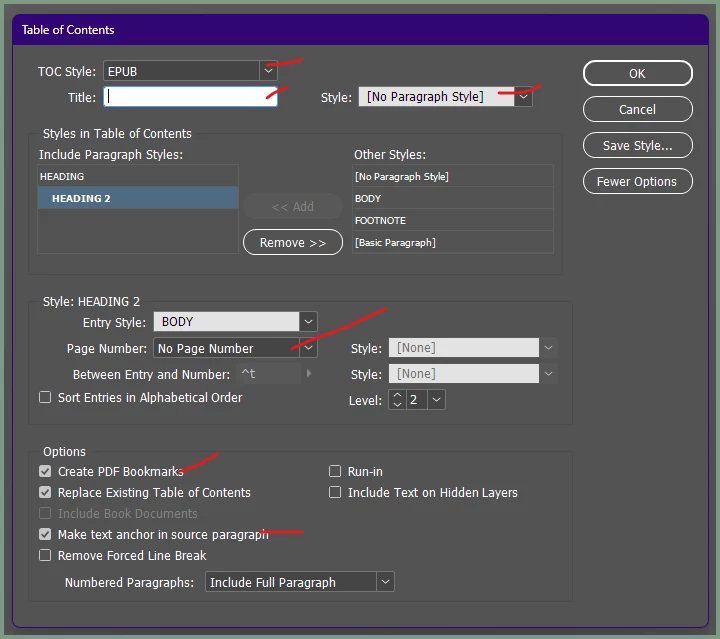
I'm seeking assistance with properly setting up a Table of Contents (TOC) for KDP using InDesign 2024. I'm exporting a fixed-layout EPUB, and while the TOC works fine on my Mac in the Apple Books app, the hyperlinks become non-functional once I upload the file to KDP.
To begin, I understand that no two EPUB readers interpret and render books the same way. I'm specifically building this book exclusively for KDP and would like to avoid working with a more 'vanilla' reader like Calibre which I have not use yet.
Although I'm not a professional graphic designer, I have some experience with InDesign for smaller projects, having used it since my college days. However, this is my first EPUB project, and I'd greatly appreciate a concrete guide. My expertise mainly lies in print and smaller digital projects.
Unfortunately, Amazon KDP support hasn't been helpful, and it seems there's a significant structural issue. The support agents change with every contact request, even if only minutes apart, and they're unable to provide any insights regarding InDesign to KDP. Despite this, I'd like to complete this project here, as I've invested considerable time in both the print version and the ebook. Unfortunately, only Amazon offers the combination of both formats.
Thank you in advance for any assistance!
Best regards
Jan
<Title renamed by MOD>

 AdChoices