
Participant
April 26, 2024
Answered

TOC with text before and after the page number

  • April 26, 2024
  • 2 replies
  • 661 views

I am doing architectural drawings in Illustrator and then placing them in Indesign, using Master pages to create the proper format around the drawings. The pages are numbered A1, A2 and so on, sometimes as any as 10 pages. I want to create a TOC thet looks like this:

Sheet A1: Plan view existing

Sheet A2: Plan view proposed

and so forth. The titles occur on the pages, and I can make a standard TOC with the titles followed by the page numbers, or the numbers followed by the titles, but I cannot figure out a way to put text both before and after the page number. I thought about using variables somehow, but could not figure out a way. Maybe some kind of GREP style or something? Any help would be much appreciated.
This topic has been closed for replies.
Correct answer Willi Adelberger

The A can be part of the numbering. It is to set up in the section as section marker.

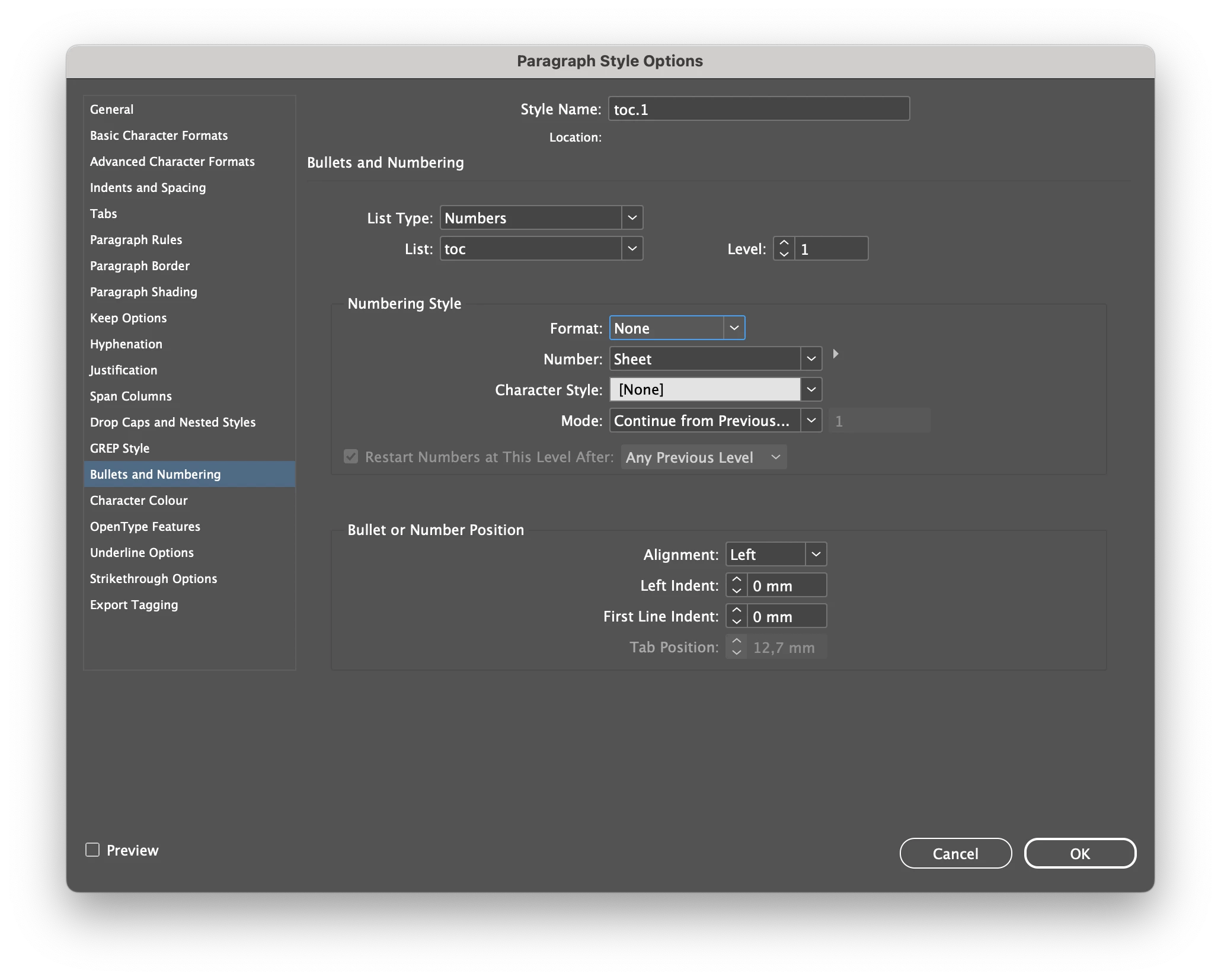
The text "Sheet " can be part of the toc's paragraph style. Set it up as numbered list style with its own list, but no numbers. So it will appear before the text. In the toc choose page number before.

2 replies

James Gifford—NitroPress
Legend
April 26, 2024

With no more than ten entries, of a repetitive nature... it may be simpler to just create the list manually.

Willi Adelberger
Community Expert
Willi AdelbergerCommunity ExpertCorrect answer
Community Expert
April 26, 2024

The A can be part of the numbering. It is to set up in the section as section marker.

The text "Sheet " can be part of the toc's paragraph style. Set it up as numbered list style with its own list, but no numbers. So it will appear before the text. In the toc choose page number before.

pbrintonAuthor
Participant
April 27, 2024

Thank you. That worked perfectly!