Participant
August 19, 2018
Question

Toggle thumbnails show by default

  • August 19, 2018
  • 1 reply
  • 420 views

I am trying to publish a brochure using Indesign.  I would like to have the thumbnails show by default (see pic below) when a user opens the file.

Thank you,

John
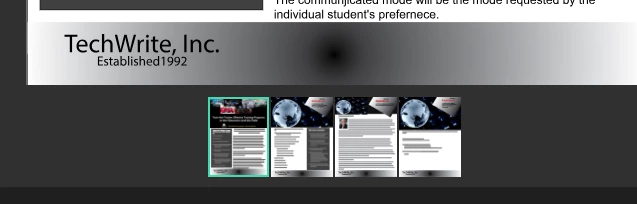
    This topic has been closed for replies.

    1 reply

    Scott Falkner
    Community Expert
    Community Expert
    August 19, 2018

    When the user opens what file? The InDesign file? A PDF? an ePub? What program is that screen capture from?

    My guess is that you are talking about an exported PDF. There are many programs people can use to view and read PDFs, and you can’t control that. You can open a PDF in Acrobat and change the default view options, including whether thumbnails are shown. I don’t know what programs other than Acrobat honour this setting.

    In Acrobat Pro go to File > Properties, then click on the Initial View tab.

    Participant
    August 19, 2018

    Thank you for your quick reply!

    I mean when I publish the PDF from Indesign to the Adobe Creative Cloud and I share the link with customers, etc.

    Thank you,

    John

    BobLevine
    Community Expert
    Community Expert
    August 19, 2018

    You can’t publish a PDF to Creative Cloud. Are you talking about Publish Online?