February 2, 2017
Answered

Top line of text box suddenly cut off: baseline grid-based style, CS6

  • February 2, 2017
  • 3 replies
  • 3109 views

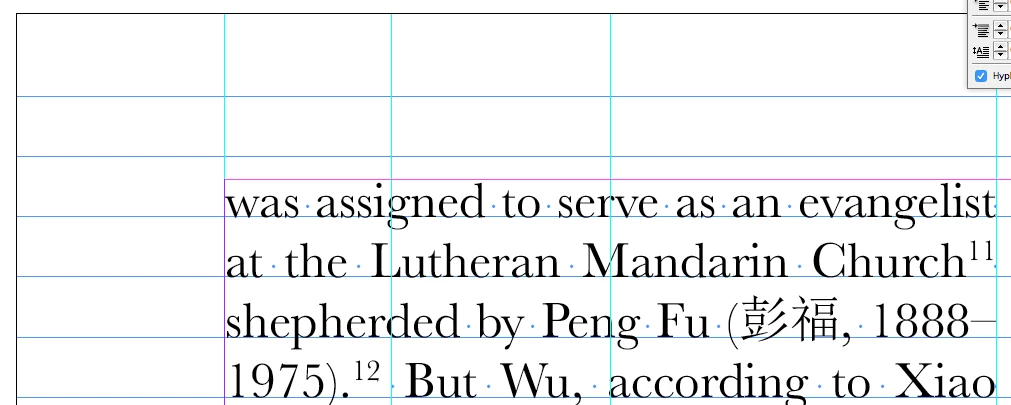
I've been working with CS6 with the same style sheet for years and suddenly it is cutting off the top line of my columns. It's as if there's something invisible that's too tall:

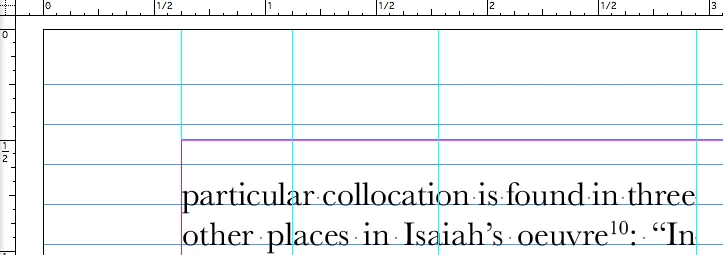
If I simply raise the text box a smidgen (as a workaround), the non-grid aligned styles now exceed the proper margins:

This has not happened before now and to my knowledge I have not changed any settings, either in InDesign or the document.

Additionally, I have opened previous files (with an older version of the imbedded stylesheet) and applied the (imbedded) styles and the same thing occurs!

Help me resolve this maddening development!

This topic has been closed for replies.
Correct answer Laubender

Thank you, Uwe. I can certainly see that the incremental changes we have made might eventually corrupt the file. I exported the IDML as you suggested, then opened it again with ID. But the problem has not resolved itself for me, and when I did open it every single text box is now three-columns:

It has also done this in all my master pages--something I'm happy to work on if it will clean up the problem. But it did not seem to fix the problem for me.

I did some fiddling around, and whereas before it would not cut off above 11pt (the height of my font) (this is an older file):

now it seems as if there is an invisible 12pt character that pushes it down to the next grid line.


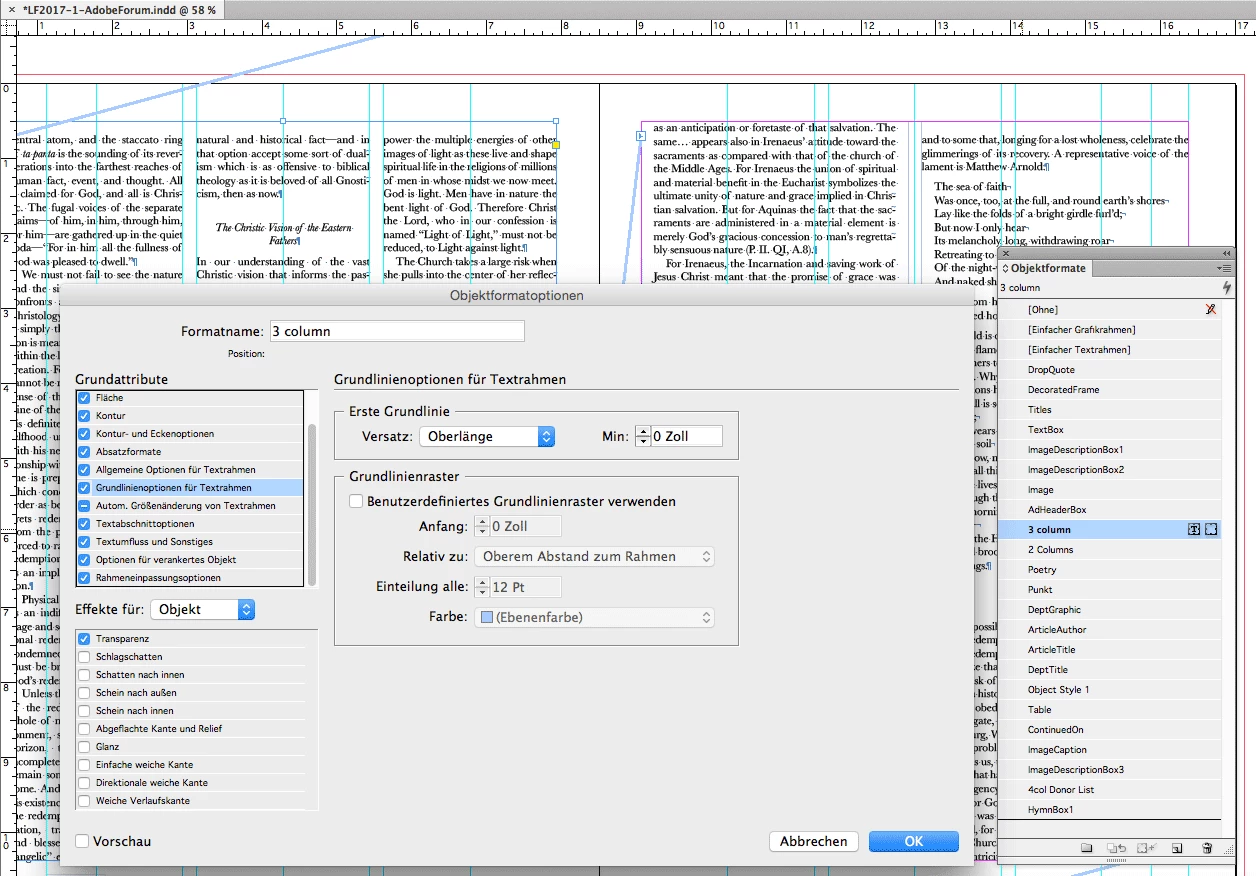
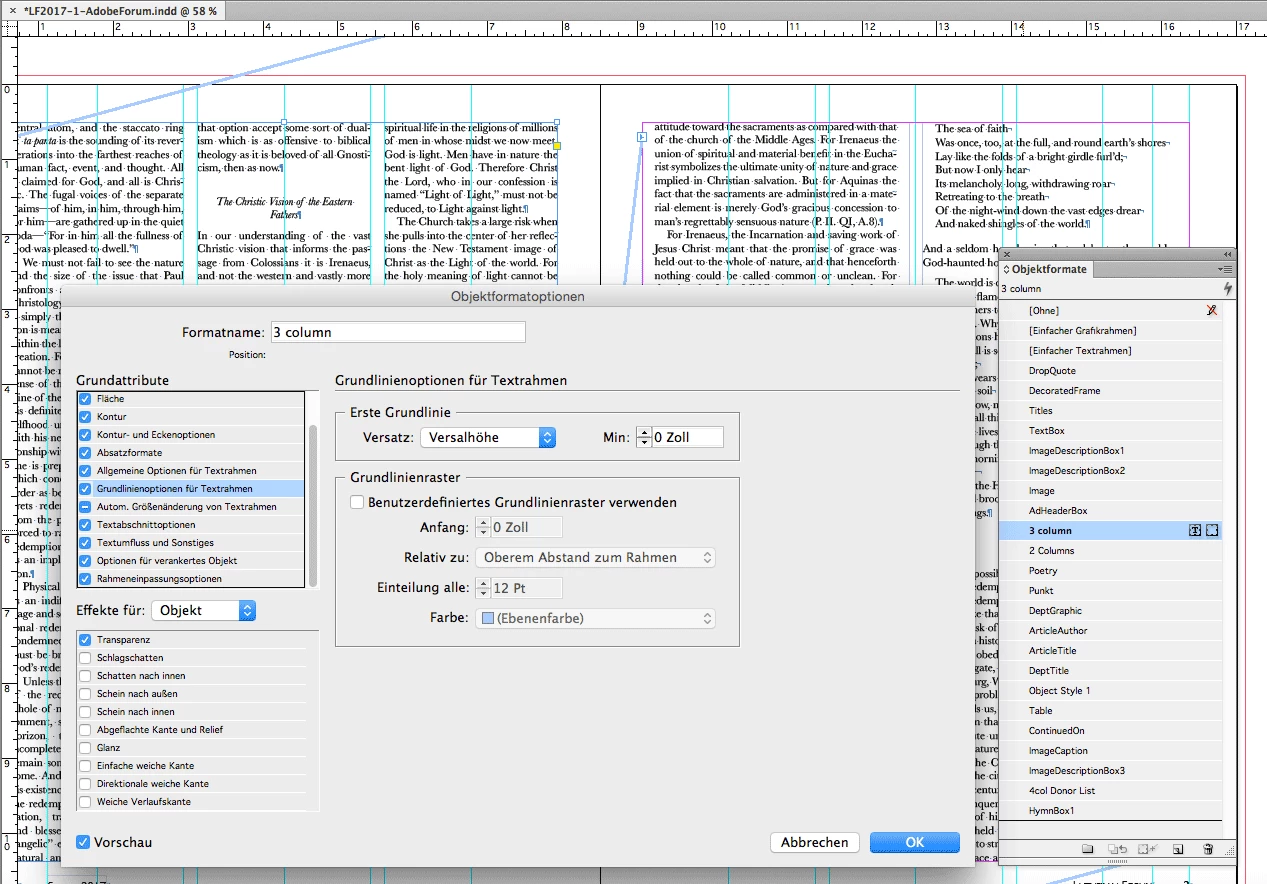
Then I'd look into the text frame options (preferences) of the applied object styles.
See if you could do something with the values of the First Baseline Offset.

Maybe changing from Ascent to Cap height would help?

From my German InDesign
"Oberlänge" => "Ascent"

"Versalhöhe" => "Cap Height"

The two screenshots show the opened InDesign document.

Not the opened IDML from that document.

Regards,
Uwe

3 replies

Barb Binder
Community Expert
Community Expert
February 3, 2017

It started with InDesign CS v.3.0.1 on Mac OSX 10.2.8 in 2007 and was saved over and over with several versions of InDesign.

I called Adobe support a while back about a document that was causing problems, and they asked, "you aren't using a template that was created on an earlier version, are you?" And yes, I was. For years, I would just open the last version of the file, replace the content and move happily along. I was given a stern reprimand to always create a new template from scratch with each new version. Honestly, I don't do it every version, I do I when I start running in problems with the file.

~Barb at Rocky Mountain Training
jane-e
Community Expert
Community Expert
February 3, 2017

Good grief — I don't start a new template every year either!

Sandee Cohen
Legend
February 3, 2017

If you're not going to start from a new template, at the very least save as IDML and then open.

However, warning, I have found that saving out as IDML can screw up guides placed on masters for facing pages.

Barb Binder
Community Expert
Community Expert
February 2, 2017

I don't see the exact text from your screen shot ("well-stocked with many more" or "of the man who wages"), but I am not seeing any issue with pages you did send. Were they problematic on your system?

If it's a system issue (and it does not appear to be a file issue), try deleting your preferences

Trash, Replace, Reset, or Restore the application Preferences.

~Barb at Rocky Mountain Training
February 2, 2017

Thanks for the photo. Yes, the problem seems to be on my system. But I tried the same file on another computer and the problem was still there. I'll try resetting the settings and see how it works. Thanks.

Sandee Cohen
Legend
February 2, 2017

Are you talking about this:

The difference is the text on the left is not aligned to the baseline grid and the text on the right is.

Barb Binder
Community Expert
Community Expert
February 2, 2017

Do want to place the problem file (or a few pages from that file) on dropbox and post a link so that we can see it?

~Barb at Rocky Mountain Training
February 2, 2017

Here's an excerpt from the file: Dropbox - LF2017-1-AdobeForum.indd