
Participating Frequently
April 11, 2022
Answered

Top of Menu Bar Hidden - Can't Move It

  • April 11, 2022
  • 3 replies
  • 5732 views

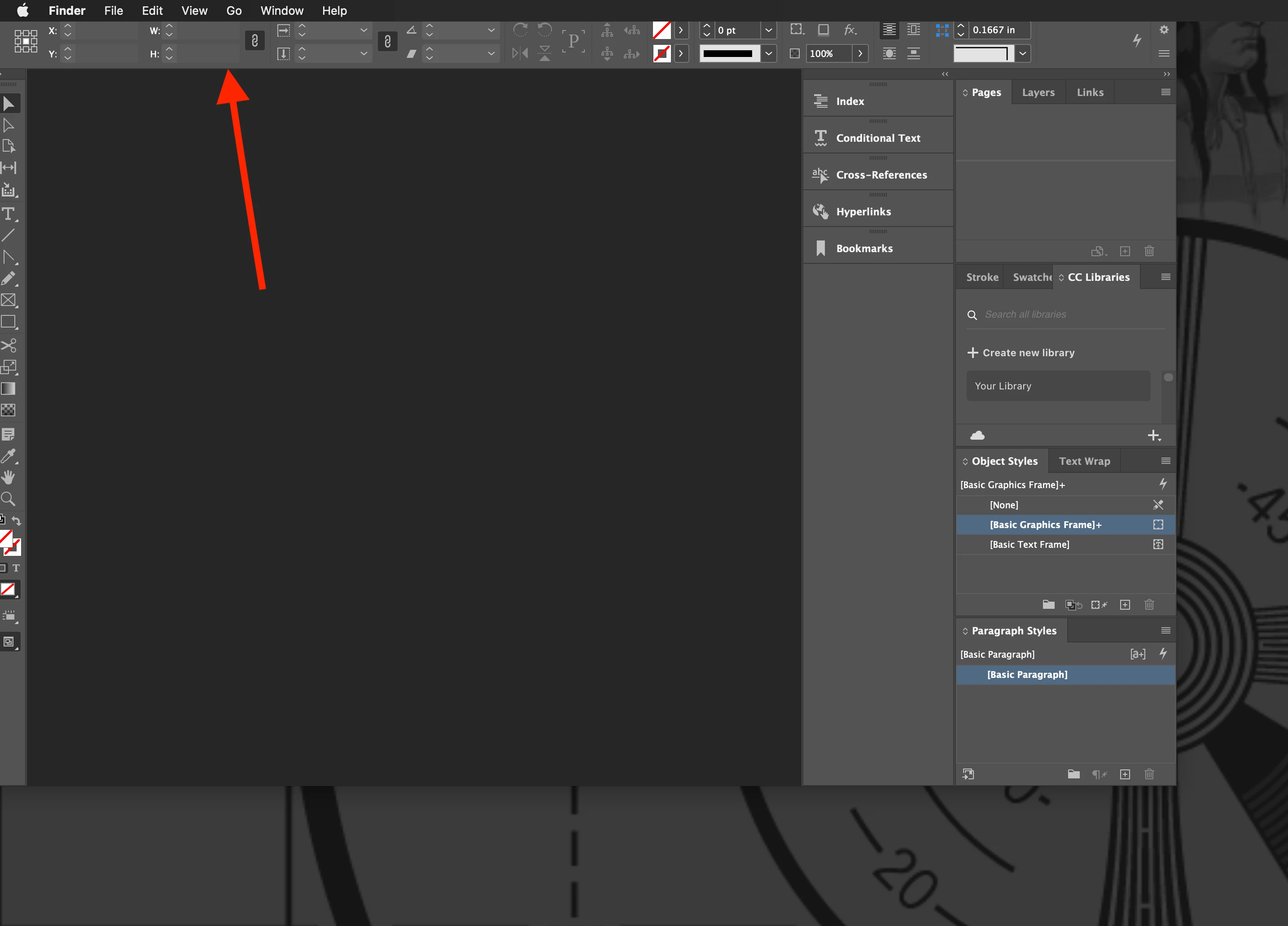
Hi all. Somehow my InDesign window got dragged up behind the apple menu at top of the screen...I can't move, expand or minimize it at all. I closed / reopened and rebooted my Mac with no luck. Can anyone help me please? This is my work computer and I am at a standstill! Thanks!


Correct answer Abhishek Rao

Hi @Rogier26988362cden,


You could try going to System Settings >  Control Center and enabling "Automatically hide and show the menu bar"? That worked for the original poster.

Ref:

Let me know if this fixes it or if you’re seeing something different!


^
Abhishek

3 replies

Participant
April 7, 2025

Fantastic! Thank you!

Participant
November 18, 2025

So Annoying!  I do not want to show/hide the menu bar, nor should I have to.  I spend hours messing with workspace and menu, and unit settings in Adobe products because THEY WONT fix persistant and obvious bugs.  VERY ANNOYING

Participant
March 10, 2025

I have this problem, too. I think ditching some preferences should solve it but which one?

Abhishek Rao
Community Manager
Abhishek RaoCommunity ManagerCorrect answer
Community Manager
March 19, 2025

Hi @Rogier26988362cden,


You could try going to System Settings >  Control Center and enabling "Automatically hide and show the menu bar"? That worked for the original poster.

Ref:

Let me know if this fixes it or if you’re seeing something different!


^
Abhishek

Community Expert
April 11, 2022

Is it a laptop? Do you use it with a large screen at your desk?


To get out of your immediate problem, try the keyboard shortcut Cmd+Control+F. This should bring your application window to full-screen view and get you back to using all your InDesign application window onscreen. Hopefully, this'll get you back running smoothly.


Hope this helps,


Randy

Participating Frequently
April 11, 2022

Hi Randy. It's a Mac desktop. I tried CMD+CTRL+F but nothing happened.

Community Expert
April 11, 2022

OK. Are you using an Apple monitor, like an iMac? or an external monitor, like you'd plug into a MacMini or Mac Pro?