Answered
Trapping problem with certain fonts.
Anyone know why this jaggedy weirdness happens when putting a very thin (.05pt) stroke on certain fonts? This is Meta Serif Pro. (Trapping stroke changed to red for visualization).
Thanks!
Thanks!
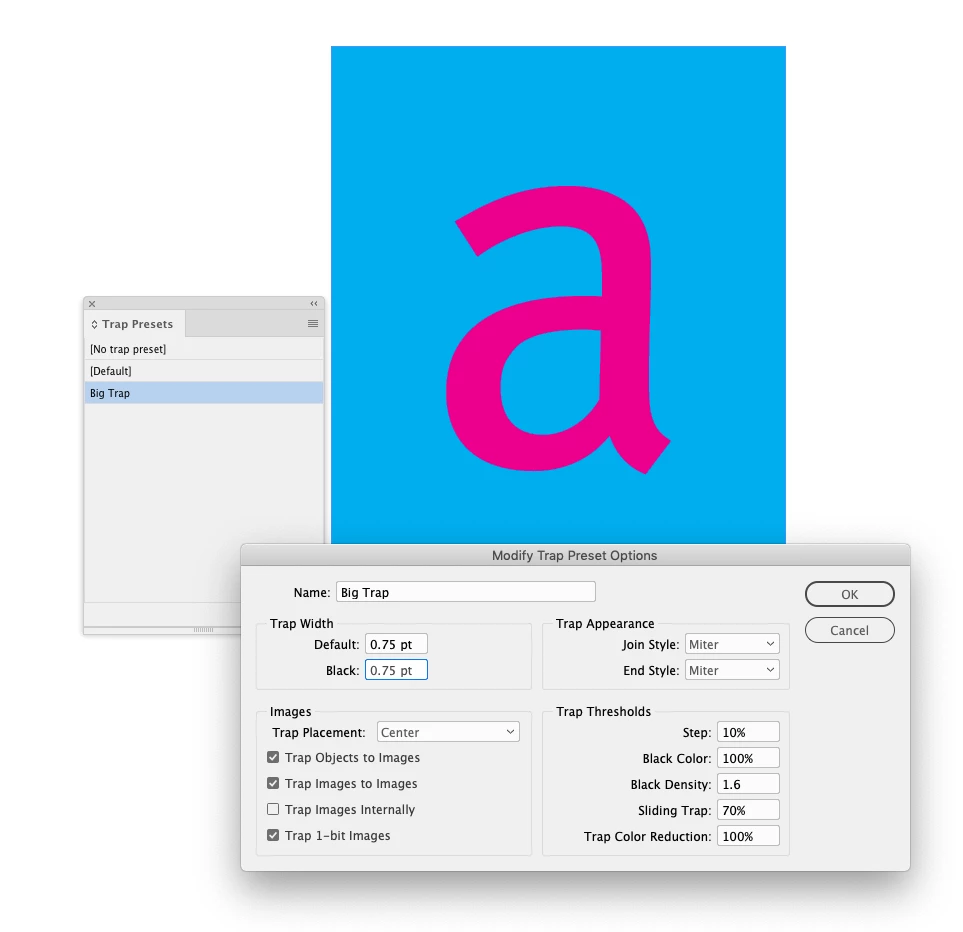
Open the Trap Presets panel to set your trap preferences. Here I’ve made a preset named Big Trap:
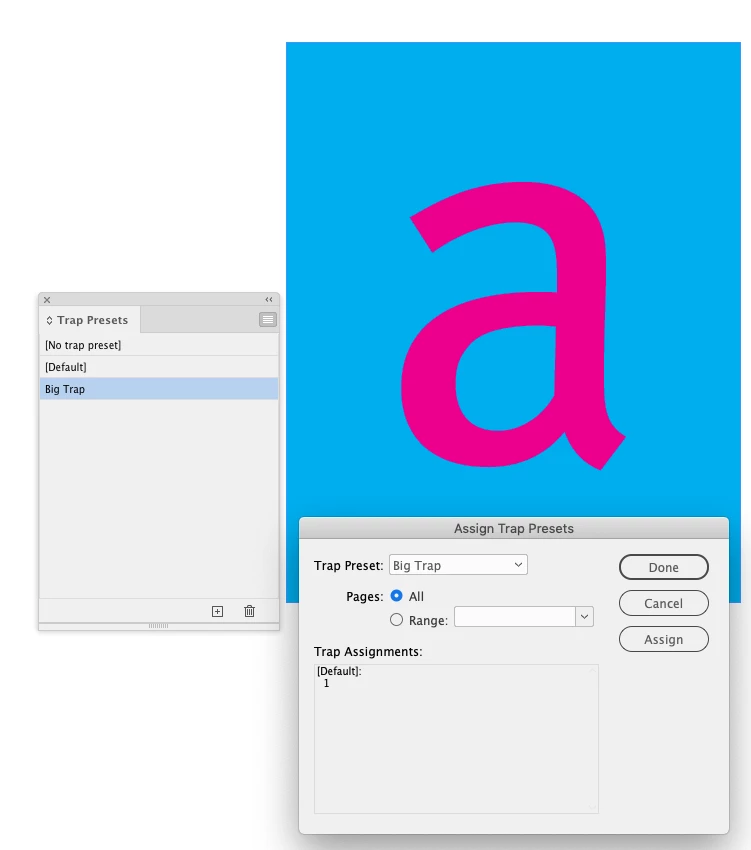
Then you have to Assign the preset from the Assign Trap flyout menu—you can also change the [Default] preset which would get applied to all of the pages when there are no other presets:
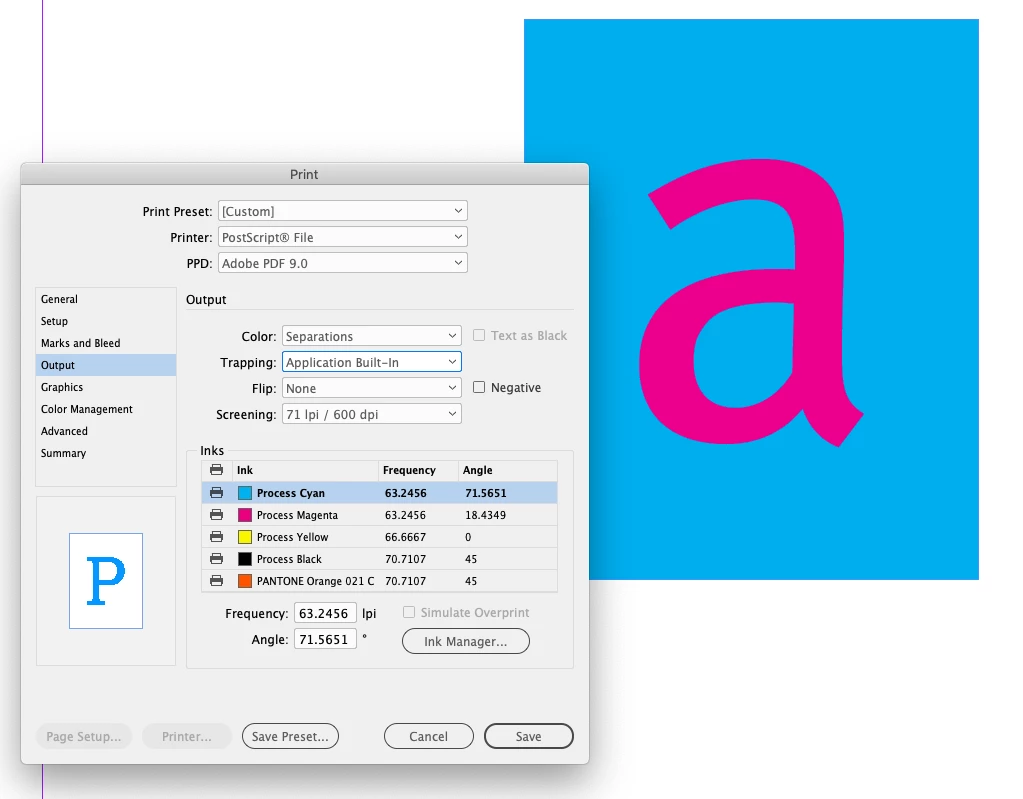
The traps only get applied when your Print Output tab Color is set to Separations or In-RIP Separations, and you set Trapping to Application Built-In:
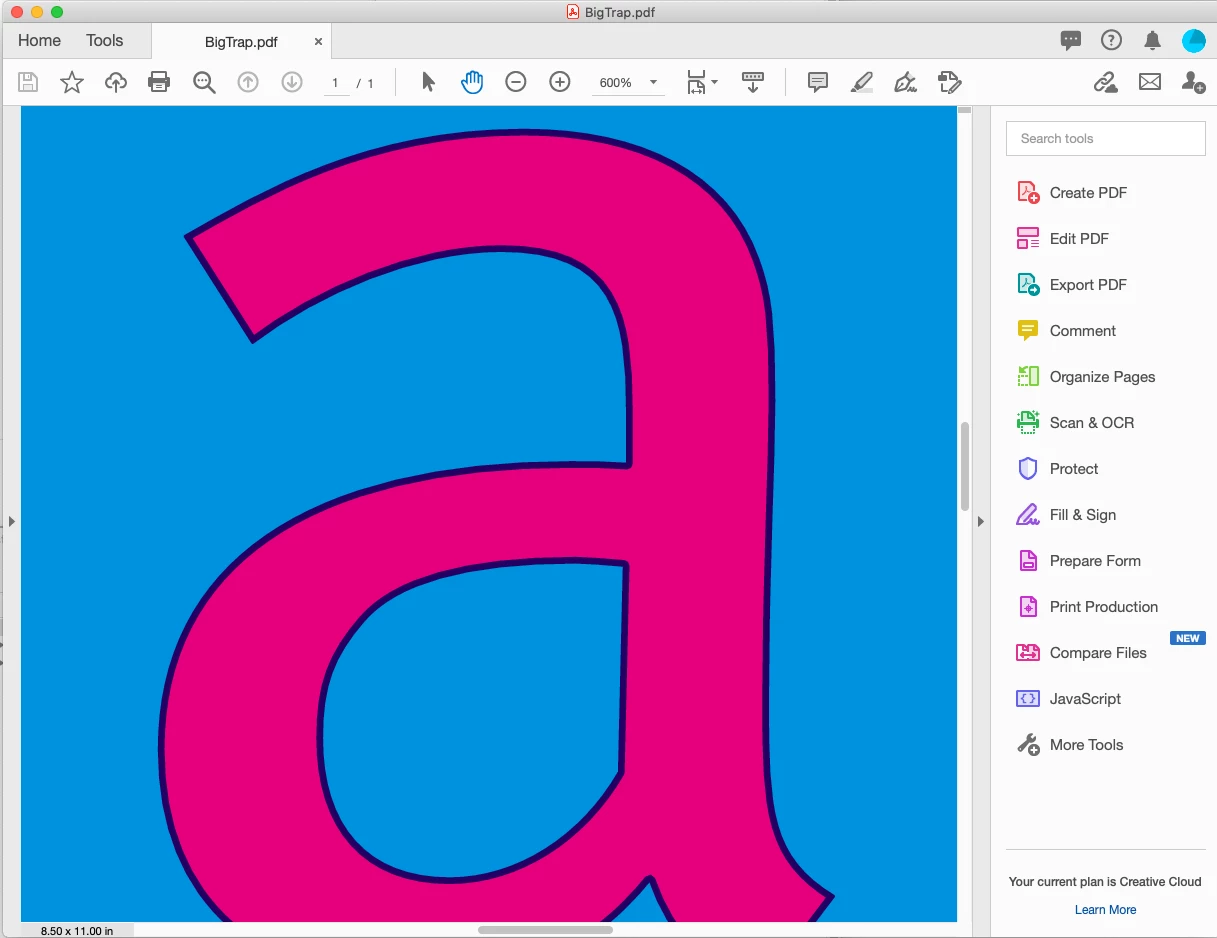
In-RIP Separations will print a composite with traps. Here I Distilled the page with In-RIP Separations so we can see the traps in a print to PDF. Traps are not applied to exported PDFs, AcrobatPro has its own Trapping panel for trapping PDFs.
Already have an account? Login
Enter your E-mail address. We'll send you an e-mail with instructions to reset your password.
 AdChoices